📌 Weekly Structure (applies every week)
Content Release: Mondays @ 11 AM (Tues @ 11 AM if holiday week)
Deadlines: All assignments due Mon @ noon (or Tue when no Monday class)
ZOOM : Optional. Monday review + critique (recorded). If no Monday class → prerecorded review + Wed @ noon live session.
Critiques: Regular weeks: Mon @ noon → Wed @ noon
No Monday class: Tue @ noon → Thu @ noon
Use discussion board if not in ZOOM
Remote Office Hours: Wednesdays, 1–3 PM → Schedule Here
Week 12 Links & Notes
(specific to this week)
Live Sessions This Week:
👉 Join Live: Mon 11.10 @ noon – Weekly Review → [Join Here]
📺 Watch: Mon 11.10 Weekly Review Recording → [Watch Here]
Looking Ahead (Week 13)
Next live (recorded) session: Mon Nov 17th @ noon (only live session in Week 13)
*non-holiday weeks we will meet on Mondays
This week’s deadlines:
Monday, Nov 17th @ noon
- 30s of P3 development – Develop in AE. Render. Post to Vimeo + Import to the bottom of your Ideation Story on Medium (if you struggle posting to Medium, please just post to Vimeo)
- Post 30s for Final Crit #3 – next Mon. Nov 17th–Wed. Nov 19th.
- Exercise 4 (double-dip the direction of this assignment with P3).
This week, we have a P3 30 Critique that runs from Monday Nov 17th@noon–Wednesday Nov 19th@noon on D2L Discussions.
Weekly Content
Week 12 (though not required, it is recommended you move through in sequence. To stay on schedule, all items need to be completed by end of week):
- Attend or watch a recording of Monday Zoom. We will review this week’s content and have a p2 10s critique for those present.
SECTION I – Motion Unconstrained
Content moved to next week to focus on P3 development.
SECTION II – P3 Development + P4 Introduction - Continue development of P3: Motion Infographic-Explainer
- Due Mon..: 30s of P3 development for P3 Final Critique to ZOOM or D2L. Post your link to your uploaded Vimeo file and describe your audio and how you want it to feel. Make note if you are looking for feedback on anything specific. (post by Mon 17th @ noon / 3 comments by next Wed 19th@ noon. In D2L, go to Communications > Discussions)
- Due Wed. 19th: 30s Critique: P3 Final Crit FEEDBACK – Participate in Monday Zoom Critique or Post/Comment to Discussion Board on D2L “P3: 30s of Development”. You only need to participate in the D2L critique if you do attend the Monday Zoom.
- Due Wed 12th: 10s Critique: P3 Crit #2 – Participate in Wednesday Zoom Critique or Post/Comment to Discussion Board on D2L “P3: 10s of Development” (post by Mon @ noon / 3 comments by Wed @ noon. In D2L, go to Communications > Discussions). You only need to participate in the D2L critique if you do attend the Monday Zoom. Post your link to your uploaded Vimeo file and describe your audio and how you want it to feel. Make note if you are looking for feedback on anything specific.
- Due next Mon. 24th: Final Presentation Rationale (post to Vimeo, or Medium)
- Due next Mon. 24th: Design Boards (file for download) turn in with P3 on D2L
- Due next Mon. 24th: Finalize and turn in P3: Motion Infographic-Explainer
- Due next Mon. 24th: Review P3 Submission Guidelines and Rubric before submitting.
- Begin P4 Motion Poster
SECTION III – AE - Watch Demo AE Video on Motion Tracking (and follow along on demo)
- Review Motion Tracking Resources
SECTION I – MOTION UNCONSTRAINED
2. Motion Unconstrained
Content moved to next week to focus on P3 development.
SECTION II – P3
2. Project 3: Motion Infographic/Explainer –
due: Monday 11.24
Continue development of P3: Motion Infographic-Explainer. This week, we will work on our 30s. Finalize and Submit P3: Motion Infographic-Explainer for end of next week.
9. P3 Final Submission Guidelines – For Review
- Project 3 Final: Final motion design uploaded to Vimeo. Upload your final files in a ZIPPED folder named “lastname_p3_Explainer” or “lastname_p3_Infographic” to the assignments folder on D2L “Project 3”.
- In zipped folder, FINAL .aep file
- In zipped folder, FINAL movie rendering @1080p or 720p (do not need process renderings)
- In zipped folder, Design Boards (file for download)
- In zipped folder, your rationale
- All process work (PDFs, JPEGs, PNGs) needs to be on Medium post (not in zipped folder)
- brainstorming/sketches/moodboards
- storyboard
- 3 style frames (resubmit in this folder)
6. Final Presentations (rationale): You will be writing a rationale of your concept for your final work and posting it to D2L Discussion: P3 Final Presentations. If you run into issues within Vimeo, please post your rationale within Medium. For your rationale, describe concept (narrative, mood, contrast, and formal) and formal choices. Remember to include both the name of your typeface(s) and WHY they were selected to support your concept. All of your choices should support how you wanted your work to feel.
7. Create Design Boards (file for download) Reviewed during Week 5 Zoom.
SECTION II – P4
10. Project 4: Motion Poster –
due: Wednesday 12.10@noon
Begin P4: Motion Poster. This project is a half project (50pts). This week, we will brainstorm event poster ideas and move into moodboards and sketches. Week 13, we will move into rough sketches. Week 14, we will move into digital, static posters. Week 15, we will have our motion critique. Week 16, the final project is due.
- During Monday’s ZOOM, I will do a project introduction and Keynote.
- Read: A New Poster Movement | AIGA
Examples:
- https://vimeo.com/141478783
- https://vimeo.com/157281697
- https://vimeo.com/4241860
- https://vimeo.com/86324260
P4 Student Examples

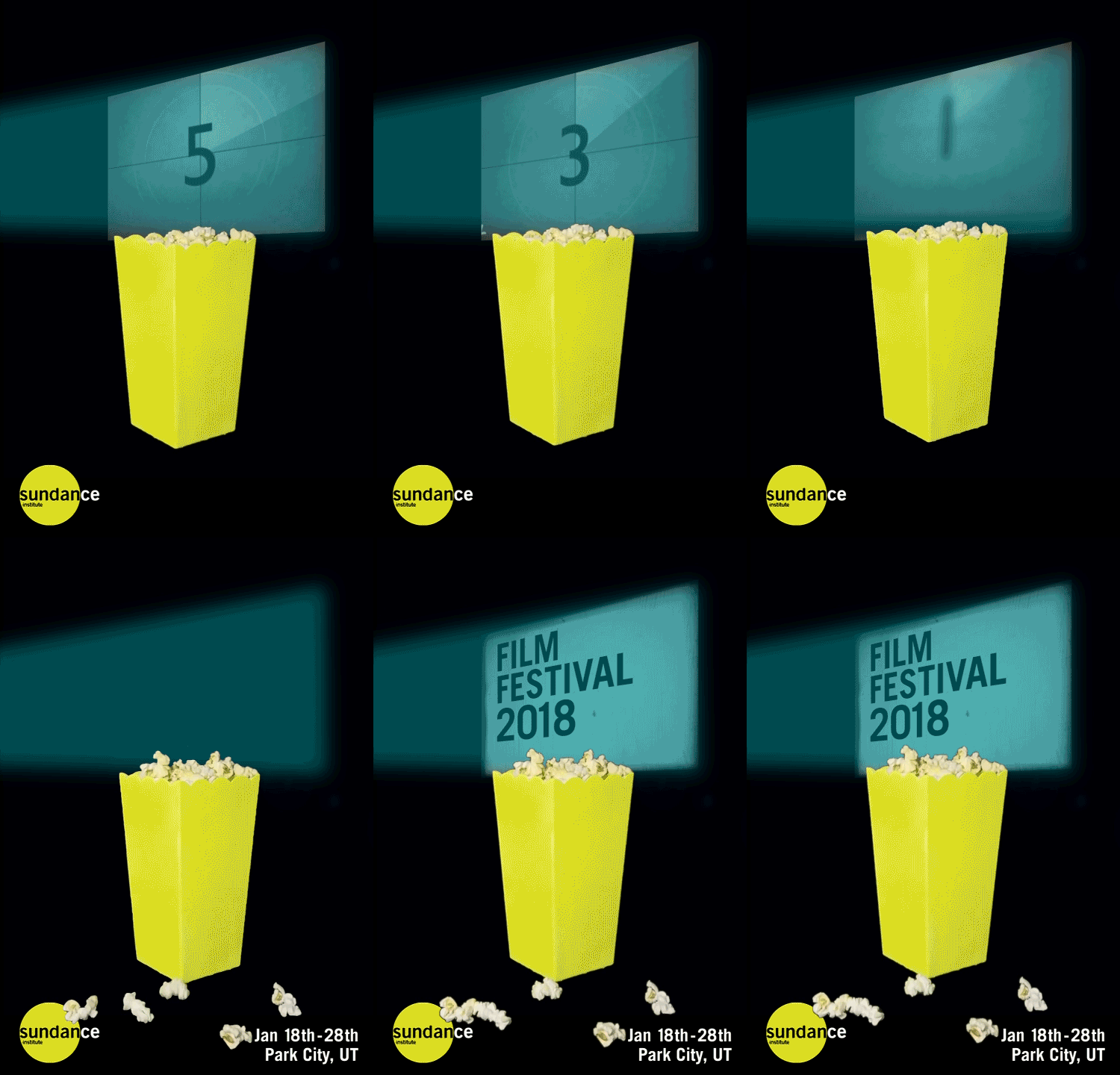
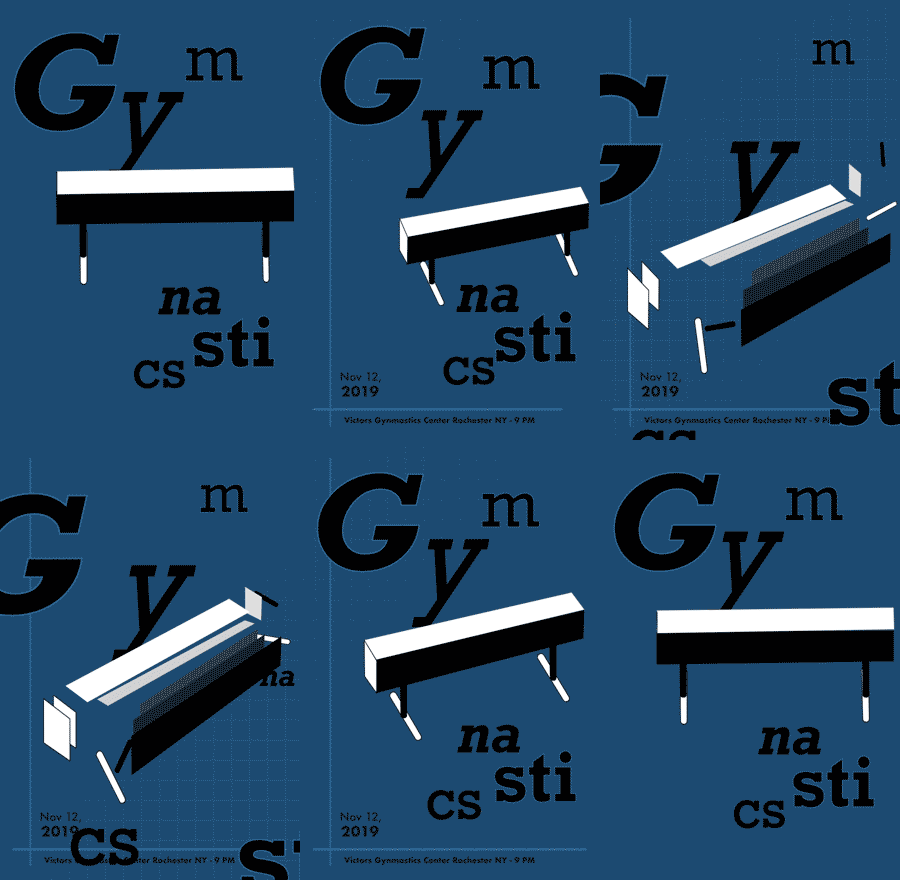
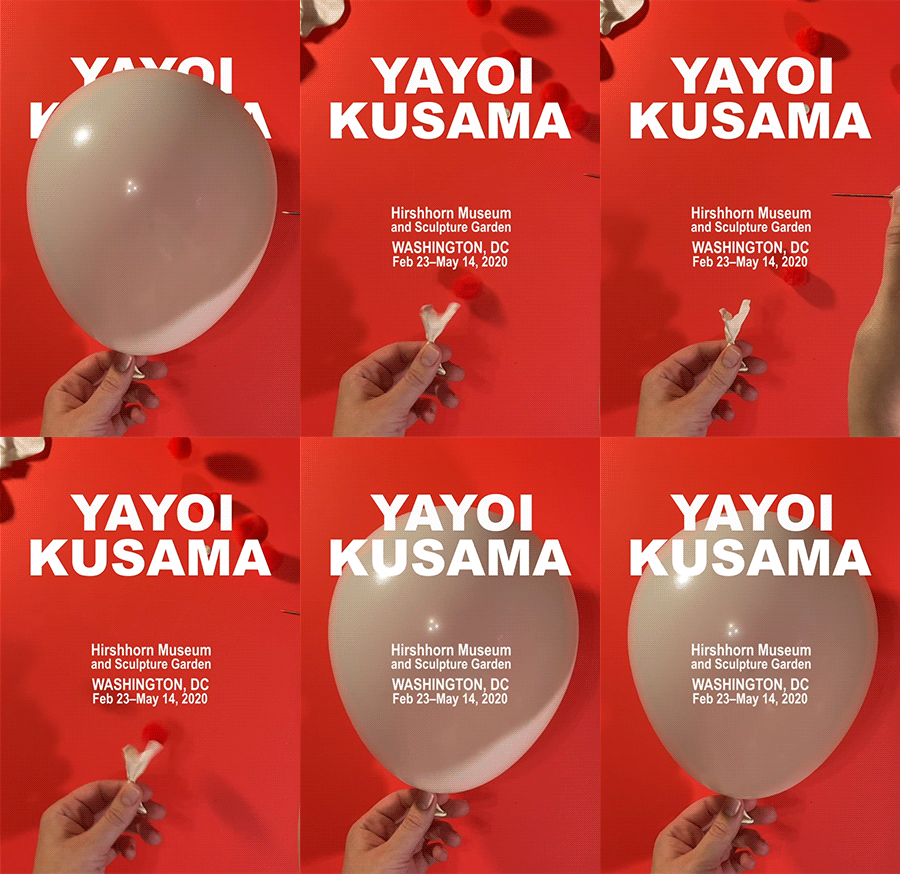
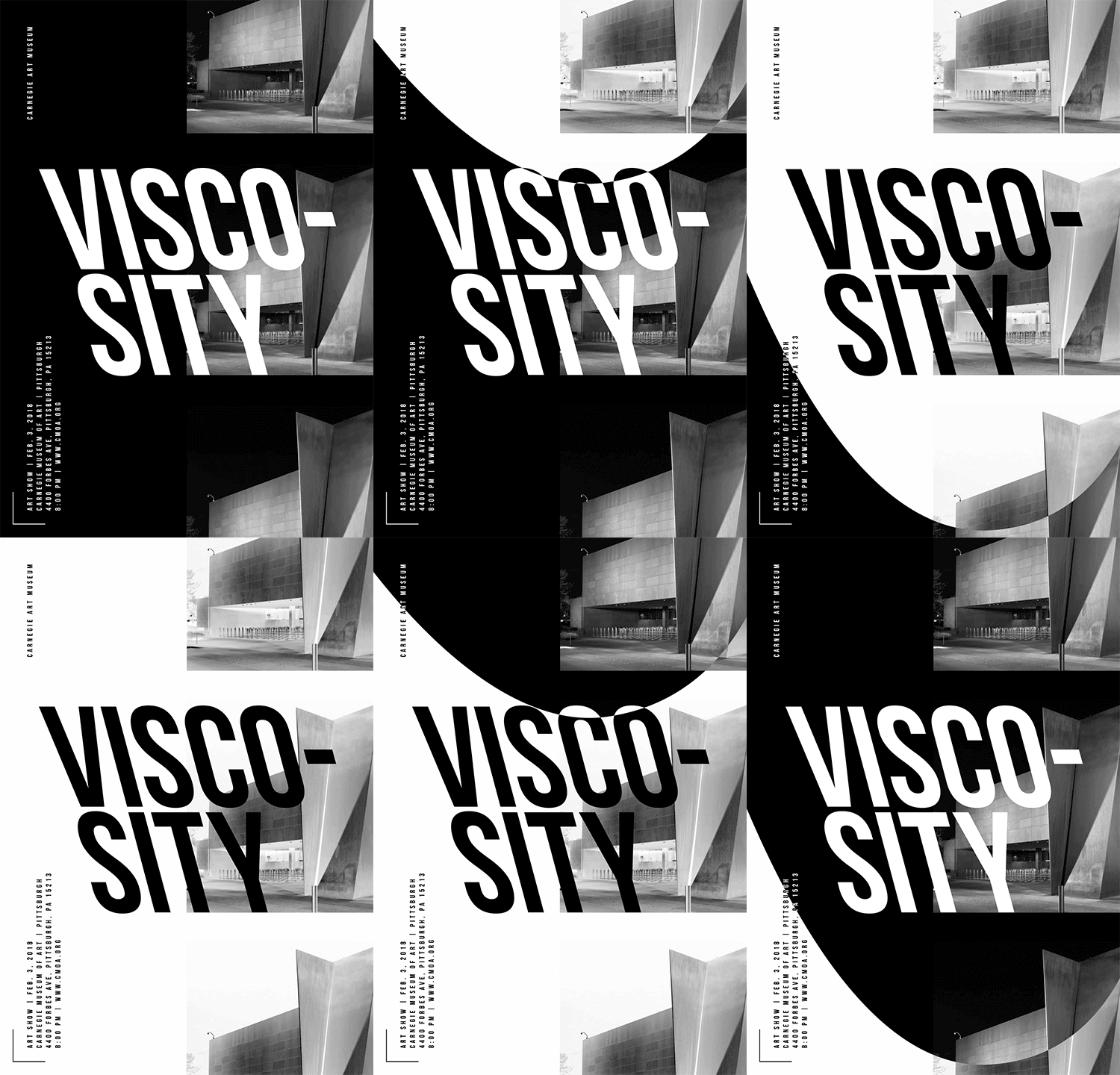
7. P4 Process Work – Due 2 weeks, Mon. 11.24
Post/Post to a story called “Motion Poster” or “Moster” on Medium. How to post on Medium.
- Select 2 potential events for your posters
- Ideate and brainstorm a list of 5 keywords for each event to describe the mood of each (i.e., tribal, ethereal, freedom, hipster, serenity, turmoil, dimensional, modular).
- 2 comprehensive mood boards (1 for each event concept—include type, color, style, imagery, textures/illustration styles, 5 descriptive words) – You can either explore 2 different directions for the same event or 2 different events
- 20 thumbnail sketches (10 per concept, 1-2 per concept should be stronger or more resolved) – You can either explore 2 different concepts for the same event or 2 different events
Course Schedule through Finals Week
- week 12
- w 11.12 due: 10s critique (crit end – comments due)
- m 11.17 30s development (final critique begin); E4; Begin P4 (50pts)
- week 13
- w 11.19 due: 30s (crit end – comments due)
- m 11.24 due: Final P3 deadline (100pts); p4 brainstorming / mood boards / 20 sketches
- week 14 (Thanksgiving)
- No deadlines until Monday, December 1st @noon.
- week 15
- m 12.1 11.21@noon 2 static designs (one should use an analog concept) + storyboards crit + initial motion test
- w 12.3 due: Motion Poster (critique begin) – our critique will run wed-mon this week due to the holiday schedule and finals.
- m 12.8 due: Motion poster (critique end comments due)
- week 16
- m 12.8 Final review live crit / one-on-one w/Cass
- w 12.10@noon – Final P4 deadline
SECTION III – AE
This week, we will learn about motion tracking, complete our final Exercise 6, and learn about Stop Motion during our Monday ZOOM.
11. Motion Tracking
- Download this video for today’s demo

12. Motion Tracking Resources
- Motion Tracking in AE
- How to do Motion Tracking: AE Tutorial (watch up to 7:30)
- Extra: How to Make Text Appear Using a Path in AE
Video Footage Resources
- Free Stock Creative Commons Videos
- Stock Video | Pexels
- Stock Video | Videovo
- Stock Video | Pixabay
- Light and Dust Overlays
- Sign up for RocketStock Freebies each month
Motion Tracking Steps
Video Footage: Select, download, and integrate video footage of your choice (can use Pexels, Videovo, Pixabay, or from the CC Public Domain). Import video as footage into AE. Move video to composition space.

Null Layer: Create a Null Layer above your video footage. (the type layer will parent to this layer once you are DONE setting up the motion tracking)

Motion Tracking: Select motion layer and go to Animation Menu > Track Motion. A Tracker Panel will appear on the right side of the interface. From this panel, select "position" from the checkboxes. The other two checkboxes can remain deselected.
- Select "Edit Target" and select your null layer.
- Move the Track point to an area of high contrast. Adjust the inner and out box accordingly. Note: A larger area will take longer to process, but will result in a more fluid movement.
- Click the play button next to analyze to allow the tracking to process.
- Once complete, click Apply.

Video Effects: Apply a color effect(s) to the video layer. Any additional modifications can be made to adjust the hue, saturation, brightness, sharpness, etc. to achieve your desired effect and mood.
Reminders
Flux Competition
Consider entering your work into the Flux Competition (deadline extended through this Friday)