For Today: P4 Final Presentations (9–9:50) Please make sure all final work is uploaded to Vimeo and D2L.
This week is finals.Your final project is due today at 9AM.
Cass will hold office hours for anyone who would like to meet with her to discuss your final project or anything concerning the course this term. If you would like to meet, please schedule office hours here
P4 Final Submission Guidelines – For Review
Project 4 Final: Final motion design uploaded to Vimeo. Upload your final files in a ZIPPED folder named “lastname_p4_MotionPoster” to the assignments folder on D2L “Project 4”.
In zipped folder, FINAL .aep file
In zipped folder, FINAL movie rendering @1080p or 720p (do not need process renderings)
.gif file (created in Photoshop – refer to last week’s demo)
In zipped folder, Design Boards (P4 file for download) – only 4 frames (the zipped file is revised for the different format and duration) PDF only please!
All process work (PDFs, JPEGs, PNGs) needs to be on Medium post (not in zipped folder)
This week is finals. Your project is due Wednesday at noon. All late submissions must be turned in before Thursday at midnight.
Cass will hold office hours for anyone who would like to meet with her to discuss your final project or anything concerning the course this term. If you would like to meet, please schedule office hours here
Tuesday 12/9:
11:30am–12:00pm (Beehive Library 232)
3:15pm–4:00pm (Beehive Library 232)(I can set up zoom on Tuesday, if needed)
Wednesday 12/10:
1:00pm–3:00pm (remote)
Thursday 12/11:
10:00am–11:00am (DH 211)
Week 16 Links & Notes (specific to this week)
Live Sessions This Week:
👉 Join Live: Mon 12.8 @ noon – Final Weekly Review + Open Session for Critique→ [Join Here]
📺 Watch: Mon 12.8 Final Weekly Review → [Watch Here]
Our final deadlines
Monday, Dec. 8th @noon
7. End Critique #2 — Complete all feedback in D2L.
Wednesday, Dec. 10th @noon
8. Final P4 Submission to D2L (any late work must be submitted by Thursday, Dec. 11th @midnight).
Review P4 Submission Guidelines before submitting (due 12.10@noon)—rubric and more details for submission were posted in Week 14.
Final Presentation Rationale (post to Vimeo, or Medium)
Project 4 Final: Final motion design uploaded to Vimeo. Upload your final files in a ZIPPED folder named “lastname_p4_MotionPoster” to the assignments folder on D2L “Project 4”.
In zipped folder, FINAL .aep file
In zipped folder, FINAL movie rendering @1080p or 720p (do not need process renderings)
In zipped folder, pdf of rationale
.gif file (export in Adobe Media Encoder)
In zipped folder, Design Board- only 4 frames (the zipped file is revised for the different format and duration) PDF only please!
All process work (PDFs, JPEGs, PNGs) needs to be on Medium post (not in zipped folder)
Focus for Critique:CONCEPT + MOOD:
What is the overarching idea (thinking, logic, thread) for your design? How does the poster feel?
MESSAGE:
Is the topic clear? Does the content hook us? Does the poster's content unfold in a purposeful way?
TIMING:
Look at speed and feel for "sticky spots." Does everything flow? Do any areas feel too slow/fast?
TRANSITIONS:
Does any content enter/exit at the wrong time? Are there any transitions that seem out of place or lacking?
FORMAL CHOICES: Then…how are your design choices communicating the above? Type, color, imagery, etc. Is the event content read clearly, quickly, and easily? Is there unity throughout? Color coding? How did the designer use repetition with variation through the sequence?
Due Next Class:
Final P4 Submission (submission guidelines posted on 12.3)
____________F I N A L S_________________
12.11 – (9AM) P4 Deadline; Final Presentations Final P4 Submission (review guidelines above)
Please provide feedback on 6 peers on the following points. Post work here: P4_Mosters_F25.
Focus for Critique:CONCEPT/MOOD: What is the overarching idea (thinking, logic, thread) for your design? How does the poster feel?
CONTENT/MESSAGE: Is the topic clear? Does the content hook us? Does the poster's content unfold in a purposeful way?
TIMING: Look at speed and feel for "sticky spots." Does everything flow? Do any areas feel too slow/fast?
TRANSITIONS: Does any content enter/exit at the wrong time? Are there any transitions that seem out of place or lacking? Looping considerations.
FORMAL CHOICES: Then…how are your design choices communicating the above? Type, color, imagery, etc. Is the event content read clearly, quickly, and easily? Is there unity throughout? Color coding? How did the designer use repetition with variation through the sequence?
P4 Final Submission Guidelines
Project 4 Final: Final motion design uploaded to Vimeo. Upload your final files in a ZIPPED folder named “lastname_p4_MotionPoster” to the assignments folder on D2L “Project 4”.
FINAL .aep file
FINAL movie rendering @1080p or 720p (do not need process renderings)
.gif file
Design Board (P4 file for download) PDF – only 4 frames (the zipped file is revised for the different format and duration) Create Design Boards (P4 file for download)
All process work (PDFs, JPEGs, PNGs) needs to be on Medium post (not in zipped folder)
keyword/idea list/mood boards
brainstorming/sketches
1–2 roughs
1 static poster
motion test
Final Presentations: For our final project, you will be presenting your concept for your final work. For your rationale, describe concept (narrative, mood, contrast, and formal) and formal choices. Remember to include both the name of your typeface(s) and WHY they were selected to support your concept. All of your choices should support how you want your work to feel.
Project 4 Rubric
*Keep in mind that project 4 is now worth 50 points (weighted grade in D2L), although the rubric is still based on the value of 100. Keep in mind, that the points will cut in half for everything below. For example: The animated GIF will be worth 2.5pts, as opposed to 5pts.
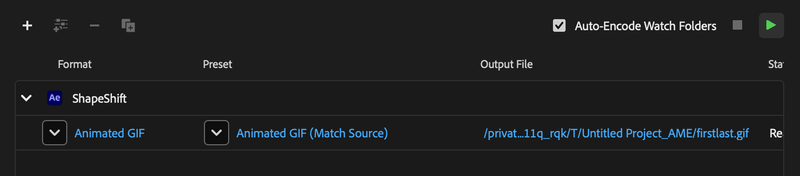
1. Go to Composition > Add to Adobe Media Encoder Queue. 2. In Media Encoder, set Format to Animated GIF. 3. Click the Output File name to choose where to save it (select your desktop). 4. Click the green play button to render. 5.Test your GIF—congrats, you’ve made your gif! (hit spacebar to play) 6. AME (Adobe Media Encoder) makes it easier than ever, but If you’d aslo like to know how to create a GIF in Photoshop, watch the video below.
GIF Tips
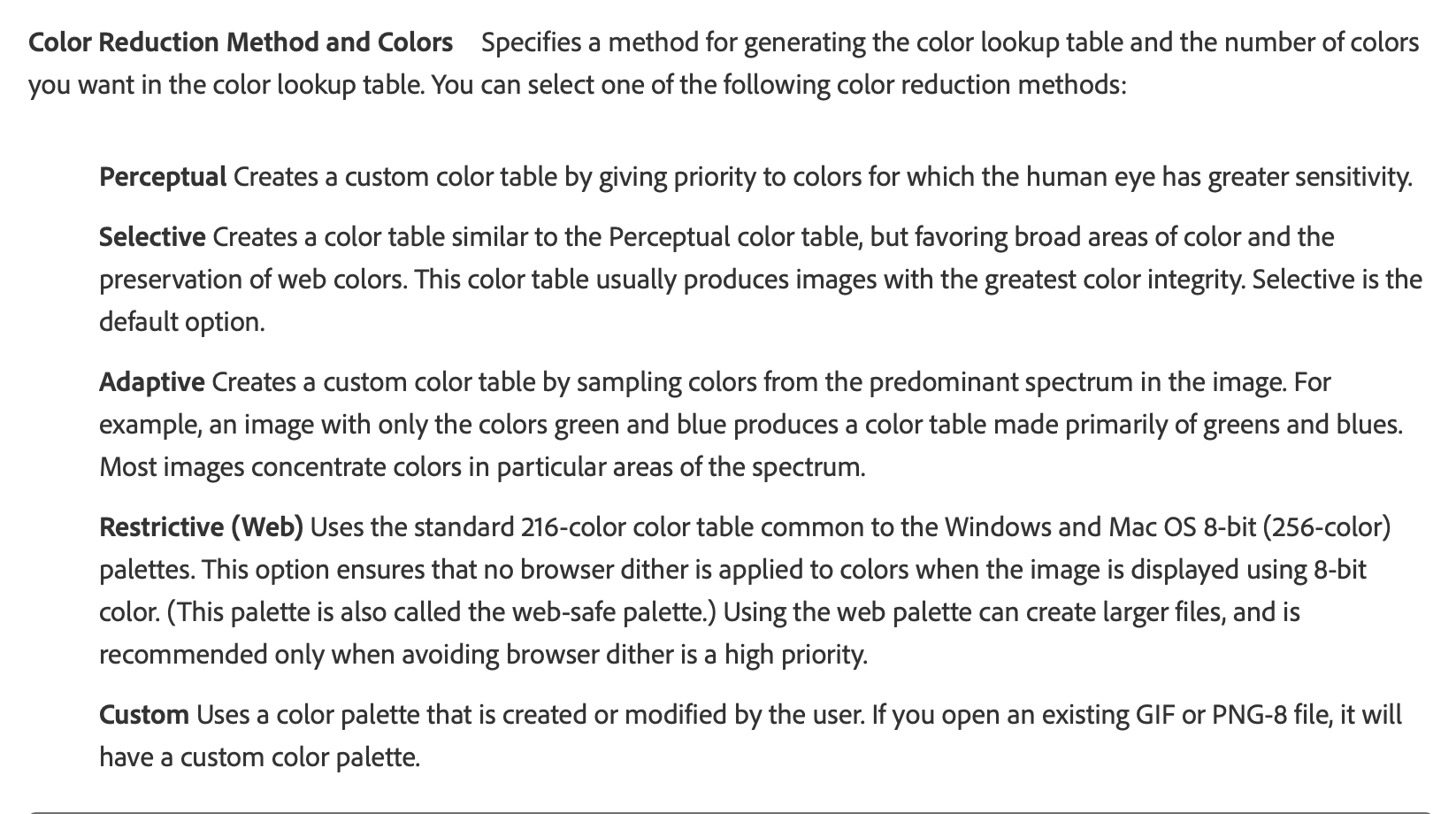
Color Palette Limitation: GIFs support a maximum of 256 colors. Simplify your design to work well within this limitation, focusing on essential elements and avoiding unnecessary color complexity.
Reduce Colors Strategically: Minimize the number of colors in your design to keep the file size smaller without sacrificing visual quality.
Mimimize Gradients: Gradients can create banding issues in GIFs due to the limited color palette. Use solid colors or subtle gradients.
Plan for the Seamless Loop: Ensure the last frame of your animation transitions naturally back to the first frame for a smooth, infinite loop. This often requires working backward from the end frame.
Frame Rate Reduction: Lower the frame rate (e.g., 12-15 fps) to reduce file size. However, avoid going too low, as this may result in choppy animation.
Timingand Flow: Adjust the timing of animations to ensure that looping does not appear abrupt. The transition should feel natural and continuous.
Dithering Options: If your GIF suffers from noticeable banding, try enabling dithering when exporting. Dithering smooths color transitions but may slightly increase file size.
Online Optimization Tools: Use online tools like Ezgif.com or TinyPNG for further optimization after exporting from After Effects.
Use Adobe Media Encoder: After Effects also lets you export GIFs directly. Use Adobe Media Encoder for better control over output settings.
Tap the spacebar: Preview your GIF to check the loop and ensure smooth playback. On Macs, tap the spacebar in Finder to quickly preview your GIF. On PCs, open in a web browser to preview.
Creative inspiration: Browse websites like Dribbble or Behance for examples of effective looping GIFs to spark ideas.
Optional Video: AE to GIF in Photoshop Demo Video 18:34
This is the last week of class. Next week is final’s week
Content Release: Mondays @ 11 AM (Tues @ 11 AM if holiday week) Deadlines: All assignments due Mon @ noon(or Tue when no Monday class) ZOOM : Optional (recorded). Monday review + critique (recorded). If no Monday class → prerecorded review + Wed @ noon live session. Critiques: Regular weeks: Mon @ noon → Wed @ noon Use discussion board if not in ZOOM Remote Office Hours: Wednesdays, 1–3 PM → Schedule Here
Next live (recorded) session: Mon Dec 8th @ noon (our last live session)
Our final deadlines
Monday, Dec. 1st@ noon
3. Submit P4 Work to P4_Mosters_F25 (2 Static Posters (either 2 DIFFERENT posters from 1 concept / or, 1 poster for 2 events), Storyboards, Motion Test.
5. Begin Critique #1 — In P4_Mosters_F25, Comment on 3 classmates, Note: most successful, least successful, suggestions for improvement, motion ideas.
Wednesday, Dec. 3rd@ noon
5. End Critique #1 — Complete all feedback in the PPT.
6. Begin Critique #2 — Post Motion Poster Work-In-Progress to D2L “P4: Motion poster” Discussion Board (Vimeo link or MP4 or GIF. Also add motion test to bottom of Medium ideation story.)
Monday, Dec. 8th @noon
7. End Critique #2 — Complete all feedback in D2L.
Wednesday, Dec. 10th @noon
8. Final P4 Submission to D2L (any late work must be submitted by Thursday, Dec. 11th @midnight).
Next week 16, is finals week and P4 is due on Wednesday @noon.
Weekly Content
Week 15 (though not required, it is recommended you move through in sequence. All items need to be complete by end of week):
Attend or watch recording of Monday Zoom. We will review this week’s content.
DueMon 12.1@noon: 2 Static Posters + storyboards + motion test (post to Medium and D2l Crit)
P4 Static Poster Crit #1 –Post to Discussion Board on P4_Mosters_F25 by Monday 12.1 @noon.
Due Wed 12.3: P4 Crit #1 feedback on 2 Static posters: P4_Mosters_F25. Comment on 3 others by Wednesday@noon.
DueWed 12.3: Begin P4 Motion Poster Critique #2 (final critique begin). Comment on 3 others by 12.8@noon.
Due Mon. 12.8:P4 Crit #2–Participate in Wednesday @11AM Zoom Critique or Post/Comment to Discussion Board on D2L “P4: Motion Poster” by Wednesday @noon. Comment on 3 others by Monday@noon (if you do not attend Wednesday’s ZOOM). You only need to participate in one or the other.
Review P4 Submission Guidelines before submitting (due 12.10@noon).
.pdf – Final Presentation Rationale (post to Vimeo, or Medium)
Read through GIFs tips and How-To. Optional: Demo AE to GIF Video in Photoshop (we are using Adobe Media Encoder this year so this video is not required unless you’d like to learn how to also create a GIF in Photoshop).
Continue development of P4: Motion Poster. This week, we will critique our motion posters. Next week, I will hold an open studio / final critique on Monday @ noon. The following day project is due on Tuesday at midnight.
6. and 7. P4 Motion Poster Critique
Focus for Critique:CONCEPT/MOOD: What is the overarching idea (thinking, logic, thread) for your design? How does the poster feel?
CONTENT/MESSAGE: Is the topic clear? Does the content hook us? Does the poster's content unfold in a purposeful way?
TIMING: Look at speed and feel for "sticky spots." Does everything flow? Do any areas feel too slow/fast?
TRANSITIONS: Does any content enter/exit at the wrong time? Are there any transitions that seem out of place or lacking? Looping considerations.
FORMAL CHOICES: Then…how are your design choices communicating the above? Type, color, imagery, etc. Is the event content read clearly, quickly, and easily? Is there unity throughout? Color coding? How did the designer use repetition with variation through the sequence?
8. P4 Final Submission Guidelines – For Review
Project 4 Final: Final motion design uploaded to Vimeo. Upload your final files in a ZIPPED folder named “lastname_p4_MotionPoster” to the assignments folder on D2L “Project 4”.
In zipped folder, FINAL .aep file
In zipped folder, FINAL movie rendering @1080p or 720p (do not need process renderings)
In zipped folder, FINAL .pdf of rationale
.gif file (created in Photoshop – refer to last week’s demo)
In zipped folder, Design Boards (P4 file for download) PDF please – only 4 frames (the zipped file is revised for the different format and duration) Design Board Link: design_board_mosters.ai
All process work (PDFs, JPEGs, PNGs) needs to be on Medium post (not in zipped folder)
keyword/idea list/mood boards
brainstorming/sketches
2 static posters
storyboard (minimum of 3 frames)
motion test
Project 4 Rubric
*Keep in mind that project 4 is now worth 50 points (weighted grade in D2L), although the rubric is still based on the value of 100. Keep in mind, that the points will cut in half for everything below. For example: The animated GIF will be worth 2.5pts, as opposed to 5pts.
Final Presentations (rationale): For our final project, you will be writing a rationale of your concept for your final work and uploaded a PDF of your rationale to your submission folder. Clearly articulate the narrative, mood, and contrast elements of your design. Explain how these elements interplay to create a cohesive concept. Discuss the formal aspects of your design. This includes color schemes, imagery/illustration style, and any other visual elements that are crucial to your design. Detail your choice of typefaces. It’s important not just to name the typefaces used but also to explain why they were chosen. How do they complement or enhance your concept? Ensure that all the elements mentioned above are cohesively integrated into your rationale. Your explanation should make clear how each choice contributes to the overall feel and effectiveness of your work.
In After Effects, this week we will learn about creating animated GIFs from your motion files. This is a required component of your Project 4 final submission and is 5% of your final grade. Be sure to watch the demo, practice the techniques, and review the tips and resources below.
How to Render your GIF
1. Go to Composition > Add to Adobe Media Encoder Queue. 2. In Media Encoder, set Format to Animated GIF. 3. Click the Output File name to choose where to save it (select your desktop). 4. Click the green play button to render. 5.Test your GIF—congrats, you’ve made your gif! (hit spacebar to play) 6. AME (Adobe Media Encoder) makes it easier than ever, but If you’d aslo like to know how to create a GIF in Photoshop, watch the video below.
GIF Tips
Color Palette Limitation: GIFs support a maximum of 256 colors. Simplify your design to work well within this limitation, focusing on essential elements and avoiding unnecessary color complexity.
Reduce Colors Strategically: Minimize the number of colors in your design to keep the file size smaller without sacrificing visual quality.
Mimimize Gradients: Gradients can create banding issues in GIFs due to the limited color palette. Use solid colors or subtle gradients.
Plan for the Seamless Loop: Ensure the last frame of your animation transitions naturally back to the first frame for a smooth, infinite loop. This often requires working backward from the end frame.
Frame Rate Reduction: Lower the frame rate (e.g., 12-15 fps) to reduce file size. However, avoid going too low, as this may result in choppy animation.
Timingand Flow: Adjust the timing of animations to ensure that looping does not appear abrupt. The transition should feel natural and continuous.
Dithering Options: If your GIF suffers from noticeable banding, try enabling dithering when exporting. Dithering smooths color transitions but may slightly increase file size.
Online Optimization Tools: Use online tools like Ezgif.com or TinyPNG for further optimization after exporting from After Effects.
Use Adobe Media Encoder: After Effects also lets you export GIFs directly. Use Adobe Media Encoder for better control over output settings.
Tap the spacebar: Preview your GIF to check the loop and ensure smooth playback. On Macs, tap the spacebar in Finder to quickly preview your GIF. On PCs, open in a web browser to preview.
Creative inspiration: Browse websites like Dribbble or Behance for examples of effective looping GIFs to spark ideas.
Optional Video: AE to GIF in Photoshop Demo Video 18:34
Content Release: Mondays @ 11 AM (Tues @ 11 AM if holiday week) Deadlines: All assignments due Mon @ noon(or Tue when no Monday class) ZOOM : Optional. Monday review + critique (recorded). If no Monday class → prerecorded review + Wed @ noon live session. Critiques: Regular weeks: Mon @ noon → Wed @ noon No Monday class: Tue @ noon → Thu @ noon Use discussion board if not in ZOOM Remote Office Hours: Wednesdays, 1–3 PM → Schedule Here
We do not have class Wednesday–Friday this week due to Thanksgiving Break.
Next live (recorded) session: Mon Dec 1st @ noon (only live session in Week 15)
This week’s deadlines: Monday, Dec 1st @ noon
2 mood boards (extended deadline: if not completed for last Monday)
6. 2 Static Posters + storyboards + motion test (either 2 DIFFERENT posters from 1 concept / or, 1 poster for 2 events) to Medium and P4_Mosters_F25 Note: For motion test, If you are using an analog process, you must attempt it. If you are using a digital, we should be able to clearly perceive the intended motion for critique feedback.
7. P4 Rough CritPPT Critique: (access P4_Mosters_F25) and give constructive feedback to both (2) rough posters. Which ones do you feel are most and least successful and why? Keeping in mind the motion will be under 20s, provide suggestions for motion, as well as ways to improve the design.
Next week 15, for P4, we will have our motion poster critique. If you are using an analog process, you must attempt it. If you are using a digital, we should be able to clearly perceive the intended motion for critique feedback. Week 16, your motion poster is due on Wednesday.
Weekly Content
Week 14:
Watch recording of Monday’s (pre-recorded) Zoom below. Cass will review this week’s content.
SECTION I – Motion GIFs
Review Examples + Resources
SECTION II – P4 DEVELOPMENT
Continue development of P4: Motion Poster
Due Mon. 12.1:P4 Process – 2 moodboards
DueMon 12.1@noon: 2 Static Posters + storyboards + motion test (post to Medium and D2l Crit)
P4 Static Poster Crit –Post to Discussion Board on P4_Mosters_F25 by Monday 12.1 @noon.
Due Wed 12.3: P4 Crit feedback on 2 Static posters: P4_Mosters_F25. Comment on 3 others by Wednesday@noon.
Due Wed 12.3: P4 Motion Poster (final critique begin). Comment on 3 others by noon on 12.8.
SECTION I – MOTION GIFs
2. Motion GIFs
Note: Stop Motion Demo Video recorded last week on Wednesday
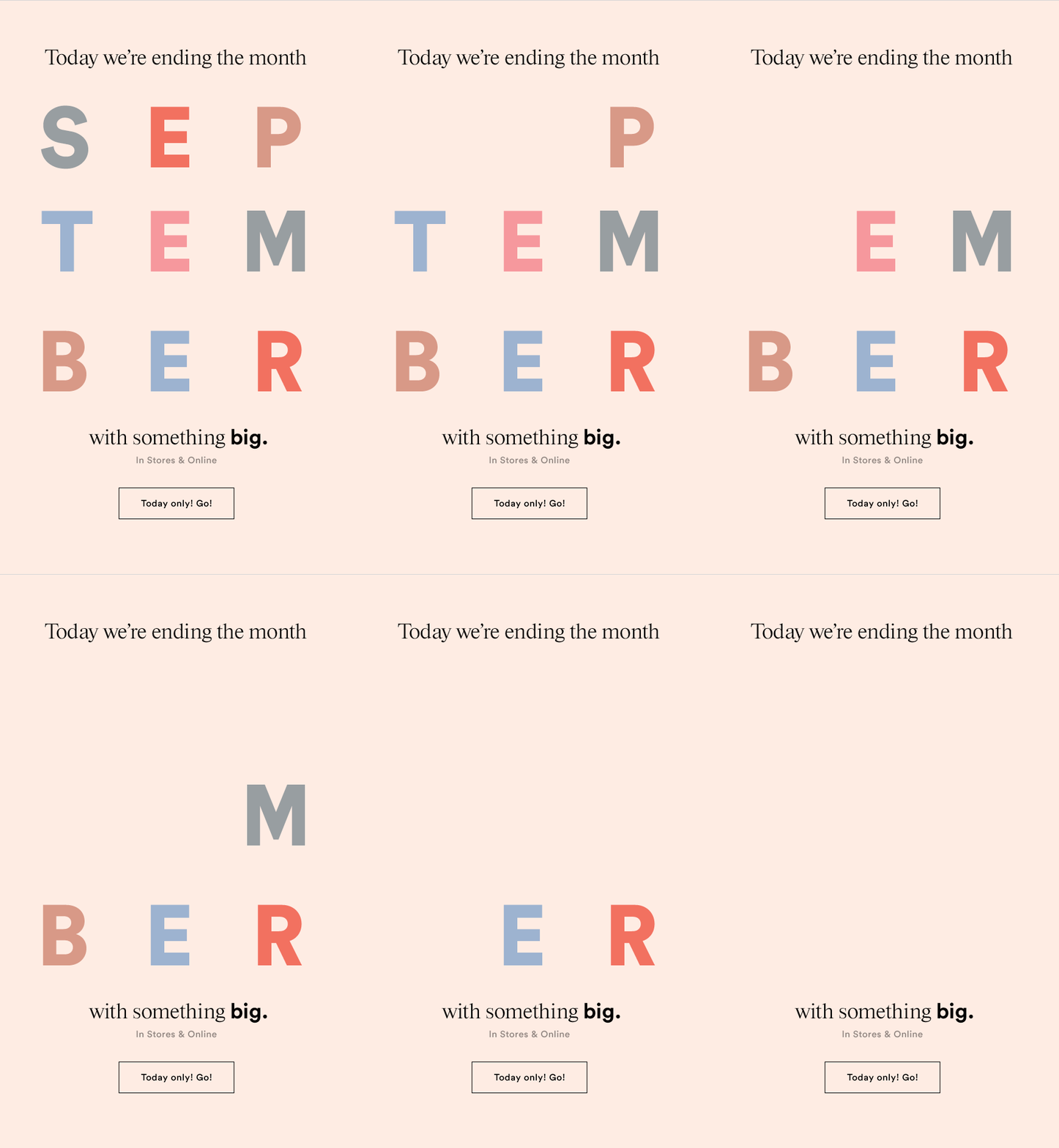
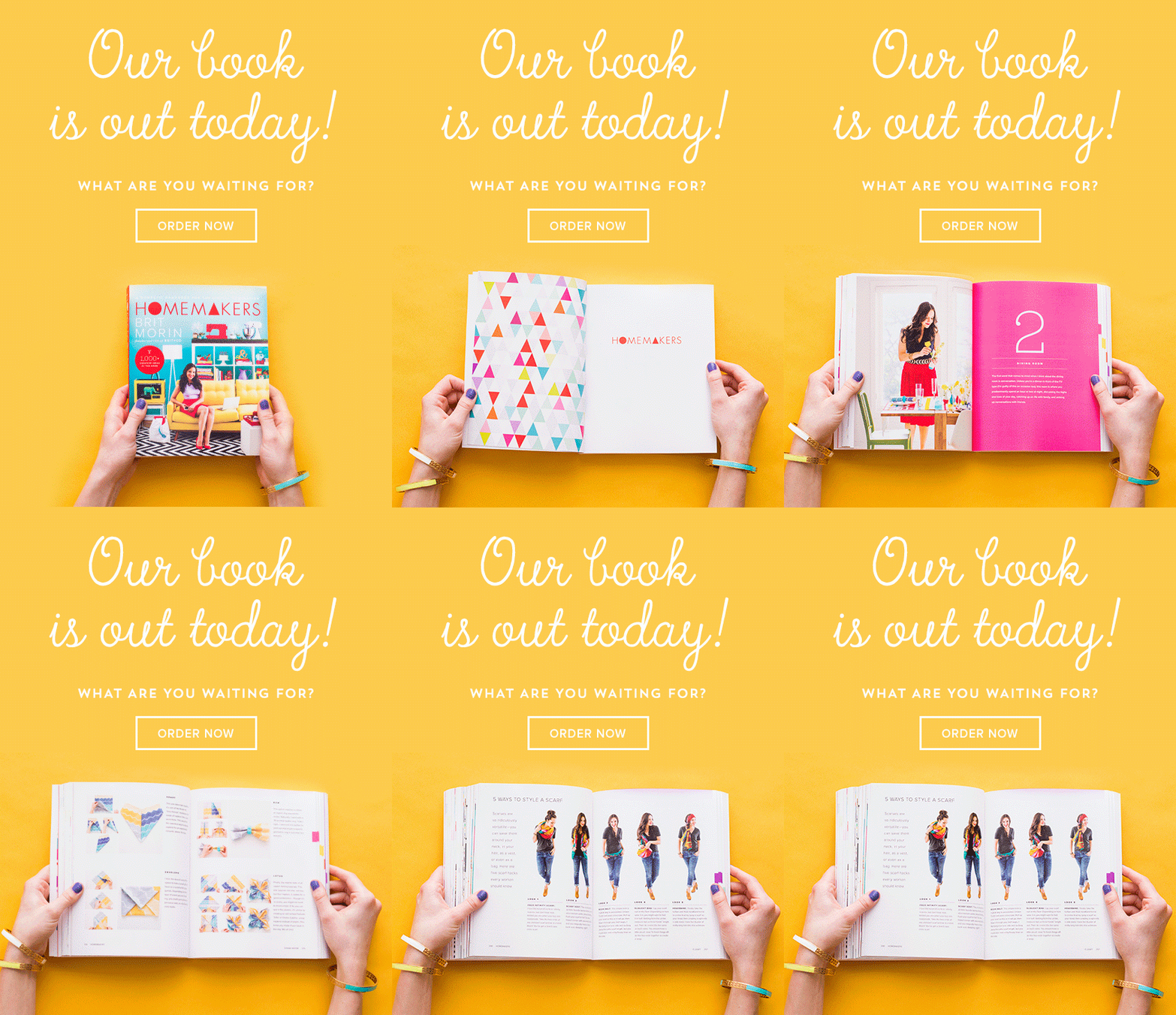
One of the most popular methods to share motion through social and web-based platforms is the animated GIF. The shorter duration makes them faster to digest than a video. They work well across mostly all browsers (HTML email included!). The GIF is limited to 256 colors, which means the color is very limited. While it isn’t always ideal for full animations, it can be a powerful vehicle for sharing a message and conveying emotion. It is important to note: sometimes the GIF format can grow to a very large size, and some sites choose to convert GIFs back to videos to decrease the load time.
Continue development of P4: Motion Poster. Next week, we will critique our 2 static poster designs. Our motion poster critique (1000 x 1440px composition in AE) developed from 2 static poster designs.
P4 Process Work
Post/Post to a story called “Motion Poster” on Medium.
7. and 8. Static Poster + storyboard + motion test Critique: P4 Crit –Post/Comment to P4_Mosters_F25 (post by next Mon. 12.1 @ noon / 3 comments by Wed 12.3 @ noon.). Post your link to your uploaded Vimeo file and describe your audio and how you want it to feel. Make note if you are looking for feedback on anything specific.
8.P4 CritFeedback: (access P4_Mosters_F25) and give constructive feedback to 2 rough posters. Which ones do you feel are most and least successful and why? Keeping in mind the motion will be under 20s, provide suggestions for motion, as well as ways to improve the design.
Focus for Critique:CONCEPT + MOOD: What is the overarching idea (thinking, logic, thread) for your design? How does the poster feel?
MESSAGE: Is the topic clear? Does the content hook us? Does the poster's content unfold in a purposeful way?
FORMAL CHOICES: Then…how are your design choices communicating the above? Type, color, imagery, etc. Is the event content read clearly, quickly, and easily? Is there unity throughout? Color coding? How did the designer use repetition with variation through the sequence?
P4 Project Timeline
week 14 (Thanksgiving) After 11.24 process work, next deadline is Monday, December 1st@noon.
week 15
m 12.1@noon 2 static designs (narrow to 1 and do 2 variations OR 2 different events) + storyboards crit (3–9 frames depending on length) + initial motion test (test how your motion will play out)
Critique 2 static posters m 12.1–w 12.3 (critique 1)
w 12.3 due: Motion Poster (final critique begin)
m 12.8 due: Motion poster (final critique end)
week 16
m12.8 Final review / one-on-one w/Cass
w 12.10@noon – Final P4 deadline No late work for the course will be accepted beyond Thursday, 12.11 @midnight
For Today: Discuss MotionDesigners in the Field; Small groups on P4 ideation
In-Class Ideation Session
Clarify Intent: Write one sentence per event describing the emotion, message, or question you want viewers to feel. Which feels stronger right now, and why?
Split into two groups (narrative vs. abstract, or similar design approach).
Group Work:
Mood Board Share (10-12m) Everyone shows both mood boards (2m each). Group’s respond to:
What’s the clearest message or emotion you see? Anything feel visually or conceptually mismatched?
What visual directions stand out (color, style, mood)?
Which concept feels more motion friendly, and why?
Sketches (20m). The group selects
Top 2 sketches with the strongest storytelling.
1 sketch that could be refined.
1 sketch that doesn’t align with the started intention.
Discuss: What feeling is this sketch trying to create? Where does the eye want to move first? What movement does this imply?
Ask:
What if the poster revealed itself in layers / folds / wipes…?
What if the analog component inspired the digital? Or vice versa?
What if you used scale / perspective / silhouettes / abstraction…?
What if the typography moved like the theme?
You should leave with 3-5 new ways to push your best ideas.
Mini Check in with Cass:
Share which concept feels the most aligned to the mood board.
Discuss where you seem stuck or avoiding clarity.
Motion Strategy Sketching
In groups, quickly sketch (2–3 each) possible motion tests for their top concept:
Type entering the frame
Shape transformations
Symbolic gestures
Rhythm ideas
Transitions
Before end of class:
Which two concepts would you like to move forward with? Why?
In my motion test, I will explore _____ (transitions/type reveal/texture. shifts/ symbolic movements).
Storyboard beats (3-6 simple frames).
Final reflection: Is there a part of the project you’re avoiding because it intimidates you? What’s one action you can take to help you move through the resistance?
Examples: Saying what a piece is actually about, Clarity of message, Doing more than one iteration, Sticking with the first idea that “looks cool”, Avoiding 20 sketches cecause you’re afraid the best idea hasn’t shown up yet, Not reworking messy concepts, Avoiding questions like “what movement does this imply”? or “where should the viewer enter”?, focusing on techniques instead of intention, picking effects that looks flashy even if they don’t belong, jumping into animation before having a clear plan, afraid of showing work too early, committing to a typeface, committing to a hierarchy, creating symbolic movements that say something, choosing how things enter/exit the frame, deciding how type resolves, thinking about how sound shapes viewer’s emotions, letting peers question your intentions, admitting when you’re confused, letting go of an idea that isn’t working,
MOTION IN THE FIELD
Today, we explore the work of creative professionals and studios shaping the motion design industry. These artists and organizations demonstrate diverse styles, techniques, and applications of motion design worldwide:
Tendril (Toronto, Canada) – Animation and design studio blending art and technology – created dynamic brand films for ESPN College Football Playoffs Addict(Amsterdam & Mumbai) Abstract Groove(Milan, Italy) – Known for storytelling through striking visuals and sound. Imaginary Forces (Los Angeles, CA) – Iconic studio shaping the motion design landscape – produced iconic title sequences for films and television such as “Mad Men” and “Stranger Things“ Psyop (Los Angeles, CA) – Cutting-edge animation with a focus on narrative depth. – campaigns for brands including Coca-Cola, Nike, and Apple Big Film Design (New York, NY) – Known for cinematic motion design solutions. Brand New Schools (NYC & LA) – Multi-disciplinary studio fusing animation and live-action. Specializes in commercials, interactive media, branding consultation, and design. – projects include Google, Nike, and Starbucks Territory Studios (London) – known for its visual effects, motion graphics, and design work. – on-screen graphics and user interfaces for sci-fi films like “Guardians of the Galaxy” Digital Kitchen (Seattle, WA; Chicago, IL; New York, NY; Los Angeles, CA) – marketing company focusing on design, motion graphics, and film within the commercial, network, and entertainment industries. –recognized for title works such as “True Blood,” “Dexter,” and “Six Feet Under,” and have worked with clients like HBO, AT&T, and Microsoft. Universal Everything (Sheffield, England) – studio utilizes modern technologies to create large-scale experiential works– collaborating with brands like Chanel, Nike, and Apple, and contributing to the moving image identity for the London Olympic Games 2012.
Detroit Studios:
Yeah Haus – animation meets motion design with an illustrative 2D style Lunar North – graphic design meets 3D animation Gunner – team-based approach // variety of animation and motion design // example work)
P4 Motion Poster Critique (post 2 static posters here: P4_Mosters_F25.pptx) – Provide feedback on 8 others on the following:
Focus for Critique:CONCEPT/MOOD: What is the overarching idea (thinking, logic, thread) for your design? How does the poster feel?
CONTENT/MESSAGE: Is the topic clear? Does the content hook us? Does the poster's content unfold in a purposeful way?
TIMING: Look at speed and feel for "sticky spots." Does everything flow? Do any areas feel too slow/fast?
TRANSITIONS: Does any content enter/exit at the wrong time? Are there any transitions that seem out of place or lacking? Looping considerations.
FORMAL CHOICES: Then…how are your design choices communicating the above? Type, color, imagery, etc. Is the event content read clearly, quickly, and easily? Is there unity throughout? Color coding? How did the designer use repetition with variation through the sequence?
2 Static Posters (1000 x 1440px) , Storyboard, and 2s motion test for split critique. Include event name, location, dates, time, and any other pertinent information such as website, contact info, or event description. Consider the type of motion you will integrate into the final moving poster.
Photograph stills in landscape. For a 6s stop motion, you will need to take 72–144 images. The more photos, the smoother the animation. Resize in Photoshop and lower resolution to 150 (review resizing notes below).
In AE: Import all images simultaneously.
Create a composition. Select (click + hold shift) all images. Drag onto composition and shorten the layers to desired length.
Sequence Layers. Select all + right click > Keyframe Assistant > Sequence Layers
Overlap settings. You can choose to overlap or not here. This is your choice.
Adjust images independently (delete, adjust).
Add time to composition if necessary.
Pre-compose images.
Layer > Time > Enable Time Remapping. Remap to adjust the timing.
Add music.
Render.
Bulk Resizing JPEG files: 1. In Photoshop, Select File > Scripts > Image Processor 2. In the Image Processor dialog box select the source and destination folders 3. Choose JPEG file type, quality:12 and resize to fit W:640 and/or H:640 4. Select Run
Ideate 3 events and brainstorm a list of 5 keywords for each event to describe the mood of each (i.e., tribal, ethereal, freedom, hipster, serenity, turmoil, dimensional, modular).
2 comprehensive mood boards (1 for each event concept—include type, color, style, imagery, textures/illustration styles, 5 descriptive words)
20 sketches to 2 events (10 per event)
post to Medium (no late-point deduction through 11.28)
For Tuesday after Thanksgiving – 2 Static Posters (one must use an analog process) + storyboard (3 frames) + 2s motion test (post here: P4_Mosters.pptx)
Content Release: Mondays @ 11 AM (Tues @ 11 AM if holiday week) Deadlines: All assignments due Mon @ noon(or Tue when no Monday class) ZOOM : Optional. Monday review + critique (recorded). If no Monday class → prerecorded review + Wed @ noon live session. Critiques: Regular weeks: Mon @ noon → Wed @ noon No Monday class: Tue @ noon → Thu @ noon Use discussion board if not in ZOOM Remote Office Hours: Wednesdays, 1–3 PM → Schedule Here
Next live (recorded) session: Mon Nov 24th @ noon (only live session in Week 14) *There is no university class Wednesday–Friday next week
This week’s deadlines: Monday, Nov 24th @ noon
5.–11. P3 Final Submission – D2L Assignments Folder
12.–14. P4 Process Brainstorm 2 events, 10 sketches -20 total (2 ideas) to Medium (note: 2 mood boards are also due today, but as it wasn’t listed here, I will extend this deadline through next Monday)
Next week 14: For P4, we will submit our 2 rough poster designs for critique. If you are using an analog process, you must attempt it. If you are using a digital, we should be able to clearly perceive the intended motion for critique feedback.
Weekly Content
Week 13 (though not required, it is recommended you move through in sequence. To stay on schedule, all items need to be completed by end of week):
Attend live or watch a recording of Monday’s Zoom. We will review this week’s content and go over our final Project 4 (including a Keynote – 26–29 below).
SECTION I – In the Field + Motion Unconstrained
Review list of motion designers and studios.
Watch Lecture Video – Lecture: Motion Unconstrained
This week, we explore the work of creative professionals and studios shaping the motion design industry. These artists and organizations demonstrate diverse styles, techniques, and applications of motion design worldwide:
Tendril (Toronto, Canada) – Animation and design studio blending art and technology – created dynamic brand films for ESPN College Football Playoffs Addict (Amsterdam & Mumbai) Abstract Groove(Milan, Italy) – Known for storytelling through striking visuals and sound. Imaginary Forces (Los Angeles, CA) – Iconic studio shaping the motion design landscape – produced iconic title sequences for films and television such as “Mad Men” and “Stranger Things“ Psyop (Los Angeles, CA) – Cutting-edge animation with a focus on narrative depth. – campaigns for brands including Coca-Cola, Nike, and Apple Big Film Design (New York, NY) – Known for cinematic motion design solutions. Brand New Schools (NYC & LA) – Multi-disciplinary studio fusing animation and live-action. Specializes in commercials, interactive media, branding consultation, and design. – projects include Google, Nike, and Starbucks Territory Studios (London) – known for its visual effects, motion graphics, and design work. – on-screen graphics and user interfaces for sci-fi films like “Guardians of the Galaxy” Digital Kitchen (Seattle, WA; Chicago, IL; New York, NY; Los Angeles, CA) – marketing company focusing on design, motion graphics, and film within the commercial, network, and entertainment industries. –recognized for title works such as “True Blood,” “Dexter,” and “Six Feet Under,” and have worked with clients like HBO, AT&T, and Microsoft. Universal Everything (Sheffield, England) – studio utilizes modern technologies to create large-scale experiential works– collaborating with brands like Chanel, Nike, and Apple, and contributing to the moving image identity for the London Olympic Games 2012.
Detroit Studios:
Yeah Haus – animation meets motion design with an illustrative 2D style Lunar North – graphic design meets 3D animation Gunner – team-based approach // variety of animation and motion design // example work)
Continue development ofP3: Motion Infographic-Explainer.
6. P3 Considerations (ask yourself)
Hook: Is there a strong hook (emotional, surprising statistic, relevant question or quote, metaphor, story, provocative statement, incite curiosity, intriguing visual, “imagine” statement)? Ways to improve.
Timing: Does the movement synchronize with music or voice overs? Identity moments out of sync or timed incorrectly.
Transitions: Do any scenes enter/exit at the wrong time? Are there any transitions that seem out of place or lacking?
Formal Considerations: Do the design choices connect with big idea? Does anything break the unity throughout?
Concept in Motion: Do the objects move in a way that connects with the concept? Identify how their motion moves. Choose a descriptive word and discuss whether it aligns.
Begin development of P4: Motion Poster. This week, we will begin our motion posters and start brainstorming ideas, creating mood boards, and sketching.
Next week, we will move into creating our 2 static poster designs, storyboard, and 2s initial motion test. We will have our static poster critique (1000 x 1440px) with 1 of 2 designs using an analog approach.
6. P4 Process Work
Post/Post to a story called “Motion Poster” or “Moster” on Medium. How to post on Medium.
Brainstorm 5 events. Narrow to your TOP two events and create a keyword list (how do you want it to feel?)
2 mood boards – 1 for each event (2 total)
10 sketches for each 2 events (20 total) Keep in mind we will need one of our 2 static poster designs (next week) to be created through an analog process. Include event name, location, dates, time, and any other pertinent information such as website, contact info, or event description. Consider the type of motion you will integrate into the final moving poster.
m 11.24 due: Final P3 deadline (100pts); p4 brainstorming / mood boards / 20 sketches
week 14 (Thanksgiving)
No deadlines until Monday, December 1st @noon.
week 15
m 12.1 11.21@noon 2 static designs (one should use an analog concept) + storyboards crit (3–9 frames depending on length) + initial motion test (test how your motion will play out)
w 12.3 due: Motion Poster (critique begin) – our critique will run wed-mon this week due to the holiday schedule and finals.
m 12.8 due: Motion poster (critique end comments due)
Photograph stills in landscape. For a 6s stop motion, you will need to take 72–144 images. The more photos, the smoother the animation. Resize in Photoshop and lower resolution to 150 (review resizing notes below).
In AE: Import all images simultaneously.
Create a composition. Select (click + hold shift) all images. Drag onto composition and shorten the layers to desired length.
Sequence Layers. Select all + right click > Keyframe Assistant > Sequence Layers
Overlap settings. You can choose to overlap or not here. This is your choice.
Adjust images independently (delete, adjust).
Add time to composition if necessary.
Pre-compose images.
Layer > Time > Enable Time Remapping. Remap to adjust the timing.
Add music.
Render.
Bulk Resizing JPEG files: 1. In Photoshop, Select File > Scripts > Image Processor 2. In the Image Processor dialog box select the source and destination folders 3. Choose JPEG file type, quality:12 and resize to fit W:640 and/or H:640 4. Select Run
Due Today: P3: Final Crit (30s) uploaded and ready for crit
Stop Motion demo moved to next Tuesday
For Today:
Full class crit on 30s
Focus for Critique:CONCEPT:
What is the overarching idea (thinking, logic, thread) for your design?
NARRATIVE:
Is the topic clear from the start? Does the initial content hook us or help us to "cross the threshold"? Do all of the statistics support the overarching message? Does the movie have a clear beginning/middle/end? Is there a clear "call to action" or takeaway?
AUDIO ALIGNMENT:
Does the movement synchronize with the music or voice over?
TIMING:
Look at speed and feel for "sticky spots." Does everything flow? Do any areas feel too slow/fast?
TRANSITIONS:
Do any scenes enter/exit at the wrong time? Are there any transitions that seem out of place or lacking?
FORMAL CHOICES: Then…how are your design choices communicating the above? Type, color, imagery, etc. Are the statistics/fact read clearly, quickly, and easily? Is there unity throughout? Color coding? How did the designer use repetition with variation through the sequence?
P3 Considerations (ask yourself)
Hook: Is there a strong hook (emotional, surprising statistic, relevant question or quote, metaphor, story, provocative statement, incite curiosity, intriguing visual, “imagine” statement)? Ways to improve.
Timing: Does the movement synchronize with music or voice overs? Identity moments out of sync or timed incorrectly.
Transitions: Do any scenes enter/exit at the wrong time? Are there any transitions that seem out of place or lacking?
Formal Considerations: Do the design choices connect with big idea? Does anything break the unity throughout?
Project 3 Final: Final motion design uploaded to Vimeo. Upload your final files in a ZIPPED folder named “lastname_p3_Explainer” or “lastname_p3_Infographic” to the assignments folder on D2L “Project 3”.
In zipped folder, FINAL .aep file
In zipped folder, FINAL movie rendering @1080p or 720p (do not need process renderings)
Final P3 Submission (submit to D2L “P2” folder) and
Final Presentations – Share the 4 points of your Big Idea (topic, position, audience, transformation), your keywords, and how all your choices (motion & formal) connect back to your concept. Remember to not only share your typeface names but DESCRIBE your typeface style. Discuss: Color, type, motion, imagery, audio.