week 2 | online | 9.2–9.7

📌 Weekly Structure (applies every week)


Week 2 Links & Notes
(specific to this week)

  • 📹 Watch Now: Week 2 Review (pre-recorded) → [Watch Here] 26m – required
Live Sessions This Week:

👉 Join Live: Wed 9.3 @ noon (Mid-week 2)→ [Join Here]

📺 Watch Later: Wed 9.3 Recording → [Watch Here] optional to watch—reviewed 2 students projects. Could be helpful to watch for additional guidance.

Looking Ahead (Week 3)

Next live (recorded) session: Mon Sept 8 @ noon (only live session in Week 3)
*non-holiday weeks we will meet on Mondays


This week’s deadlines:
Monday, Sept. 8 @ noon

  • 5. Audio transcript – Type out and post to bottom of recent Ideation Story on Medium
  • 6. Three Styleframes – Design in Illustrator or Photoshop. Export as JPEG and post to bottom of recent Ideation Story on Medium. (Also, post to D2L P1 Styleframe Critique before 1PM if you are not participating in Monday’s Live Zoom critique)
  • 8. Storyboard – Create in sketchbook, using index cards, or in software. Take photo/export and post to bottom of your Ideation Story on Medium
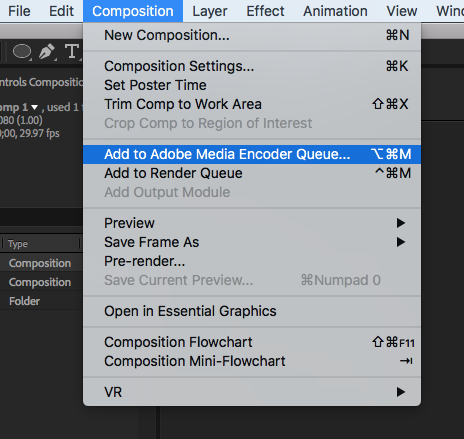
  • 9. 2s Motion Test – Develop in AE. Render. Post to Vimeo + paste Vimeo link to the bottom of your Ideation Story on Medium (if you struggle posting to Medium, please just post to Vimeo)
  • 12. Either email Cass your Vimeo link (creese@pennwest.edu) -OR- post your 2s audio clip uploaded to Vimeo to the “P1: 3 Styleframes” Critique in D2L.
  • 15. Begin Exercise 1 – due week 3 – monday, 9.15

7. Critique: P1 Styleframes + Storyboard + Motion Test – For credit, either participate in live monday 9.8 critique, OR provide comprehensive peer feedback on 3 peer’s styleframes, storyboard, and 2s motion test by next wednesday 9.10. IF you did not participate in Monday’s Zoom critique, you are required to provide styleframe feedback to 3 others in the class and review their Medium posts before giving feedback).

Next week, we will move on to Exercise 2. For P1, we will use styleframe feedback to revise styleframes and storyboards and move on to developing our first 10s of P1 for a Zoom or Discussion Board Critique.


Weekly Content

Week 2 (though not required, it is recommended you move through in sequence. All items need to be complete by Monday @noon):


  1. Attend or watch recording of Monday Zoom. We will review this week’s content.

    SECTION I – Motion Design Process
  2. Watch Lecture Video #1 – Lecture: Motion Design Process
  3. Review Motion Process Resources

    SECTION II – P1
  4. Continue development of P1 Kinetic Typography
  5. Due Mon 9.8: Write or type out your audio transcript
  6. Due Mon 9.8: 3 Styleframes (post to Medium)
  7. P1 Crit #1 –Participate in next 9.8 Monday Zoom Critique or Post/Comment to Discussion Board on D2L “P1: Styleframes” by next 9.10 Wednesday @noon. Comment on 3 others by next Wednesday @ noon (if you do not attend Monday’s ZOOM). You only need to participate in one or the other.
  8. Due Mon 9.8: Storyboard
  9. Due Mon 9.8: 2s Motion Test
  10. Review Kinetic Type Resources

    SECTION III – AE
  11. Create a free Vimeo account. (We will use Vimeo for uploading our videos after rendering)
  12. Watch Demo AE Videos
  13. Review After Effects Resources
  14. Begin Exercise 1: Due week 4 – the following Mon. 9.15


SECTION I – Motion Design Process

2. Motion Design Process

In this section, you will find a lecture video, lecture file, and resources related to motion design process work.

Video #1 – Lecture: Intro to Motion Design

3-motion-design-process-v2-1

SECTION II – P1

4.

Project 1: Kinetic Typography

due: Monday 9.29 @noon

Continue P1 Kinetic Typography. This week, we will continue with ideation and narrowing our ideas in the creation of our moodboard, 3 styleframes, and 2s motion test. End of the week, we will have a critique on our 3 styleframes. Next week, we will prepare for a critique on our first 10s of motion development.

For project 1, use type creatively through various typographic treatments such as manipulating the tracking or leading to create rhythm; changing the opacity, size, or weight to create contrast; distorting through pulling, pushing, or blurring; exploring outlines, layering, or using type as a texture. Keep placement and transitions consistent. Allow enough time for the viewer to read text.

P1 Process Work

Post/Post to a story “P1 Kinetic Typography” on Medium. How to post on Medium.

5. Audio Transcript – Due Mon.

6. 3 Styleframes (1920px x 1080px) – Due Mon.

7. Styleframes Critique – next Mon–Wed @noon

8. Storyboard – Due Mon.

9. 2s Text Animation Motion Test


SECTION III – AE

11. Vimeo Account Creation. We will use Vimeo for uploading our videos after rendeirng. Create a free Vimeo account. Next week, we will submit our Vimeo link to the D2L assignemtns folder in week 3.

12. AE Demos

In After Effects, this week continues with interface review, keyframe basics, Shapes Layer vs Solid Layer, Single Compositions: Layers, Trimming, Splitting, Text Layers, Importing PSD vs AI (download demo files below. If issues opening, right click on link and select “save link as“), and rendering. Please watch the videos below, review the resources, and complete Exercise 1. The handout below can be used for quick reference while working through the application.

AE Handout: Intro to After Effects

Note: Please use this preset when rendering in AE.

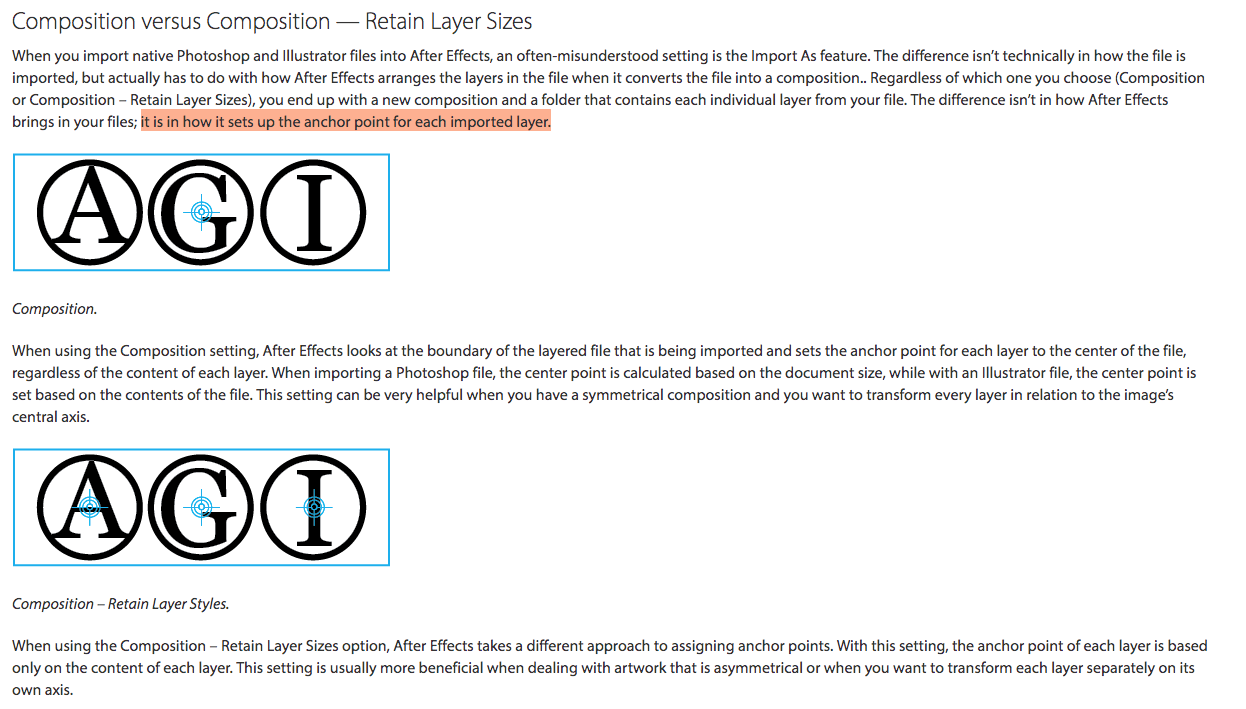
Note: Settings when Importing Files into AE
14.

Exercise 1

This is the first of 4 exercises in this course. Please review the requirements and rubric before beginning.

Exercise 1 Steps

Exercise 1 Rubric

Exercise 1 Render + Submission:

9.2 | ae demo + e1

Due Today: P1: concept brainstorming/ideation, thumbnail sketches, typeface exploration, & moodboard

For project 1, use type creatively through various typographic treatments such as manipulating the tracking or leading to create rhythm; changing the opacity, size, or weight to create contrast; distorting through pulling, pushing, or blurring; exploring outlines, layering, or using type as a texture. Keep placement and transitions consistent. Allow enough time for the viewer to read text.

For Today: Demo: Interface Review, Keyframe Basics, Shapes Layer vs Solid Layer, Single Compositions: Layers, Trimming, Splitting, Text Layers, Importing PSD vs AI (DemoFiles), assign Exercise 1

Demo Files – PSD Text File

Demo Files: http://id2.cassreese.com/wp-content/uploads/2018/02/text.psd (copy and paste to URL bar if issues)

Exercise 1 – Due Tues 9.16

This is the first of 4 exercises in this course. Please review the requirements and rubric before beginning.

Exercise 1: 
Create a 5-10 second After Effects composition that animates a shape and personal mantra or quote. This exercise introduces basic animation techniques, file setup, and design principles.

1. File Setup and Management:
- Create a composition in After Effects with a duration of 5-10 seconds and dimensions of 1920 x 1080 pixels.
- Set up your project with a solid color background using a solid layer.
- Save and manage your files properly, including organizing assets in your project folder.

2. Shape Creation and Animation:
- Design a shape (e.g., circle, square, triangle) that symbolizes something personal to you.
- Animate this shape to move across the screen, incorporating both rotation and position changes. The movement should be smooth and visually engaging.

3. Text and Importing:
- Choose a personal mantra or quote that resonates with you.
- Create a .psd file with your text, ensuring the text is spread across multiple layers. Import the .psd file into After Effects as a composition retaining layer sizes.(You can use Illustrator, just remember to export as a PSD)
- Animate the text to convey the meaning or emotion behind the quote, ensuring it complements the movement of the shape.

4. Animation Techniques:
- Focus on the choreography of your animation, considering how the shape and text move together over time.
- Pay attention to timing, pacing, and how these elements contribute to the overall tone and message of your composition.

5. Formal Design Qualities:
- Ensure your composition demonstrates strong visual design, including effective use of type, color, scale, and space.
- Strive for balance, contrast, and a clear visual hierarchy that enhances the message of your personal mantra or quote.

6. Rendering and Submission:
- Render your composition in H.264 format with the Vimeo 720 preset.
Upload your final video to Vimeo and submit the link.

Exercise #1: Personal Mantra in MotionWEAK / MISSINGAVERAGEGOODEXCEPTIONAL
File Setup and Management: Composition between 5–10s; Dimensions 1920 x 1080; Vimeo Setup; Solid Layer setup02.252.53
Shape: Shape represents a personal value or symbol; moves in rotation and position throughout the scene02.252.53
Text: Personal mantra or quote imported from .psd file; Animation applied to motion text to convey meaning02.252.53
Animation Techniques: Design demonstrates exploration of software skills, choreography of shape and text movement, rotation, or scaling over time; Consideration of pacing and emotion02.252.53
Formal Design Qualities: Visual style; consideration of positive/negative forms within changing space; integration of personal theme with type, color, scale, and hierarchy02.252.53
Kinetic Type Resources
Today’s Kinetic Type Resources
    For Next Class
  • P1 3 Styleframes (1920px x 1080px): A single, STATIC frame that depicts the look and feel. Visual considerations coalesce with narrative, composition, and motion. All choices must be rooted in concept. Each styleframe should be a completely different visual direction and may pull from different conceptual directions. Using the same layout/composition, and simply changing the typeface will result in a grade deduction. Spend time creating three completely different visual directions, and avoid committing to “your favorite” too early on. Each direction should be strong. You will more than likely need to explore more than 3 visual directions to result in 3 strong directions. Consider breaking your design time into a minimum of two sessions (an initial sprint + a refinement session). Upload to the bottom of your Medium Process story you created last week. Post to a story “P1 Kinetic Typography” on Medium. How to post on Medium.
  • Review/Read all of  Today’s Resources

Due Next Thursday 9.11 – Exercise 1

https://www.agitraining.com/adobe/aftereffects/tutorials/importing-multiple-files-in-after-effects?page=2

8.28 | kinetic type + intro to ae

Due Today: 2 kinetic type examples and reflection; begin exploring 3 audio selections (30s–60s) – not due until Tuesday

For Today: Review Medium; Kinetic Type; Review Kinetic Type Examples; Demo: Intro to After Effects; mini group discussions for P1 audio selections

Design Kinetic Type Research F25.pptx


1-introduction-to-motion


When I first started out, I would just jump right into design. I would try to design my way out of a problem and sometimes that works. But, more often than not, you end up a dead end. It definitely helps to know what the concept is first and design from there.
—Lauren Hartstone, Designer/Directer (as quoted in Shaw, 2016)

Today’s Resources

For project 1, use type creatively through various typographic treatments such as manipulating the tracking or leading to create rhythm; changing the opacity, size, or weight to create contrast; distorting through pulling, pushing, or blurring; exploring outlines, layering, or using type as a texture. Keep placement and transitions consistent. Allow enough time for the viewer to read text.

P1 Examples
Due Next Class
  • Reflect and brainstorm on how final audio choice might be able to be expressed typographically. Conceptualize. Consider: how does this audio feel? pacing? Go into as much description as you can.
  • Practice using keyframes and animating shapes.
  • Review Today’s Resources
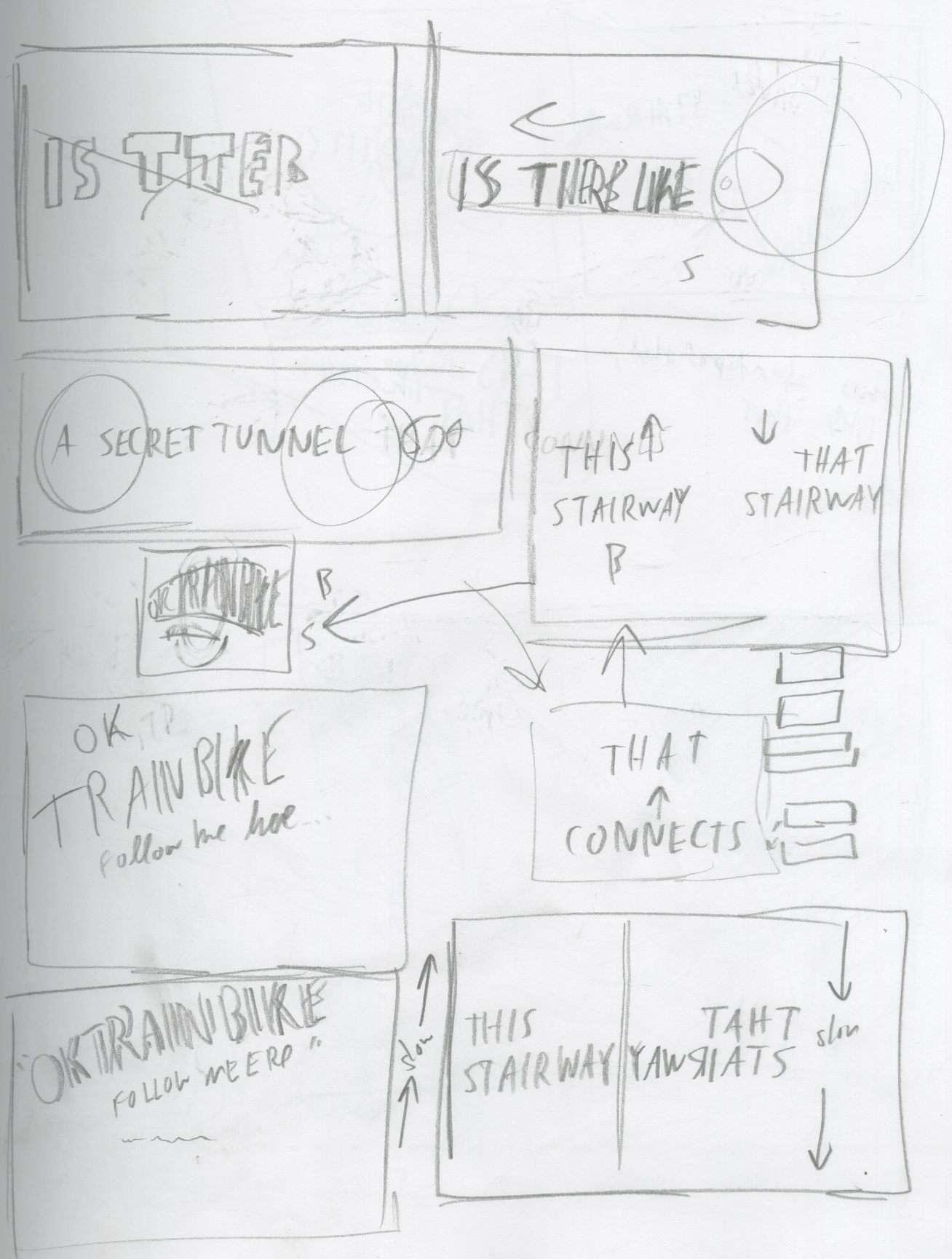
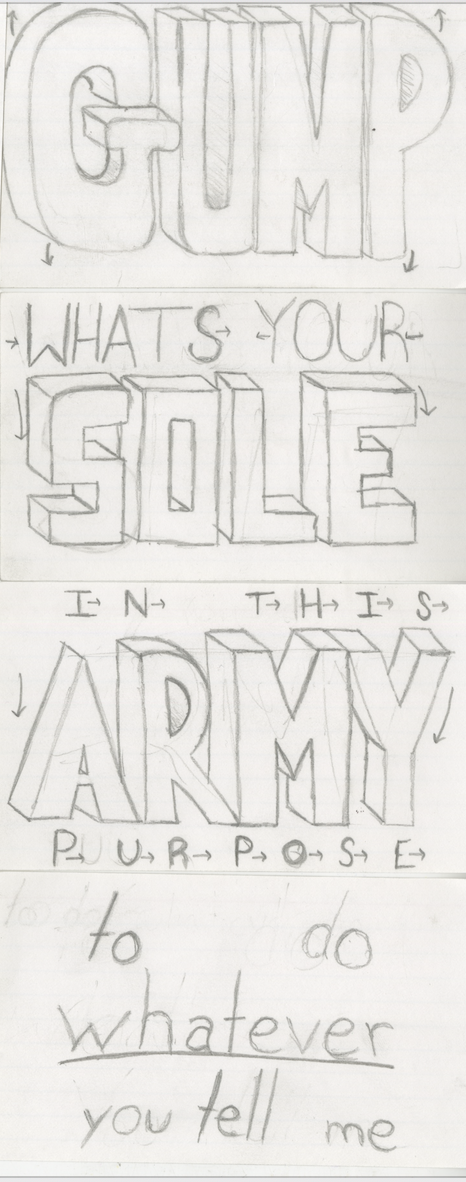
  • P1 Thumbnail sketches (photo document all sketches) + Ideation:
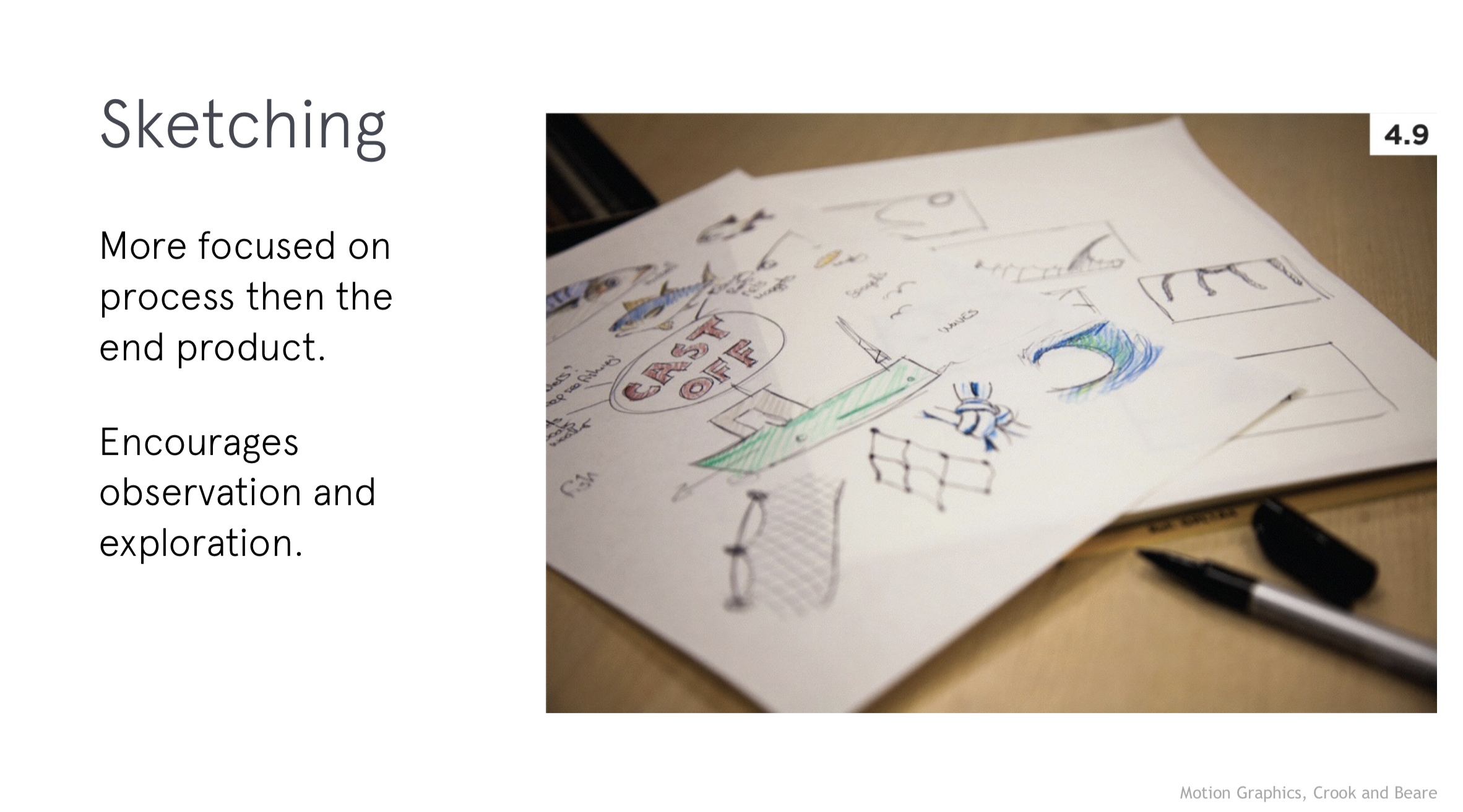
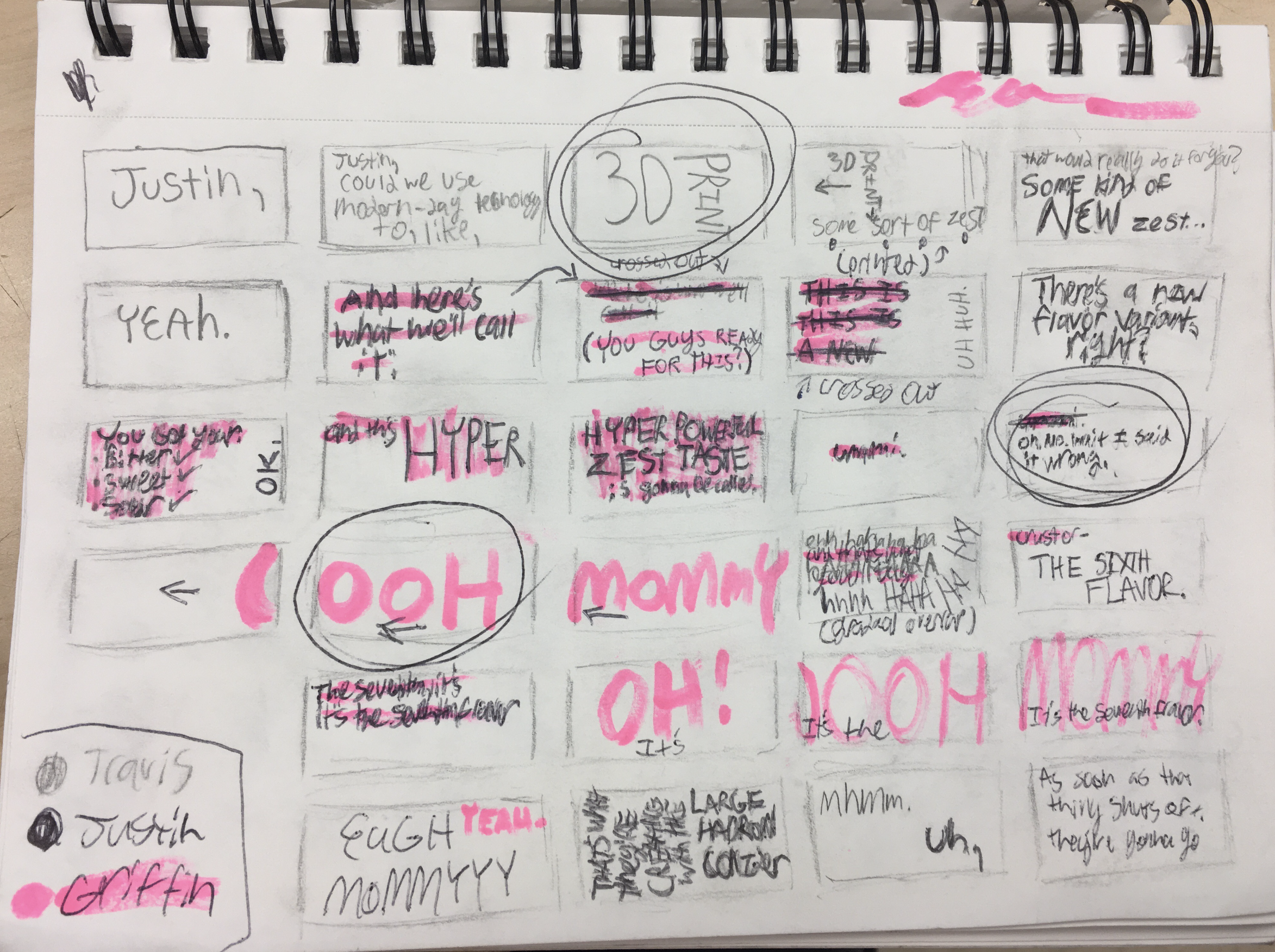
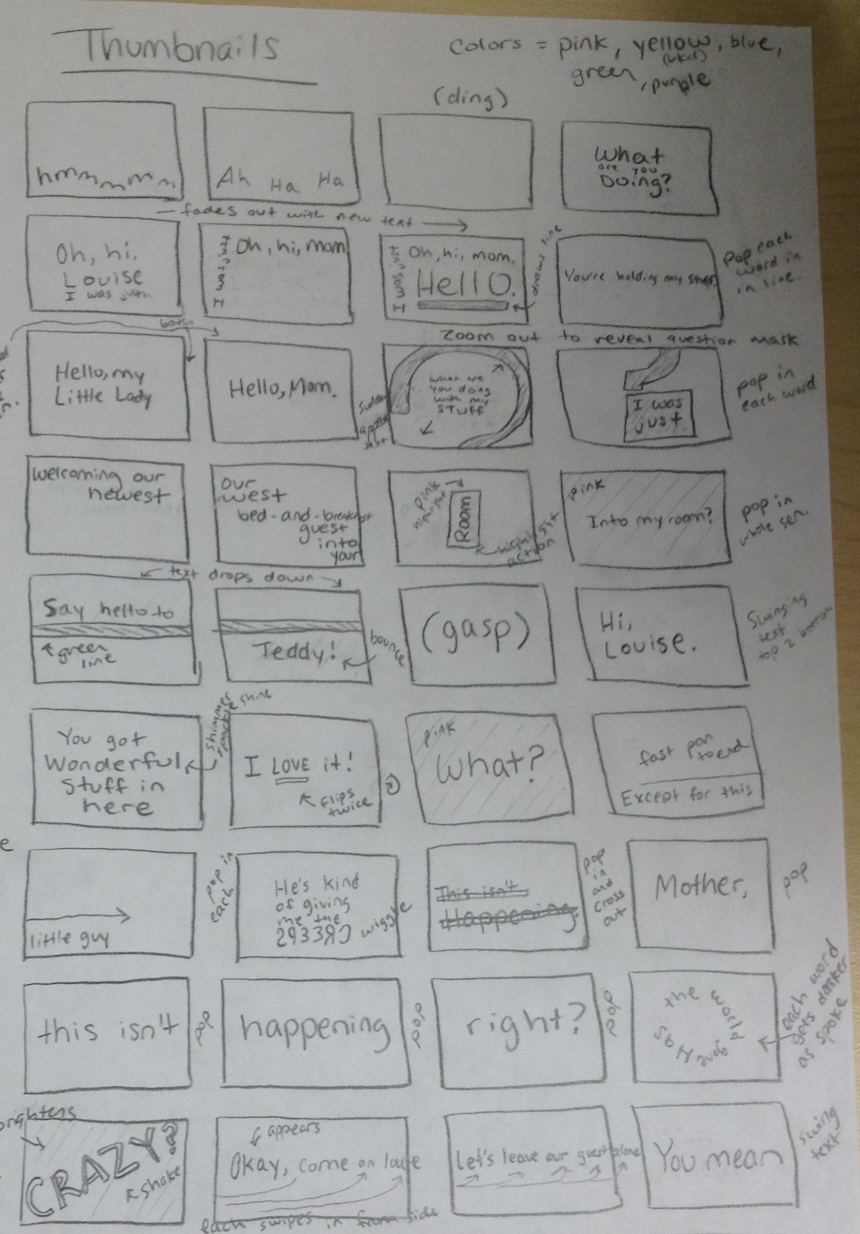
    • Quick, loose drawings that capture your first ideas for how type might move and behave in sync with your audio. These are not polished, but they help you brainstorm. Sketching first helps you generate many options quickly, focus on concept, and avoid getting “stuck” in After Effects too soon. Get started:
    • Start by writing keywords/qualities that describe the emotion, pacing, or mood of your audio (e.g., “playful,” “urgent,” “melancholy”). Consider the mood of the characters.
    • Draw little frames that show how words might enter, move, or exit. Think about rhythm (fast vs. slow), scale (small vs. big), and placement (center vs. off-screen).
    • Don’t worry about style yet—focus on storytelling and motion flow.
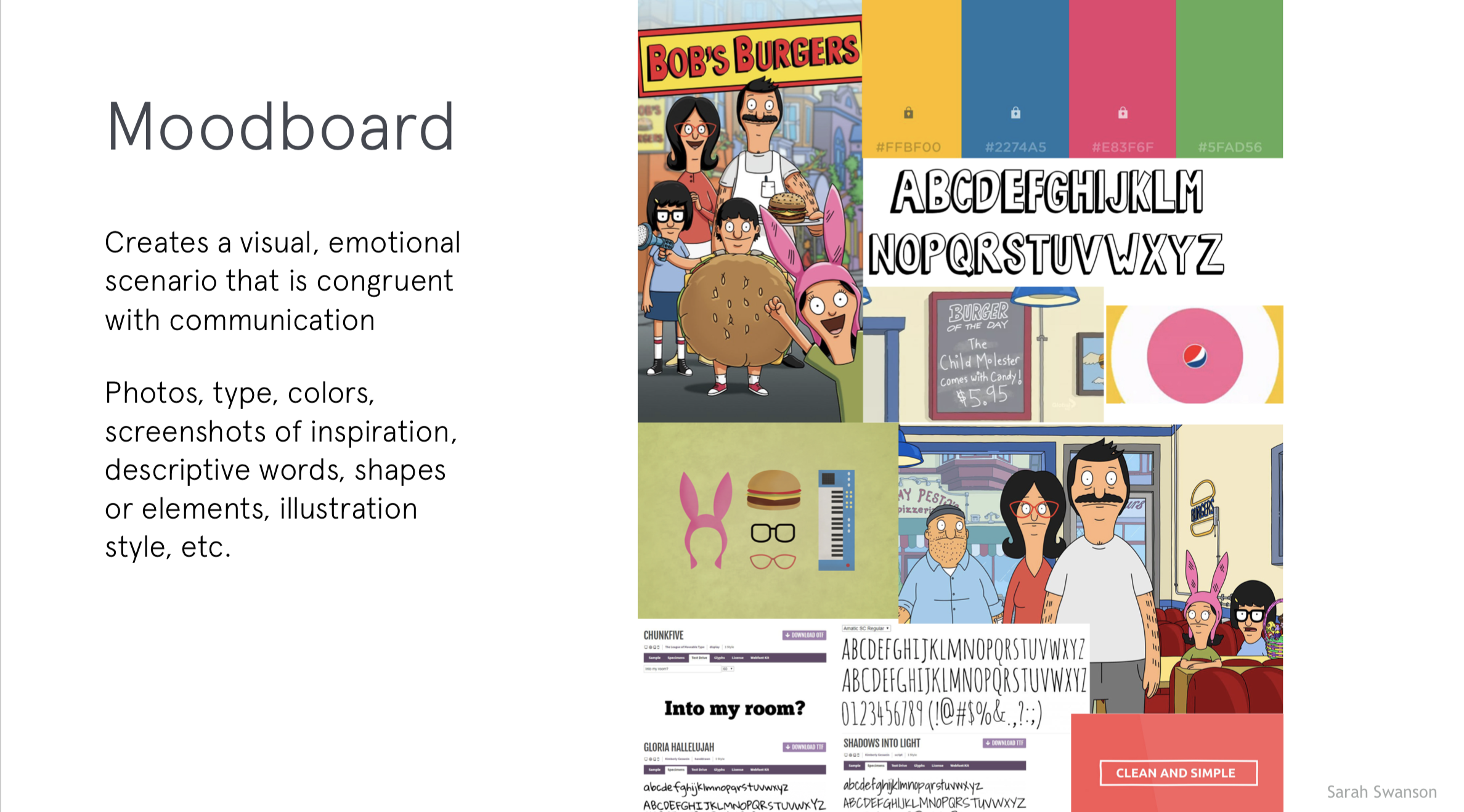
  • P1 Type Exploration + Moodboard:
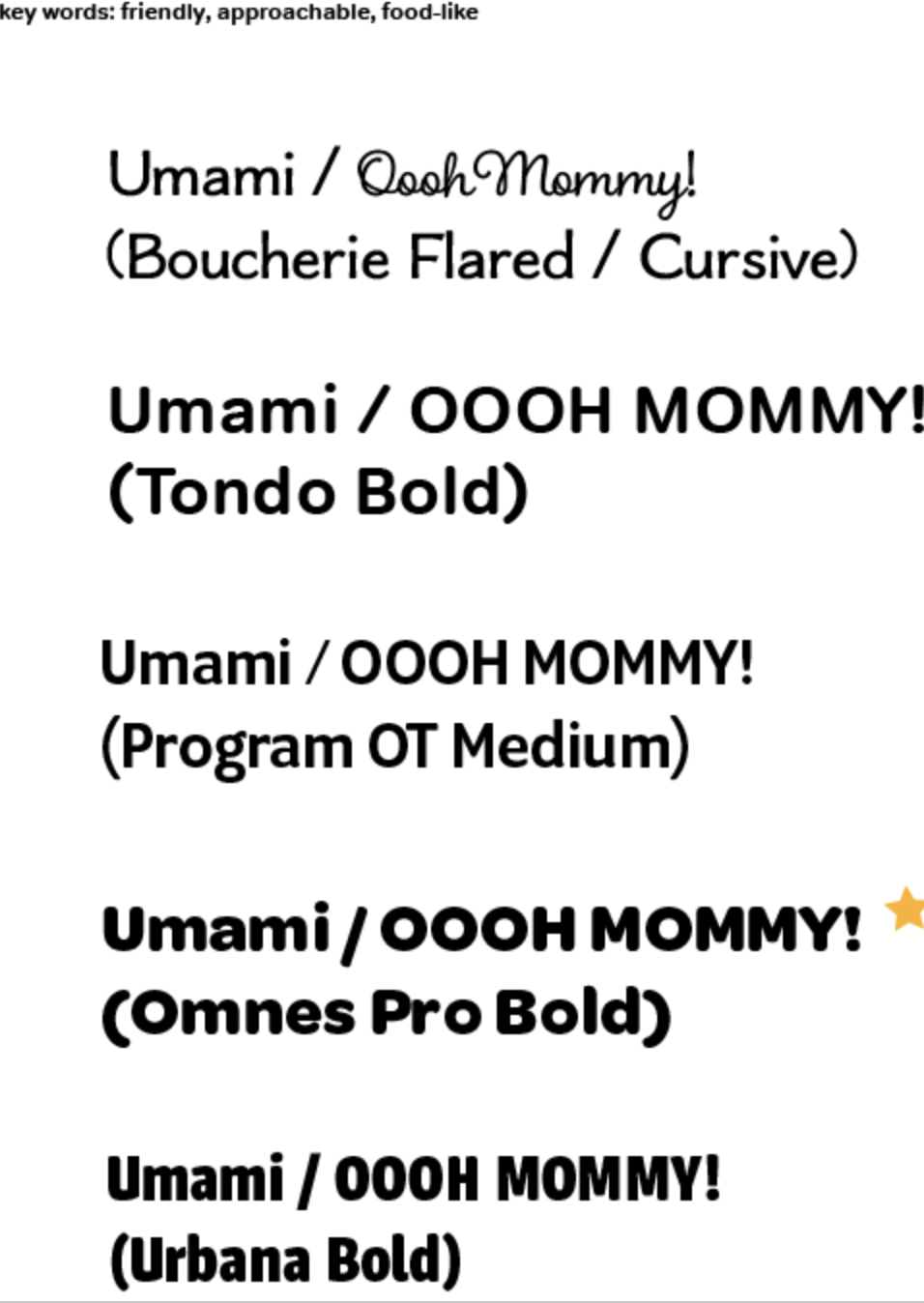
    • Type: Since this project is entirely about type in motion, your typeface choice will drive the tone. For example, a blocky sans serif feels bold and urgent. Consider how you want the type to FEEL. Since the first project is rooted in typography, this can be merged with the moodboard. Get started:
      • Choose 1–3 keywords (e.g., “chaotic,” “lighthearted,” “serious”).
      • For each, pick 3-5 typefaces that embody that feeling. Explore stylistic tweaks like all caps vs. lowercase, stretched vs. condensed, bold vs. thin.
      • Consider non-digital type: hand-lettered, photographed letters, textured/tactile type. Import those into AE to animate.
      • Resources:
    • Moodboard:
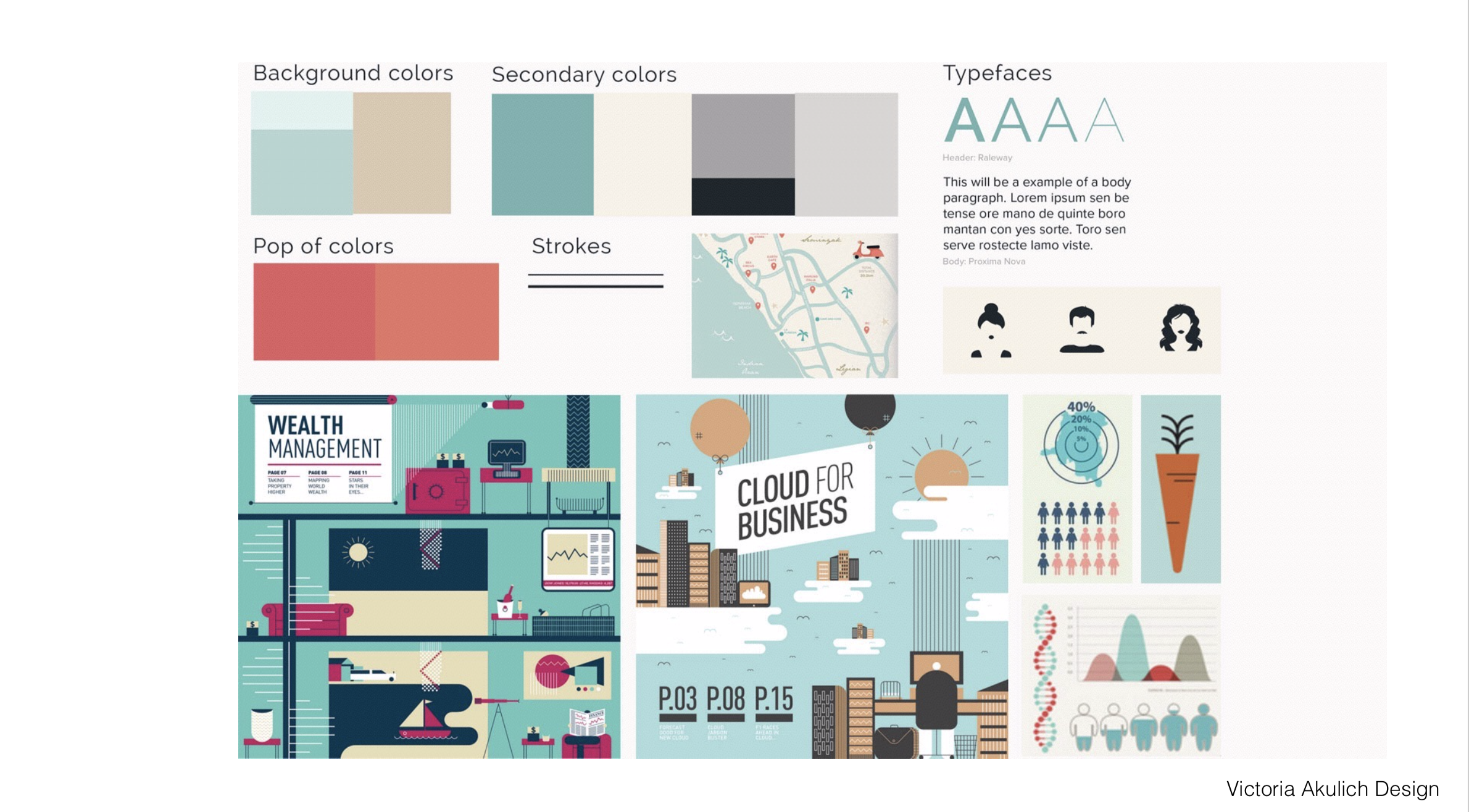
      • A collection of visuals (colors, textures, type examples, design references) that define the overall look and feel of your piece. It ensures your final animation feels intentional and cohesive. Get started:
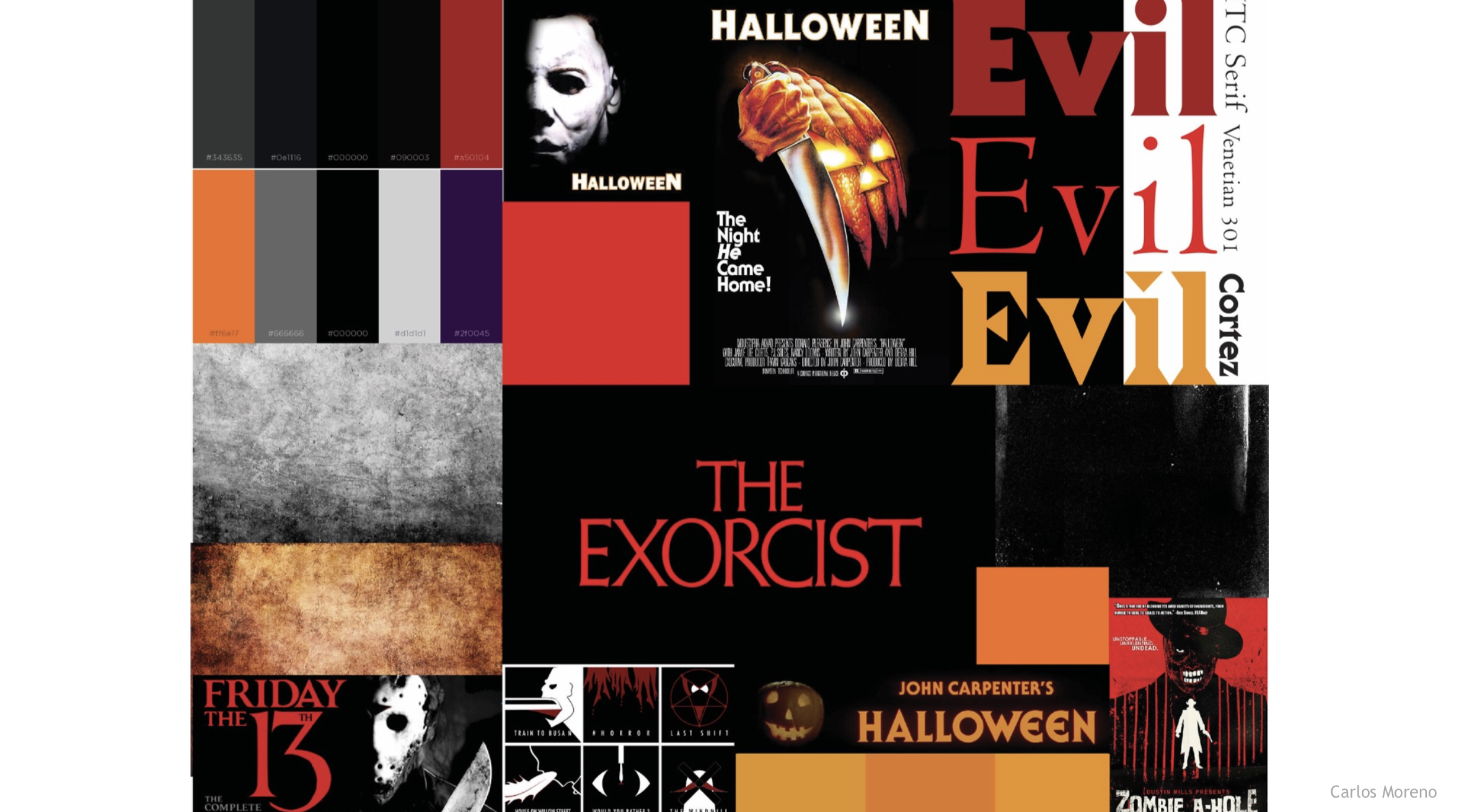
        • Collect pieces of inspiration: typography samples, color palettes, textures, or imagery that reflect your concept.
        • Organize them in one board (Adobe Illustrator, Photoshop).
        • Make sure your type exploration feeds into this—include your test typefaces.
        • Can be helpful to add notes that connect each choice back to your keywords.


After Effects

Project 1 Schedule
  • 9.2 – Demo: Interface Review/Keyframe Basics/Shapes/Single Compositions+Layers /Importing/Text Tool; Exercise 1; Due: P1: concept development, thumbnail sketches, typeface exploration and moodboard
  • 9.4 – P1 3 Styleframes Due; Vimeo Setup; P1 Crit #1 – Styleframes
  • 9.9 – Demo: Compositions/Masks/Audio Sources; Lecture: Motion Design Process; Small Group Crit
  • 9.11 – Demo: Keyframe Interpolation/Time Remapping/Parenting/Graph Editor/Audio; Exercise 2; P1  Crit #2 (10s)
  • 9.16 – Demo: Track Mattes; Lecture: History of Motion Graphics; Studio
  • 9.18 – P1 Final Crit #3 (30s)
  • 9.23 – Lecture: Principles of Motion Graphics; Studio
  • 9.25 – SUBMIT P1; P1 Final Presentation; Begin P2 

8.26 | intro to motion

Welcome to Motion Design. Below you will find some resources you may find helpful for the first day.

For Today: Course Introduction / Review Syllabus, Complete Survey + Syllabus Agreement; Lecture: Intro to Motion Design; Begin P1 Kinetic Typography

1-introduction-to-motion
Today’s Resources

P1 Examples:

For Next Class
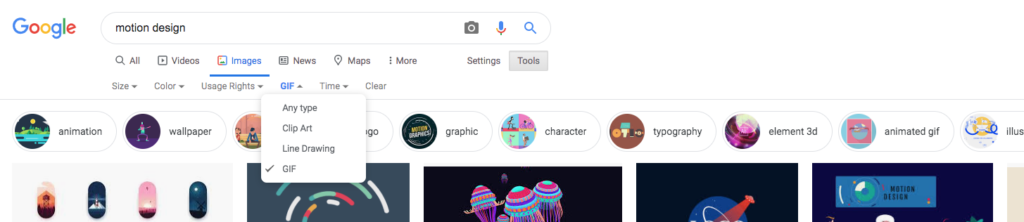
  • Research Kinetic Typography: Research 2 examples of successful kinetic typography. I recommend searching for examples that are either GIFs or include links (with screenshots) to examples on a specific website. GIFS can be saved. If using Google Images, you can go to Tools > Type (GIFs) to search for example (reference screenshot below). Post examples to the Motion Design Kinetic Type Research F25.pptx
  • Kinetic Type Reflection: Why do you feel these two examples are successful?
    Craft a thoughtful reflection (approximately 75-125 words each), diving into the essence of your chosen kinetic typography examples. Consider concept, visual style, timing, sequence, use of story/narrative, etc. Share insights into the visual elements, stylistic choices, and mood that caught your attention. Discuss the effectiveness of the design in conveying the intended message or mood. Focus on the typography’s relationship with motion, and delve into any intriguing design techniques that enhance the viewer’s engagement. Feel free to touch on aspects such as color, font selection, pacing, and visual effects. Aim to provide a concise yet insightful analysis that showcases your critical thinking and artistic observation. Post your reflection next to your Kinetic Type examples in the Motion Design Kinetic Type Research F25.pptx.
  • Begin researching P1 Audio selection: Find 3 potential selections for your audio (30s–60s).
  • Looking Ahead: Reflect and brainstorm on how each might be able to be expressed typographically. Conceptualize. Consider: how does this audio feel? pacing? Go into as much description as you can. Keep any notes/sketches for your process work.
Due Next Tuesday 2nd

week 1 | online | 8.25–8.31

Welcome to Motion Design!

I’m thrilled to begin this journey with you as we delve into the dynamic realm of visual storytelling through motion! With class opening on Monday, your first review is pre-recorded to allow flexibility. Cass will be live Wednesday, August 27th @noon for mid-week 1 check-in and to answer any questions you may have.

📌 Weekly Structure (applies every week)


Week 1+2 Links & Notes
(specific to this week)

  • 📹 Watch Now: Syllabus & Week 1 & P1 Intro (pre-recorded) → [Watch Here] 1h1m
Live Sessions This Week:

👉 Join Live: Wed 8.27 @ noon (Mid-week 1 check-in)→ [Join Here]

📺 Watch Later: Wed 8.27 Check-In Recording → [Watch Here] 18m

Looking Ahead (Week 2)

  • Week 2 opens Tues Sept. 2 @ 11 AM (holiday adjustment)
  • Week 1 deadlines extended to Tues Sept 2 @ noon
  • No Monday (9.1) live session → prerecorded review posted Tues
  • Next live (recorded) session: Wed Sept 3 @ noon (only live session in Week 2)


This week’s deadlines:
Tuesday, Sept. 2 @ noon

  • Kinetic Typography Research + Reflection:
  • Medium Post – Kinetic Typography: Ideation
    • Create a new Medium Story called “P1: Kinetic Typography”. Create one post that includes all of the following:
    • P1 Audio Selections: Research 3 clips (30–60s) and pick your final. Share links or upload recordings (Quicktime may be helpful).
    • P1 Process: Upload thumbnail sketches, ideation notes, type exploration, and moodboard.
    • Email Cass (creese@pennwest.edu) your published Medium link so it can be added to the course site.

Next week, we will move on to P1 – 3 styleframes + P1 Crit #1, AE Demos, Exercise 1, and Lecture: Motion Design Process


Weekly Content

Week 1 (The tasks below are all of your items to complete this week. This corresponds with the checklist on D2L. Though not required, it is recommended you move through in sequence. All items need to be completed by next Monday @noon)
✔️ Track your progress on our weekly checklist on D2L > Content.

  1. Course Introduction (Recording 1)
  2. Review Syllabus – Online Section (Recording 1)
  3. Complete Survey + Syllabus Agreement

    SECTION I – Course Intro (Syllabus + First Lecture)
  4. Watch Lecture Video #1 – Lecture: Intro to Motion Design (33m)
  5. Review Intro to Motion Design Resources
  6. Read: Motion Literacy, by Jan Kubasiewicz

    SECTION II – P1 Introduction (Research + Audio + Sketches)
  7. Begin P1 Kinetic Typography (Intro in Recording 1)
  8. Review list of P1 Examples
  9. Due next Tues: Complete Kinetic Typography Research + Reflection – post here: Motion Design Kinetic Type Research F25.pptx
  10. Create your free Medium account (click “Get Started”) and copy/paste within course survey OR email to creese@pennwest.edu + Email Cass Team Names
  11. Due next Tues.: Audio Selections
  12. Due next Tues.: P1 Thumbnail Sketches
  13. Due next Tues.: P1 Ideation
  14. Due next Tues.: P1 Typeface Exploration
  15. Due next Tues.: P1 Moodboard

    SECTION III – Intro to After Effects (Interface + Keyframes)
  16. Watch Demo Videos: Intro to After Effects
  17. Review After Effects Resources
  18. Practice in AE using keyframes and animating shapes


SECTION I – Course Intro

4.

Intro to Motion Design

In this section, you will find lecture videos, files, resources from the lecture and beyond, a relevant reading, and a resource video that expands on “what is motion design.”

Video #1 – Lecture: Intro to Motion Design

1-introduction-to-motion

When I first started out, I would just jump right into design. I would try to design my way out of a problem and sometimes that works. But, more often than not, you end up a dead end. It definitely helps to know what the concept is first and design from there.

Lauren Hartsone

Designer/Director (as quoted in Shaw, 2016)

5. Intro to Motion Design Resources

6. Read: Motion Literacy, by Jan Kubasiewicz


SECTION II – P1 Introduction

7.

Project 1: Kinetic Typography

due: Monday 9.29@noon

Begin P1 Kinetic Typography

For project 1, use type creatively through various typographic treatments such as manipulating the tracking or leading to create rhythm; changing the opacity, size, or weight to create contrast; distorting through pulling, pushing, or blurring; exploring outlines, layering, or using type as a texture. Keep placement and transitions consistent. Allow enough time for the viewer to read text. Video review of project 1 is in Monday’s zoom recording above.

Saul Bass Psycho Video

9. Kinetic Typography Research + Reflection

11. Audio Selections

P1 Ideation

Post/Post to a story called “Kinetic Typography: Ideation” on Medium. How to post on Medium.

12. + 13. P1 Thumbnail Sketches + Ideation

14. P1 Typeface Exploration

15. P1 Moodboard

Visual References:


SECTION III – AE IntroDUCTION

16. Intro to After Effects

In After Effects, this week includes an interface overview, panel setup, compositions, and an introduction to keyframes. Please watch the videos below, review the resources, and practice creating keyframes. The handout below can be used for quick reference while working through the application. Next week, we will have our first exercise in AE.

AE Handout: Intro to After Effects

17. After Effects Resources

note: AI usage policy

12.1 | p4 split crit


For Today
: p4 split crit#3

P4 Motion Poster Critique

Focus for Critique: 

CONCEPT/MOOD: What is the overarching idea (thinking, logic, thread) for your design? How does the poster feel? 

CONTENT/MESSAGE: Is the topic clear? Does the content hook us? Does the poster's content unfold in a purposeful way? 

TIMING: Look at speed and feel for "sticky spots." Does everything flow? Do any areas feel too slow/fast? 

TRANSITIONS: Does any content enter/exit at the wrong time? Are there any transitions that seem out of place or lacking? Looping considerations. 

FORMAL CHOICES: Then…how are your design choices communicating the above? Type, color, imagery, etc. Is the event content read clearly, quickly, and easily? Is there unity throughout? Color coding? How did the designer use repetition with variation through the sequence?

SECTION I – MOTION IN THE FIELD

Today features creative professionals in the field working in motion design:

Stephen Ong | UK
Devon Moodley | Amsterdam
Marta Anzana | UK
Nuria Boj | podcast episode | Scotland

Studios:

Tendril – Animation & Design Studio in Toronto, Canada
Addict – Amsterdam and Mumbai
Tronic Studios – New York, NY
Abstract Groove – Milan, Italy
RockNRoller Studios
Imaginary Forces – Los Angeles, CA
Psyop – Los Angeles, CA
Big Film Design – New York, NY
Brand New Schools – NYC + LA
Yeah Haus – Detroit (animation meets motion design // illustrative 2D style)
Lunar North – Detroit (graphic design meets 3D animation)
Gunner – Detroit (team-based approach // variety of animation and motion design // example work)
Vectorform – Detroit (interactive // virtual reality // immersive storytelling)

Due Next Class: 

  • Motion Poster P4 development – Develop in AE. Render. Post to Vimeo + Import to the bottom of your Ideation Story on Medium (if you struggle posting to Medium, please just post to Vimeo… or D2L).
Project 3 Deadlines
  • 12.5 – full critique in 124 (motion + print)

Project 4 Schedule
  • 12.5 – (Mon. 10:00AM–11:50AM) – movements final will be final critique 4
  • 12.8 – (Thurs. 10:00AM–11:50AM) P4 Deadline; Final Presentations of motion poster and movements project

11.8 | puppet pin, trim paths, repeaters, e5

For Today: ae demo: repeater, trim paths, puppet pin

This week, Continue development of P3: Motion Infographic-Explainer. This week, we will work on our 30s (due Wednesday). If you haven’t already done so, be sure to record your voiceover before Wednesday of this week.

In After Effects, this week we will learn about trim paths, repeaters, and the puppet pin tool. Please watch the video below and review the resources.

  • Download: bird.png (for “3. Puppet Pin Tool” Demo)

P3 Considerations (ask yourself)

  1. Hook: Is there a strong hook (emotional, surprising statistic, relevant question or quote, metaphor, story, provocative statement, incite curiosity, intriguing visual, “imagine” statement)? Ways to improve.
  2. Timing: Does the movement synchronize with music or voice overs? Identity moments out of sync or timed incorrectly.
  3. Transitions: Do any scenes enter/exit at the wrong time? Are there any transitions that seem out of place or lacking?
  4. Formal Considerations: Do the design choices connect with big idea? Does anything break the unity throughout?
  5. Concept in Motion: Do the objects move in a way that connects with the concept? Identify how their motion moves. Choose a descriptive word and discuss whether it aligns. https://dfsalvador.com/2011/08/16/51-useful-words-to-describe-motion/
Project 3 Deadlines
  • 11.17 – *we will begin P4 on 11.17; Jacob, Grace, Emma, Kayley, Nicole
  • 11.22 – Paige, Emily
  • 11.29 – (exercise 5 due) Miranda, Andrea, Nicole, Braxton, Jasmyn, Hope, Alex, Bri

Due Next Class: 30s of P3 to Vimeo/Youtube/D2L

Project 3 Schedule (100 pts)

11.3 – crit (first 10s – “paper” crit)
11.8 – ae demo: ae demo: trim paths, repeaters, puppet pin tool (e5 – final exercise); studio for 30s
11.10 – final crit (30s)
11.15 – ae demo: motion tracking / stop motion; studio
11.17 – due: P3; lecture: motion unconstrained

history of mograph

  • Lecture: History of Motion Graphics
5-history-of-motion-graphics

Today’s Resources

9.22 | principles of mg

For Today:

  • P1 Final Presentations: 2–3 minutes; briefly describe concept (narrative, mood, contrast, and formal) and formal choices.
  • Introduce P2: Principles of Design in Motion

P2 Examples

Due Next Class:

Post/Post to a NEW story called “Principles of Design in Motion: Ideation” on Medium. How to post on Medium.

Project 1 Deadlines
9.22 – Hope, Jacob, Grace, Emma, Kayley, Andrea, Maddigan, Nicole, Emily
9.29 – Bri, Braxton, Paige, Miranda, Alex, Jasmyn

Project 2 Schedule

9.22 – Begin P2; Lecture: Principles of Motion Graphics
9.27 – no class; Friday classes
9.29 – AE Demo: Animated Paths/Image Masks/Effects; Exercise 3 (due 10.11); P2 process small group Crit #1
10.4 – Lecture: History of Motion (part 1); Crit #2 – 3 Styleframes / rough Storyboard 
10.11 – Lecture: History of Motion (part 2);  AE Demo; Cameras; Exercise 4 (due 10.18); Crit #2 – 10–15s / revised storyboard
10.13  – Crit #3 – 30s
10.18 – P2 Studio
10.20 – SUBMIT P2; Final Presentation; Begin P3