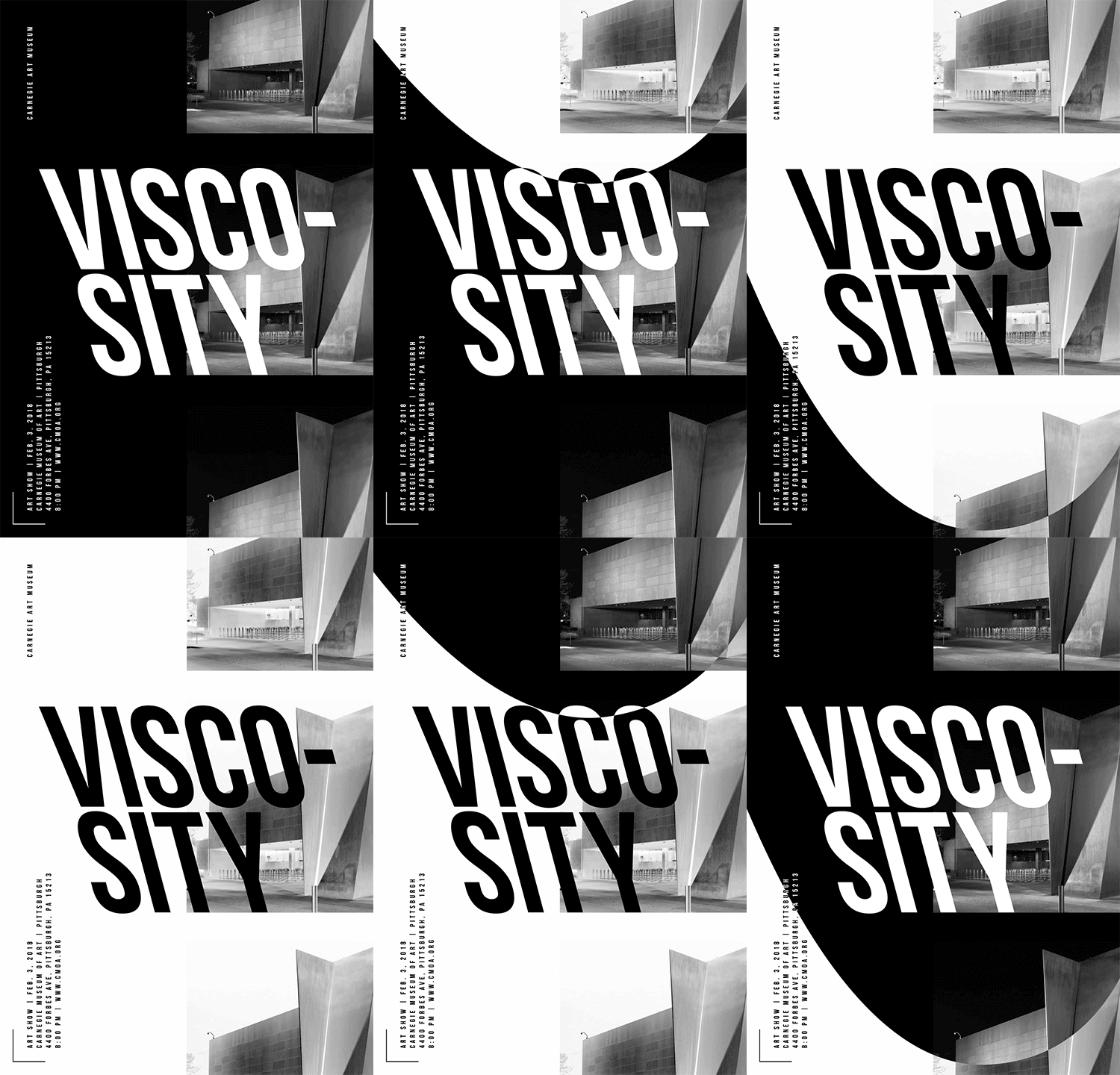
11.11 – lecture: motion unconstrained / introduce p4 to start idea generation / studio for project 3
11.13 – final crit (30s) / ae demo: stop motion + time remapping
11.18 – due: P3 + e4 due (extended for the final time)
Due Next Class: 30s of P3 development for Final Critique
Due 11.20
P4: (IF you can start before Thursday—great. IF not, this work will be due next Thursday 11.21).
Ideate 3 events and brainstorm a list of 5 keywords for each event to describe the mood of each (i.e., tribal, ethereal, freedom, hipster, serenity, turmoil, dimensional, modular).
2 comprehensive mood boards (1 for each event concept—include type, color, style, imagery, textures/illustration styles, 5 descriptive words)
20 sketches to 2 events (10 per event)
post to Medium (no late-point deduction through 11.28)
Content Release: Mondays @ 11 AM (Tues @ 11 AM if holiday week) Deadlines: All assignments due Mon @ noon(or Tue when no Monday class) ZOOM : Optional. Monday review + critique (recorded). If no Monday class → prerecorded review + Wed @ noon live session. Critiques: Regular weeks: Mon @ noon → Wed @ noon No Monday class: Tue @ noon → Thu @ noon Use discussion board if not in ZOOM Remote Office Hours: Wednesdays, 1–3 PM → Schedule Here
Next live (recorded) session: Mon Nov 17th @ noon (only live session in Week 13) *non-holiday weeks we will meet on Mondays
This week’s deadlines: Monday, Nov 17th @ noon
30s of P3 development – Develop in AE. Render. Post to Vimeo + Import to the bottom of your Ideation Story on Medium (if you struggle posting to Medium, please just post to Vimeo)
Post 30s for Final Crit #3 – next Mon. Nov 17th–Wed. Nov 19th.
Exercise 4 (double-dip the direction of this assignment with P3).
This week, we have a P3 30 Critique that runs from Monday Nov 17th@noon–Wednesday Nov 19th@noon on D2L Discussions.
Weekly Content
Week 12 (though not required, it is recommended you move through in sequence. To stay on schedule, all items need to be completed by end of week):
Attend or watch a recording of Monday Zoom. We will review this week’s content and have a p2 10s critique for those present.
SECTION I – Motion Unconstrained Content moved to next week to focus on P3 development.
SECTION II – P3 Development + P4 Introduction
Continue development of P3: Motion Infographic-Explainer
Due Mon..: 30s of P3 development for P3 Final Critique to ZOOM or D2L. Post your link to your uploaded Vimeo file and describe your audio and how you want it to feel. Make note if you are looking for feedback on anything specific. (post by Mon 17th @ noon / 3 comments by next Wed 19th@ noon. In D2L, go to Communications > Discussions)
Due Wed. 19th:30s Critique: P3 Final Crit FEEDBACK – Participate in Monday Zoom Critique or Post/Comment to Discussion Board on D2L “P3: 30s of Development”. You only need to participate in the D2L critique if you do attend the Monday Zoom.
DueWed 12th:10s Critique: P3 Crit #2 – Participate in Wednesday Zoom Critique or Post/Comment to Discussion Board on D2L “P3: 10s of Development” (post by Mon @ noon / 3 comments by Wed @ noon. In D2L, go to Communications > Discussions). You only need to participate in the D2L critique if you do attend the Monday Zoom. Post your link to your uploaded Vimeo file and describe your audio and how you want it to feel. Make note if you are looking for feedback on anything specific.
Due next Mon.24th: Final Presentation Rationale (post to Vimeo, or Medium)
Due next Mon.24th: Design Boards (file for download) turn in with P3 on D2L
Due next Mon.24th: Finalize and turn inP3: Motion Infographic-Explainer
Due next Mon.24th: Review P3 Submission Guidelines and Rubric before submitting.
Begin P4 Motion Poster
SECTION III – AE
Watch Demo AE Video on Motion Tracking (and follow along on demo)
Review Motion Tracking Resources
SECTION I – MOTION UNCONSTRAINED
2. Motion Unconstrained
Content moved to next week to focus on P3 development.
Continue development ofP3: Motion Infographic-Explainer. This week, we will work on our 30s. Finalize and Submit P3: Motion Infographic-Explainer for end of next week.
9. P3 Final Submission Guidelines – For Review
Project 3 Final: Final motion design uploaded to Vimeo. Upload your final files in a ZIPPED folder named “lastname_p3_Explainer” or “lastname_p3_Infographic” to the assignments folder on D2L “Project 3”.
In zipped folder, FINAL .aep file
In zipped folder, FINAL movie rendering @1080p or 720p (do not need process renderings)
All process work (PDFs, JPEGs, PNGs) needs to be on Medium post (not in zipped folder)
brainstorming/sketches/moodboards
storyboard
3 style frames (resubmit in this folder)
6. Final Presentations (rationale): You will be writing a rationale of your concept for your final work and posting it to D2L Discussion: P3 Final Presentations. If you run into issues within Vimeo, please post your rationale within Medium. For your rationale, describe concept (narrative, mood, contrast, and formal) and formal choices. Remember to include both the name of your typeface(s) and WHY they were selected to support your concept. All of your choices should support how you wanted your work to feel.
7. Create Design Boards (file for download) Reviewed during Week 5 Zoom.
BeginP4: Motion Poster. This project is a half project (50pts). This week, we will brainstorm event poster ideas and move into moodboards and sketches. Week 13, we will move into rough sketches. Week 14, we will move into digital, static posters. Week 15, we will have our motion critique. Week 16, the final project is due.
During Monday’s ZOOM, I will do a project introduction and Keynote.
Post/Post to a story called “Motion Poster” or “Moster” on Medium. How to post on Medium.
Select 2 potential events for your posters
Ideate and brainstorm a list of 5 keywords for each event to describe the mood of each (i.e., tribal, ethereal, freedom, hipster, serenity, turmoil, dimensional, modular).
2 comprehensive mood boards (1 for each event concept—include type, color, style, imagery, textures/illustration styles, 5 descriptive words) – You can either explore 2 different directions for the same event or 2 different events
20 thumbnail sketches (10 per concept, 1-2 per concept should be stronger or more resolved) – You can either explore 2 different concepts for the same event or 2 different events
Course Schedule through Finals Week
week 12
w 11.12 due: 10s critique (crit end – comments due)
m 11.17 30s development (final critique begin); E4; Begin P4 (50pts)
week 13
w 11.19 due: 30s (crit end – comments due)
m 11.24 due: Final P3 deadline (100pts); p4 brainstorming / mood boards / 20 sketches
week 14 (Thanksgiving)
No deadlines until Monday, December 1st @noon.
week 15
m 12.1 11.21@noon 2 static designs (one should use an analog concept) + storyboards crit + initial motion test
w 12.3 due: Motion Poster (critique begin) – our critique will run wed-mon this week due to the holiday schedule and finals.
m 12.8 due: Motion poster (critique end comments due)
week 16
m 12.8 Final review live crit / one-on-one w/Cass
w 12.10@noon – Final P4 deadline
SECTION III – AE
This week, we will learn about motion tracking, complete our final Exercise 6, and learn about Stop Motion during our Monday ZOOM.
Video Footage: Select, download, and integrate video footage of your choice (can use Pexels, Videovo, Pixabay, or from the CC Public Domain). Import video as footage into AE. Move video to composition space.

Null Layer: Create a Null Layer above your video footage. (the type layer will parent to this layer once you are DONE setting up the motion tracking)

Motion Tracking: Select motion layer and go to Animation Menu > Track Motion. A Tracker Panel will appear on the right side of the interface. From this panel, select "position" from the checkboxes. The other two checkboxes can remain deselected.
- Select "Edit Target" and select your null layer.
- Move the Track point to an area of high contrast. Adjust the inner and out box accordingly. Note: A larger area will take longer to process, but will result in a more fluid movement.
- Click the play button next to analyze to allow the tracking to process.
- Once complete, click Apply.

Video Effects: Apply a color effect(s) to the video layer. Any additional modifications can be made to adjust the hue, saturation, brightness, sharpness, etc. to achieve your desired effect and mood.
Reminders
Flux Competition
Consider entering your work into the Flux Competition (deadline extended through this Friday)
Hook: Is there a strong hook (emotional, surprising statistic, relevant question or quote, metaphor, story, provocative statement, incite curiosity, intriguing visual, “imagine” statement)? Ways to improve.
Timing: Does the movement synchronize with music or voice overs? Identity moments out of sync or timed incorrectly.
Transitions: Do any scenes enter/exit at the wrong time? Are there any transitions that seem out of place or lacking?
Formal Considerations: Do the design choices connect with big idea? Does anything break the unity throughout?
Concept in Motion: Do the objects move in a way that connects with the concept? Identify how their motion moves. Select descriptive words and discuss whether it aligns. 51 Useful Words to Describe Motion
Project 3 Schedule (100 pts)
11.6 – crit (first 10–15s) / p3 studio
11.11 – lecture: motion unconstrained / introduce p4 to start idea generation / studio for project 3
11.13 – e4 due + final crit (30s) / ae demo: stop motion + time remapping
Secondary sound effects, often referred to as Foley sounds or SFX, play an essential role in enhancing the overall impact and immersion of a motion design piece. By supporting the visuals, they can make animations feel more tangible, relatable, and alive. Let’s delve deeper into how you can utilize secondary sound effects effectively in your projects:
Purpose Over Presence: Secondary sound effects are not there just for the sake of it. They give depth to a scene, reinforcing the visual elements or even filling in gaps where visuals might not tell the whole story. Think of them as a bridge between the viewer’s senses of sight and hearing.
Match the Mood: The sound effects you choose should complement the mood of the scene. A delicate flutter might be appropriate for a butterfly in a serene scene, whereas a more exaggerated flap could work for a comedic or exaggerated animation.
Subtlety is Key: While these sounds are vital, they should not overpower primary sounds or dialogues. It’s all about balance. Often, the subtlety makes them more effective.
Layer for Depth: Sometimes, a single sound effect might not do the job. By layering multiple sounds, you can create a more complex or unique sound that fits your scene better.
Prioritize Quality: Always make sure you’re using high-quality sound effects. Low-quality or poorly recorded sounds can detract from the overall experience. There are numerous libraries online where you can purchase or find free high-quality SFX. Check out Soundly and the list below.
Perfect Timing: The precise moment a sound effect plays can make all the difference. If a ball bounces on the screen, the associated sound should sync perfectly with the visual. Even a slight misalignment can feel jarring to the viewer.
Environment Matters: Sound changes based on surroundings. Match effects to the setting.
Seek Feedback: A fresh set of ears can catch inconsistencies or mismatches.
Serve the Story: While secondary sound effects can be a lot of fun to incorporate, always remember the story you are trying to tell. The sound should always serve the narrative, not distract from it.
In the “Form in Nature” with Chromosphere and David example, observe how secondary sound effects are used to emphasize movement, establish atmosphere, and bring elements to life. As you dissect it, think about how each sound effect adds to the overall experience and story being told.
BBC Sound Effects (over 16,000 free effects for educational purposes)
Exercise 4: Animated Data Story (15pts) – end of class 1:45PM on 11.11
This is the last of 4 exercises in this course. Please review the requirements and rubric before beginning.
Objective: Create an 5-10 second animated infographic that visually communicates a statistic or fact. This exercise allows flexibility in animation techniques, supporting you in crafting a clear and engaging visual story that directly connects with Project 3.
1. File Setup and Management:
Create a Composition: Set the duration to 5-10 seconds with dimensions of 1920 x 1080 pixels.
Background: Create a background (solid, pictorial, texture) that best stages your content. It should enhance your "micro story".

2. Audio Integration:
Select an Audio Track: Choose a creative commons audio track from a site like Free Music Archive. The audio should complement the tone of your statistic or fact.
Fade In/Out: Integrate the audio track into your composition, with a fade in at the start and fade out at the end to ensure a smooth transition.

3. Data and Visual Representation:
Choose a Statistic or Fact: Pick a statistic or interesting fact that you find compelling. This could relate to a topic you're covering in your infographic/explainer video project. This data point will be the central focus of your animation.
Visualize the Data: Create a simple infographic element (e.g., bar chart, pie chart, icon, percentage) that illustrates the statistic. Choose a design that visually represents the data clearly and accurately.Use infographic elements like icons, charts, or text overlays to clearly and creatively represent the statistic.

4. Subject - Character and Image Integration:
Select a Subject - Character or Icon: Use a character, icon, vector, or masked image that complements your statistic or theme. This image can be a transparent PNG, vector graphic, or a masked element from a photo.
Animation Option: Choose between using the Puppet Pin tool for organic character motion (e.g., bending, walking, jumping) or traditional techniques like rotation, scaling, or position changes. The movement should enhance the storytelling without distracting from the data.

5. Motion and Timing:
Choreography and Sync: Ensure that each animated element—whether character, chart, or text—moves in harmony with the audio track’s rhythm. This includes attention to timing, rotation, scaling, or position changes, as well as subtle pauses or accelerations.
Flexibility in Animation: Use the Puppet Pin tool, basic transformations (e.g., rotation, scale, position), or a combination to create smooth and intentional motion.

6. Formal Design Qualities:
Design Principles: Apply formal design qualities, including typographic choices, color harmony, and layout structure. Ensure clarity of information through effective hierarchy, balance, and interaction with frame edges.
Consistent Visual Style: The design should look polished and cohesive, using positive/negative space thoughtfully to guide the viewer’s eye.

7. Rendering and Submission:
Render Your Composition: Render in H.264 format using the Vimeo 1080 preset. Upload to D2L + Vimeo (if possible). If possible, submit the link via D2L.
E4 Criteria
WEAK / MISSING
AVERAGE
GOOD
EXCEPTIONAL
Points
Audio Integration: Appropriate choice of audio track with smooth fade in/out transitions, enhancing the mood or message.
0
0.5
1
2
/ 2
Statistic Presentation: Clear and creative presentation of a relevant statistic or fact using infographic visuals (chart, icon, etc.).
0
1
1.5
2
/ 2
Source Attribution: Clear attribution of the statistic’s source, placed at the end, bottom, or in video comments.
0
1
1.5
2
/ 2
Character and Image Animation: Effective use of Puppet Pin or other animation techniques (e.g., rotation, scale, position) to create engaging movement that complements the statistic.
0
1
2
3
/ 3
Motion and Timing: Well-timed, smooth animation synchronized with audio, demonstrating thoughtful pacing and smooth transitions.
0
1
2
3
/ 3
Formal Design Qualities: Strong visual design with cohesive typography, color, layout, and use of space, ensuring clarity and polish.
(A) Voice-Over – can also include music behind the voice-over.
(B) Music Only – entire narrative needs to be written for the viewer to read. Post your decision to the bottom of your P3 Ideation Story on Medium. *This week, include the link to your audio choice (or upload) post to the bottom of your P3 Ideation Story on Medium. Use stock audio sites with a Creative Commons license. Careful when linking to any copyrighted on Youtube as it can flag your Medium post. Use Quicktime or another audio tool to record your music, but be mindful not to steal audio without the free use license.
Content Release: Mondays @ 11 AM (Tues @ 11 AM if holiday week) Deadlines: All assignments due Mon @ noon(or Tue when no Monday class) ZOOM : Optional. Monday review + critique (recorded). If no Monday class → prerecorded review + Wed @ noon live session. Critiques: Regular weeks: Mon @ noon → Wed @ noon No Monday class: Tue @ noon → Thu @ noon Use discussion board if not in ZOOM Remote Office Hours: Wednesdays, 1–3 PM → Schedule Here
Next live (recorded) session: Mon Nov 10th @ noon (only live session in Week 12) *non-holiday weeks we will meet on Mondays
This week’s deadlines: Monday, Nov 10th @ noon
5. P3Narrative Draft Peer Reviews – D2L Feedback: Feedback on 3 drafts must be specific (avoid saying only positive remarks without any critical suggestions).P3_Narrative_scripts_F25.pptx by Wednesday 11.5@noon
Part 2: Following the peer review feedback, refine your narrative draft
6. P3 Crit 1: Styleframes – Participate in Monday Zoom Critique or Post/Comment to Discussion Board on D2L “P3: 3 Styleframes Critique” by Monday @noon. Comment on 3 others by Wednesday @noon (if you do not attend Monday’s ZOOM). You only need to participate in one or the other.
7. 15s of P3 development – Develop in AE. Render. Post to Vimeo + Import to the bottom of your Ideation Story on Medium (if you struggle to post to Medium, please just post to Vimeo).
Audio selection – Include a link to your audio choice (or upload) post to the bottom of your P3 Ideation Story on Medium – Final audio recording of your voice-over isn’t due until the following Wednesday.
Looking ahead: Exercise 4 is due Monday 11.17 @noon (double-dip the direction of this assignment with P3).
Next week 11, for P3, we will have our 10s crit.
Weekly Content
Week 11 (though not required, it is recommended you move through in sequence. To stay on schedule, it is recommended you have complete all items by end of the week):
Attend or watch a recording of Monday’s Weekly Review ZOOM.
Continue development ofP3: Motion Infographic-Explainer
P3Narrative Draft Peer Reviews – D2L Feedback: Feedback on 3 drafts must be specific (avoid saying only positive remarks without any critical suggestions).P3_Narrative_scripts_F25.pptx by Wednesday 11.5@noon Part 2: Following the peer review feedback, refine your narrative draft
Mon 3th–Wed5th @noon: Styleframe Critique: P3 Crit #1 – Participate in Monday Zoom Critique or Post/Comment to Discussion Board on D2L “P3: 10s” by Monday @noon. Comment on 3 others by Wednesday @noon (if you do not attend Monday’s ZOOM). You only need to participate in one or the other. Prioritize reviewing those drafts without reviews, or less reviews than others.
Due Mon. 11.10: 10s of P3 development in AE (post to Vimeo – and medium, if possible). Post to D2L “P3: 10s of Development” for next week’s critique. (post by next Mon 11.10 @ noon / 3 comments by Wed 11.12 @ noon_. In D2L, go to Communications > Discussions)
SECTION III – AE
This week’s demos are to next week so you can focus on P3 development and our final E4.
SECTION I – Secondary Sound Effects
Secondary sound effects, often referred to as Foley sounds or SFX, play an essential role in enhancing the overall impact and immersion of a motion design piece. By supporting the visuals, they can make animations feel more tangible, relatable, and alive. Let’s delve deeper into how you can utilize secondary sound effects effectively in your projects:
Purpose Over Presence: Secondary sound effects are not there just for the sake of it. They give depth to a scene, reinforcing the visual elements or even filling in gaps where visuals might not tell the whole story. Think of them as a bridge between the viewer’s senses of sight and hearing.
Match the Mood: The sound effects you choose should complement the mood of the scene. A delicate flutter might be appropriate for a butterfly in a serene scene, whereas a more exaggerated flap could work for a comedic or exaggerated animation.
Subtlety is Key: While these sounds are vital, they should not overpower primary sounds or dialogues. It’s all about balance. Often, the subtlety makes them more effective.
Layer for Depth: Sometimes, a single sound effect might not do the job. By layering multiple sounds, you can create a more complex or unique sound that fits your scene better.
Prioritize Quality: Always make sure you’re using high-quality sound effects. Low-quality or poorly recorded sounds can detract from the overall experience. There are numerous libraries online where you can purchase or find free high-quality SFX. Check out Soundly and the list below.
Perfect Timing: The precise moment a sound effect plays can make all the difference. If a ball bounces on the screen, the associated sound should sync perfectly with the visual. Even a slight misalignment can feel jarring to the viewer.
Environment Matters: Sound changes based on surroundings. Match effects to the setting.
Seek Feedback: A fresh set of ears can catch inconsistencies or mismatches.
Serve the Story: While secondary sound effects can be a lot of fun to incorporate, always remember the story you are trying to tell. The sound should always serve the narrative, not distract from it.
In the “Form in Nature” with Chromosphere and David example, observe how secondary sound effects are used to emphasize movement, establish atmosphere, and bring elements to life. As you dissect it, think about how each sound effect adds to the overall experience and story being told.
Continue development ofP3: Motion Infographic-Explainer. This week, we will work on our 10s (due Wednesday). 30s is due next Wednesday. If you haven’t already done so, be sure to record your voiceover before Wednesday of this week.
5. Part 2: Following the peer review feedback, refine your narrative draft
6.Due Wed: 10s of Project 3 rendered and uploaded to Vimeo WITH your audio. If necessary, continue revising storyboard or styleframes per the feedback received in crits this past week.)
7.10s Critique: P3 Crit #2 –Participate in Wednesday Zoom Critique or Post/Comment to Discussion Board on D2L “P3: 10s of Development” (post by Wed @ noon / 3 comments by Mon @ noon. In D2L, go to Communications > Discussions). You only need to participate in the D2L critique if you do attend the Wednesday Zoom. Post your link to your uploaded Vimeo file and describe your audio and how you want it to feel. Make note if you are looking for feedback on anything specific.
P3 Considerations for Critique
Hook: Is there an engaging hook? Consider emotional appeals, surprising statistics, relevant questions or quotes, metaphors, stories, provocative statements, invocations of curiosity, captivating visuals, or “imagine” statements. Suggest ways to make the hook more compelling or relevant.
Timing: Synchronization: Is the animation’s movement well-synchronized with the music or voiceovers? Point out specific moments that appear out of sync or incorrectly timed.
Transitions: Ensure no scenes enter or exit prematurely. Identify any transitions that seem jarring, out of place, or feel lacking in fluidity.
Formal Considerations: Do the design elements reinforce the mograph’s main idea or theme? Point out any elements that break the visual or thematic unity throughout the video.
Concept in Motion: Does the manner in which objects move align with the overall concept or narrative? Describe the motion using descriptive words. Discuss if the motion aligns well with the video’s intent. For a list of descriptive motion words, refer to 51 Useful Words to Describe Motion
Deadlines
week 11
w 11.5 due: critique ends – on 3 styleframes, storyboard, 2s
m 11.10 due: 10s development (critique begin)
week 12
w 11.12 due: 10s critique (crit end – comments due)
m 11.17 30s development (final critique begin); E4; Begin P4 (50pts)
week 13
w 11.19 due: 30s critique comments due
m 11.24 due: Final P3 deadline (100pts); p4 brainstorming / mood boards / 20 sketches
week 14 (Thanksgiving)
No deadlines until Monday, December 1st @noon.
week 15
m 12.1 11.21@noon 2 static designs + storyboards crit + initial motion test
w 12.3 due: Motion Poster (critique begin) – our critique will run wed-mon this week due to the holiday schedule and finals.
m 12.8 due: Motion poster (critique end comments due)
week 16
m 12.8 Final review live crit / one-on-one w/Cass
w 12.10@noon – Final P4 deadline
SECTION III – AE
Begin development of Project 3 in After Effects. Consider how you will align Exercise 4 with Project 3.
Narrative Draft Review: Provide comprehensive feedback on 3 narrative drafts. Be pithy—use as few words as possible for voice-overs. Keep the script lean and let the visuals do most of the talking. Write and rewrite. Narrow your concept, outline your story in 5 sentences. (It is okay if you have more than 5 sentences to support your idea, but keep in mind the 60–90s duration).
1. Is the focus of the topic narrow enough? Are we trying to answer ONE question? 2. Does the draft help the viewer cross the threshold/care/hook them (emotional, surprising statistic, relevant question or quote, metaphor, story, provocative statement, incite curiosity, intriguing visual, “imagine” statement)? 3. Is there a clear stance (position)? 4. How can the transformation be strengthened? 5. Is there a clear call to action? 6. Does this topic relate to the audience (this may overlap with question 2)? 7. Other comments… (Reviewer – include your name)
Script Review Teams: (will determine during class)
Storyboard: While your storyboard isn’t due until next week, brainstorm your storyboard while writing your script. “One line doesn’t always equal a single frame.” Post to Medium.
Continue revising your narrative draft through next week. Be pithy—use as few words as possible for voice-overs. Keep the script lean and let the visuals do most of the talking. Write and rewrite. Narrow your complete, outline your story in 5 sentences. (It is okay if you have more than 5 sentences to support your idea, but keep in mind the 60–90s duration). Post to Medium.
3 styleframes (critique on 10.31). 3 Styleframes (1920px x 1080px): A single, STATIC frame that depicts the look and feel. Visual considerations coalesce with narrative, composition, and motion. All choices must be rooted in concept. Each styleframe should be a completely different visual direction and may pull from different conceptual directions. Using the same layout/composition, and simply changing the typeface will result in a grade deduction. Spend time creating three completely different visual directions, and avoid committing to “your favorite” too early on. Each direction should be strong. You will more than likely need to explore more than 3 visual directions to result in 3 strong directions. Consider breaking your design time into a minimum of two sessions (an initial sprint + a refinement session). Upload to the bottom of your P3 Medium Process story.
Content Release: Mondays @ 11 AM (Tues @ 11 AM if holiday week) Deadlines: All assignments due Mon @ noon(or Tue when no Monday class) ZOOM : Optional. Monday review + critique (recorded). If no Monday class → prerecorded review + Wed @ noon live session. Critiques: Regular weeks: Mon @ noon → Wed @ noon No Monday class: Tue @ noon → Thu @ noon Use discussion board if not in ZOOM Remote Office Hours: Wednesdays, 1–3 PM → Schedule Here
Next live (recorded) session: Mon Nov 3rd @ noon (only live session in Week 11) *non-holiday weeks we will meet on Mondays
This week’s deadlines: Monday, Nov 3rd @ noon
Research 3 ideas for Project 3 – (collect statistics, facts, and credible info to support your topic). 30 minute review. Post IDEAS to new Medium Story for P3. Doesn’t have to be comprehensive.
P3 Big Idea
8. NarrativeDraft Peer Post for Review – Post for 3 Peer Reviews (start with scripts that do not already have any reviews) P3_Narrative_scripts_F25.pptx
9. P3Narrative Draft D2L Critique Feedback: Feedback on 3 drafts must be specific (avoid saying only positive remarks without any critical suggestions). P3_Narrative_scripts_F25.pptx
10. P33 Styleframes – Design in Illustrator or Photoshop. Export as JPEG and post to the bottom of recent Ideation Story on Medium. (also post to D2L critique)
11. P3 Storyboard – Create in a sketchbook, using index cards (ideal for this project), or in software. Take photo/export and post to the bottom of your P3 Ideation Story on Medium + Post to D2L
13. P3 2s Motion Test – Develop in AE. Render. Post to D2L (Vimeo, if possible) + Import to the bottom of your P3 Ideation Story on Medium.
Next week 11, for P3, we will move on to developing our first 10s of P3. The following week we will have our 30s crit.
Weekly Content
Week 10 (though not required, it is recommended you move through in sequence. All items need to be completed by end of the week):
Attend or watch recording of Monday Zoom. We will review this week’s content.
SECTION I – Motion Infographics
Watch Lecture Video – Lecture: Motion Infographics
Review of Motion Infographics Resources + Inspiration Vids
Due Mon. 11.3: 3 Styleframes (post to Medium + D2L Critique)
Due Mon. 11.3: Storyboard (post to Medium + D2L Critique)
P3 Styleframe Crit #1 –Participate in next Monday’s 11.3 Zoom Critique or Post/Comment to the Discussion Board on D2L “P3: Styleframes” by Monday @noon. Comment on 3 others by Wednesday@noon (if you do not attend Monday’s ZOOM). You only need to participate in one or the other.
Due Mon. 11.3.: 2s Motion Test
Due end of week 11.: Audio Selection – Voice-Over or Instrument/Text (post to Medium)
Review Schedule for Remainder of Term
SECTION III – AE
Watch Demo AE Videos
Review After Effects Resources
Due Mon 11.17.:Begin Exercise 4
SECTION I – MOTION INFOGRAPHICS
2. Motion Infographics
This week focuses on motion infographics as you move into designing your styleframes and storyboards.
Post/Post to a story called “Principles of Design in Motion: Ideation” on Medium. How to post on Medium.
8. Draft Review Post (Mon 11.3) & 9. Comments (through next Wed. 11.5) – Comment to work of others on P3_Narrative_scripts_F25.pptx.Continue revising your narrative draft. Be pithy—use as few words as possible for voice-overs. Keep the script lean and let the visuals do most of the talking. Write and rewrite. Narrow your complete, outline your story in 5 sentences. (It is okay if you have more than 5 sentences to support your idea, but keep in mind the 60–90s duration).
10. Due Mon:3 Styleframes (1920px x 1080px): A single, STATIC frame that depicts the look and feel. Visual considerations coalesce with narrative, composition, and motion. All choices must be rooted in concept. Each styleframe should be a completely different visual direction and may pull from different conceptual directions. Using the same layout/composition, and simply changing the typeface will result in a grade deduction. Spend time creating three completely different visual directions, and avoid committing to “your favorite” too early on. Each direction should be strong. You will more than likely need to explore more than 3 visual directions to result in 3 strong directions. Consider breaking your design time into a minimum of two sessions (an initial sprint + a refinement session). Upload to the bottom of your Medium Process story you created last week.
11. Due Mon:RoughStoryboard: (suggested methods: index cards OR .ai artboards OR storyboarding paper above): Brings together the script with the visuals. Indicate framing, as well as how elements will enter, exit, move throughout the frame. Minimum of 15 frames (title slide + content + consider transitions)
12. Styleframes Critique: P3 Crit #1 – Post/Comment to Discussion Board on D2L “P3: Styleframes” (post by Mon @ noon / 3 comments by next Wed 11.5 @ noon. In D2L, go to Communications > Discussions).
13. Due Mon:Text Animation Motion Test (2s+ test on initial motion). Develop 2s in AE. Select any scene in your storyboard for this motion test. Render. Post to Vimeo + Import to the bottom of your Ideation Story on Medium (if you struggle to post to Medium, please just post to Vimeo)
(A) Voice-Over – can also include music behind the voice-over.
(B) Music Only – entire narrative needs to be written for the viewer to read. Post your decision to the bottom of your P3 Ideation Story on Medium. *This week, include the link to your audio choice (or upload) post to the bottom of your P3 Ideation Story on Medium. Use stock audio sites with a Creative Commons license. Careful when linking to any copyrighted on Youtube as it can flag your Medium post. Use Quicktime or another audio tool to record your music, but be mindful not to steal audio without the free use license.
m 11.3 due: narrative draft, big idea (narrative draft review begin), 3 styleframes, storyboard, 2s motion test (critique begin) due: (narrative draft review end)
week 11
w 11.5 due: critique ends – on 3 styleframes, storyboard, 2s
m 11.10 due: 10s development (critique begin)
week 12
w 11.12 due: 10s critique (crit end – comments due)
m 11.17 30s development (final critique begin); E4; Begin P4 (50pts)
week 13
w 11.19 due: 30s critique comments due
m 11.24 due: Final P3 deadline (100pts); p4 brainstorming / mood boards / 20 sketches
week 14 (Thanksgiving)
No deadlines until Monday, December 1st @noon.
week 15
m 12.1 11.21@noon 2 static designs + storyboards crit + initial motion test
w 12.3 due: Motion Poster (critique begin) – our critique will run wed-mon this week due to the holiday schedule and finals.
m 12.8 due: Motion poster (critique end comments due)
week 16
m 12.8 Final review live crit / one-on-one w/Cass
w 12.10@noon – Final P4 deadline
SECTION III – AE
16. AE Demos
18. Exercise 4: Animated Data Story (15pts) – 11.17
This is the last of 4 exercises in this course. Please review the requirements and rubric before beginning.
Objective: Create an 5-10 second animated infographic that visually communicates a statistic or fact. This exercise allows flexibility in animation techniques, supporting you in crafting a clear and engaging visual story that directly connects with Project 3.
1. File Setup and Management:
Create a Composition: Set the duration to 5-10 seconds with dimensions of 1920 x 1080 pixels.
Background: Create a background (solid, pictorial, texture) that best stages your content. It should enhance your "micro story".

2. Audio Integration:
Select an Audio Track: Choose a creative commons audio track from a site like Free Music Archive. The audio should complement the tone of your statistic or fact.
Fade In/Out: Integrate the audio track into your composition, with a fade in at the start and fade out at the end to ensure a smooth transition.

3. Data and Visual Representation:
Choose a Statistic or Fact: Pick a statistic or interesting fact that you find compelling. This could relate to a topic you're covering in your infographic/explainer video project. This data point will be the central focus of your animation.
Visualize the Data: Create a simple infographic element (e.g., bar chart, pie chart, icon, percentage) that illustrates the statistic. Choose a design that visually represents the data clearly and accurately.Use infographic elements like icons, charts, or text overlays to clearly and creatively represent the statistic.

4. Subject - Character and Image Integration:
Select a Subject - Character or Icon: Use a character, icon, vector, or masked image that complements your statistic or theme. This image can be a transparent PNG, vector graphic, or a masked element from a photo.
Animation Option: Choose between using the Puppet Pin tool for organic character motion (e.g., bending, walking, jumping) or traditional techniques like rotation, scaling, or position changes. The movement should enhance the storytelling without distracting from the data.

5. Motion and Timing:
Choreography and Sync: Ensure that each animated element—whether character, chart, or text—moves in harmony with the audio track’s rhythm. This includes attention to timing, rotation, scaling, or position changes, as well as subtle pauses or accelerations.
Flexibility in Animation: Use the Puppet Pin tool, basic transformations (e.g., rotation, scale, position), or a combination to create smooth and intentional motion.

6. Formal Design Qualities:
Design Principles: Apply formal design qualities, including typographic choices, color harmony, and layout structure. Ensure clarity of information through effective hierarchy, balance, and interaction with frame edges.
Consistent Visual Style: The design should look polished and cohesive, using positive/negative space thoughtfully to guide the viewer’s eye.

7. Rendering and Submission:
Render Your Composition: Render in H.264 format using the Vimeo 1080 preset. Upload to D2L + Vimeo (if possible). If possible, submit the link via D2L.
E4 Criteria
WEAK / MISSING
AVERAGE
GOOD
EXCEPTIONAL
Points
Audio Integration: Appropriate choice of audio track with smooth fade in/out transitions, enhancing the mood or message.
0
0.5
1
2
/ 2
Statistic Presentation: Clear and creative presentation of a relevant statistic or fact using infographic visuals (chart, icon, etc.).
0
1
1.5
2
/ 2
Source Attribution: Clear attribution of the statistic’s source, placed at the end, bottom, or in video comments.
0
1
1.5
2
/ 2
Character and Image Animation: Effective use of Puppet Pin or other animation techniques (e.g., rotation, scale, position) to create engaging movement that complements the statistic.
0
1
2
3
/ 3
Motion and Timing: Well-timed, smooth animation synchronized with audio, demonstrating thoughtful pacing and smooth transitions.
0
1
2
3
/ 3
Formal Design Qualities: Strong visual design with cohesive typography, color, layout, and use of space, ensuring clarity and polish.
0
1
2
3
/ 3
9. AE – Adobe MAX Conference Sign-Up
Adobe MAX is THIS week October 28–30th. I encourage you to attend at least one session.
Write out your BIG IDEA (for 1 idea): What is your topic, who is your audience, and what transformation do you want for them. This is the seed for your concept. Must include the 4 points below. Post your big idea to Medium.
Final Project 2: Principles of Motion Graphics. Before class, upload your final zipped folder of files to “Project 2: Principles of Motion Graphics” folder on D2L. Have your final files: .aep, movie rendering, design board in a folder named “lastname_p2_PrinciplesofMG.” Upload to Vimeo before class, if possible. Be prepared to present your concept.
For Today:
P2 Final Presentations (Deadline 1 of 2)
Begin P3: Motion Infographic-Explainer. This week, we will learn about writing a narrative script, research THREE topics, narrow to our top ONE direction, and write our first draft of our narrative script.
for 3 ideas – concept/visual brainstorming (in the past, I’ve required research on 3 topics, but this term, I’d like you to spend some time brainstorming/ideating on 3 directions you could go in with research as needed). Document rough sketches/brainstorming/ideation.
for 2 ideas – create 2 mind maps – 1 should be more robust as you narrow to 1 idea. Post 2 mind maps.
for 1 idea – sketches and research. For research, collect statistics, facts, and credible info to support your topic. Post more resolved sketches and research. It’s okay if you don’t have this step done, but do some initial research and bring in your ideas and prepare to discuss.
Due Next Tuesday 10.28:
Write out your BIG IDEA (for 1 idea): What is your topic, who is your audience, and what transformation do you want for them. This is the seed for your concept. Must include the 4 points below. Post your big idea to Medium.
topic
position
audience
transformation
Post first script DRAFT + big idea here: File TBD
Storyboard Draft: Brainstorm your storyboard while writing your script. “One line doesn’t always equal a single frame.”
For Next Thursday 10.30:
Write your second draft of your narrative script. Be pithy—use as few words as possible for voice-overs. Keep the script lean and let the visuals do most of the talking. Write and rewrite. After your complete, outline your story in 5 sentences. Create entire narrative and condensed, 5-sentence narrative and post to Medium.
3 Styleframes
Project 3 Schedule (100 pts)
10.21 – due: brainstorming/ideation on 3/2/1 ideas; P3 Small Group Discussions; Discuss: Writing a Strong Narrative
10.23 – due: Big Idea (topic/position/audience/transformation); Discuss: Motion Infographics