week 6 | online | 9.29–10.6

📌 Weekly Structure (applies every week)


Week 6 Links & Notes
(specific to this week)

Live Sessions This Week:

👉 Join Live: Mon 9.29 @ noon – Weekly Review
→ [Join Here]

📺 Watch: Mon 9.29 Review → [Watch Here]

Looking Ahead (Week 7)

Weekly review will be pre-recorded, and week 7 will open Tues. Oct. 7th @noon due to In Service Day on Mon. October 6th.
Next live (recorded) session: Wed. Oct 8th @ noon (only live session in Week 7)


This week’s deadlines:
Tuesday, Oct. 7th @ noon

  • Due: Project 2 ideation (brainstorming, mindmaps, sketches) to Medium
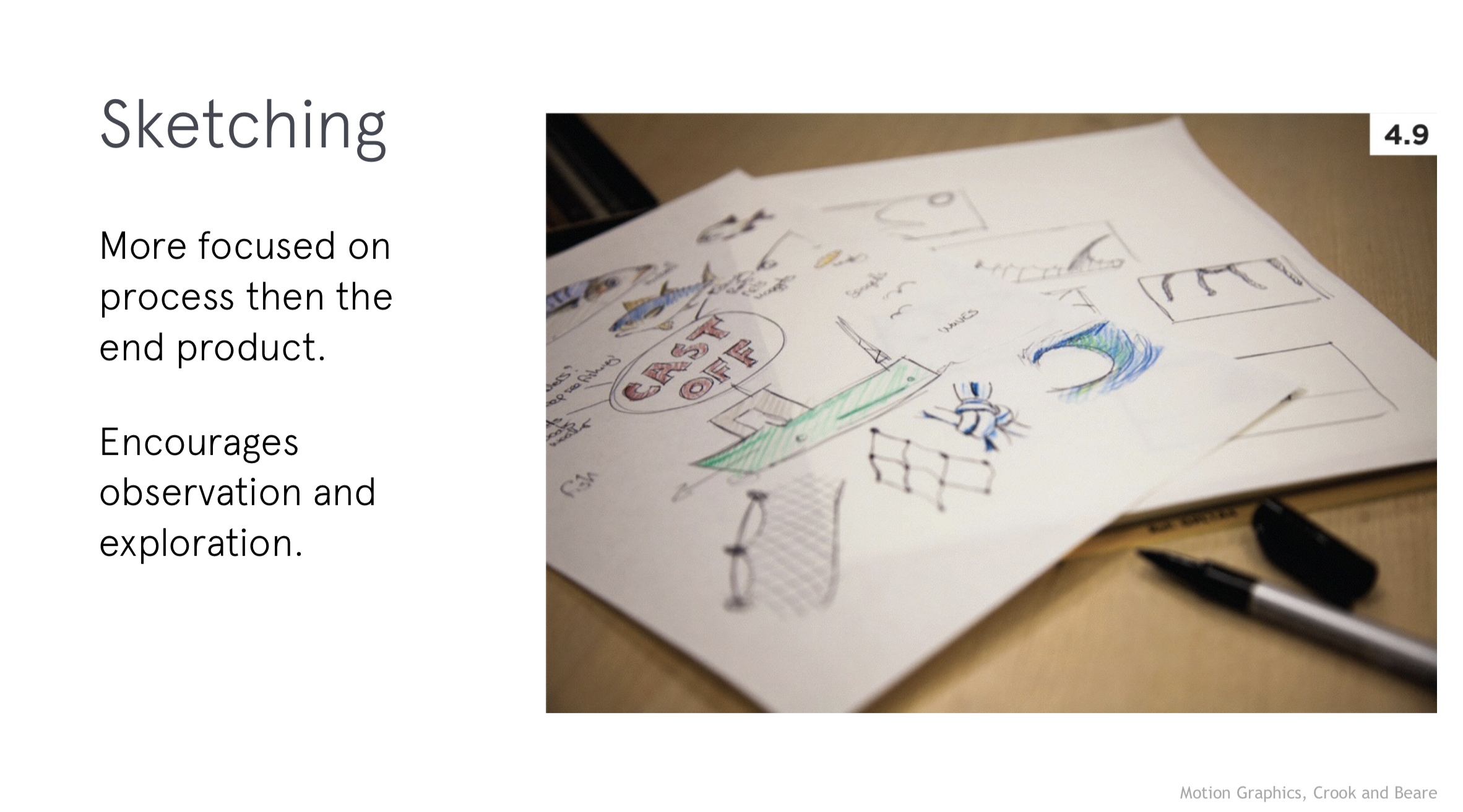
  • 6. Rough Storyboard – Create in a sketchbook, using index cards (ideal for this project), or in software. Take photo/export and post to the bottom of your P2 Ideation Story on Medium
  • 5. Three Styleframes – Design in Illustrator or Photoshop. Export as JPEG and post to the bottom of recent Ideation Story on Medium. (also, post to D2L if you are not participating in live Zoom critique)
  • 7. D2L Critique Post to D2L Discussion “P2: 3 Styleframes & Storyboard”: IF you do not plan to participate in live Zoom critique (Tues–Thurs next week), you are required to post your 3 styleframes and rough storyboard to our critique in D2L “P2: Styleframes & Storyboard”.

  • Begin Exercise 3 (due Mon. Oct 13th)

Next week, we have Exercise 3, numerous AE demos, and continue our P2 development.

Next week, for P2, we will revise our storyboards, 2s motion test (Wednesday), and move on to developing our first 10–15s of P2 (Monday) for a Zoom or Discussion Board Critique. Next week includes additional AE Demos on Compound shapes, merge paths, trim paths, 3D shapes.


Weekly Content

Week 6 (though not required, it is recommended you move through in sequence. All items need to be complete by the of week):


  1. Attend or watch recording of Monday Zoom. We will review this week’s content.

    SECTION I – Transitions
  2. Review of Transition Resources

    SECTION II – P2
  3. Continue development of P2: Principles of Design in Motion
  4. Due next Tues 10.7: Project 2 ideation (brainstorming, mindmaps, sketches to Medium)
  5. Due next Tues 10.7: 3 Styleframes (post to Medium)
  6. Due next Tues 10.7: Rough Storyboard (post to Medium)
  7. Due next Tues 10.7: Post your 3 styleframes and storyboard to D2L “P2: Styleframes & Storyboard” by Tues @noon OR attend next Wednesday’s ZOOM Critique.

    Looking ahead (next Tues–Thurs): P2 Crit #1 – Styleframes -Comment on 3 others by Thursday@noon (if you do not attend Wednesday’s ZOOM). You only need to participate in one or the other.

    SECTION III – AE
  8. Watch Demo AE Videos
  9. Review After Effects Resources
  10. Begin Exercise 3 (due Mon. Oct 13th)


SECTION I – TRANSITIONS


SECTION II – P2

3.

Project 2: Principles of Design in Motion

due: Monday 10.27

Continue development of P2: Principles of Design in Motion. This week, we will continue with ideation and narrowing our ideas in the creation of a rough storyboard and 3 styleframes. This week, we will prepare for our critique on our 3 styleframes and storyboard. Next week, we will end by having a critique on our first 10–15s of motion development.

P2 Process Work

Post/Post to a story called “Principles of Design in Motion: Ideation” on Medium. How to post on Medium.

  • 4.Project 2 Initial Exploration:
    • Brainstorm 20 different themes. Then, select 8 principles and create 3 Mind Maps based on your top 3 themes; Consider the animation principles that may be used to correspond with each design principle. Research all principles and decide on a theme that can connect all of the ideas together and demonstrate the principles. Begin thumbnails for the top 3 themes.
    • Narrow to 1 concept after exploring and documenting 3 ideations.
    • Continue thumbnail sketches on 1 theme (brainstorm the animation principles that may be used to correspond with each design principle). Begin exploring concepts.
  • This image has an empty alt attribute; its file name is figure_10-850x207.jpg
  • 5. 3 Styleframes (1920px x 1080px): A single, STATIC frame that depicts the look and feel. Visual considerations coalesce with narrative, composition, and motion. All choices must be rooted in concept. Each styleframe should be a completely different visual direction and may pull from different conceptual directions. Using the same layout/composition, and simply changing the typeface will result in a grade deduction. Spend time creating three completely different visual directions, and avoid committing to “your favorite” too early on. Each direction should be strong. You will more than likely need to explore more than 3 visual directions to result in 3 strong directions. Consider breaking your design time into a minimum of two sessions (an initial sprint + a refinement session). Upload to the bottom of your Medium Process story you created last week.
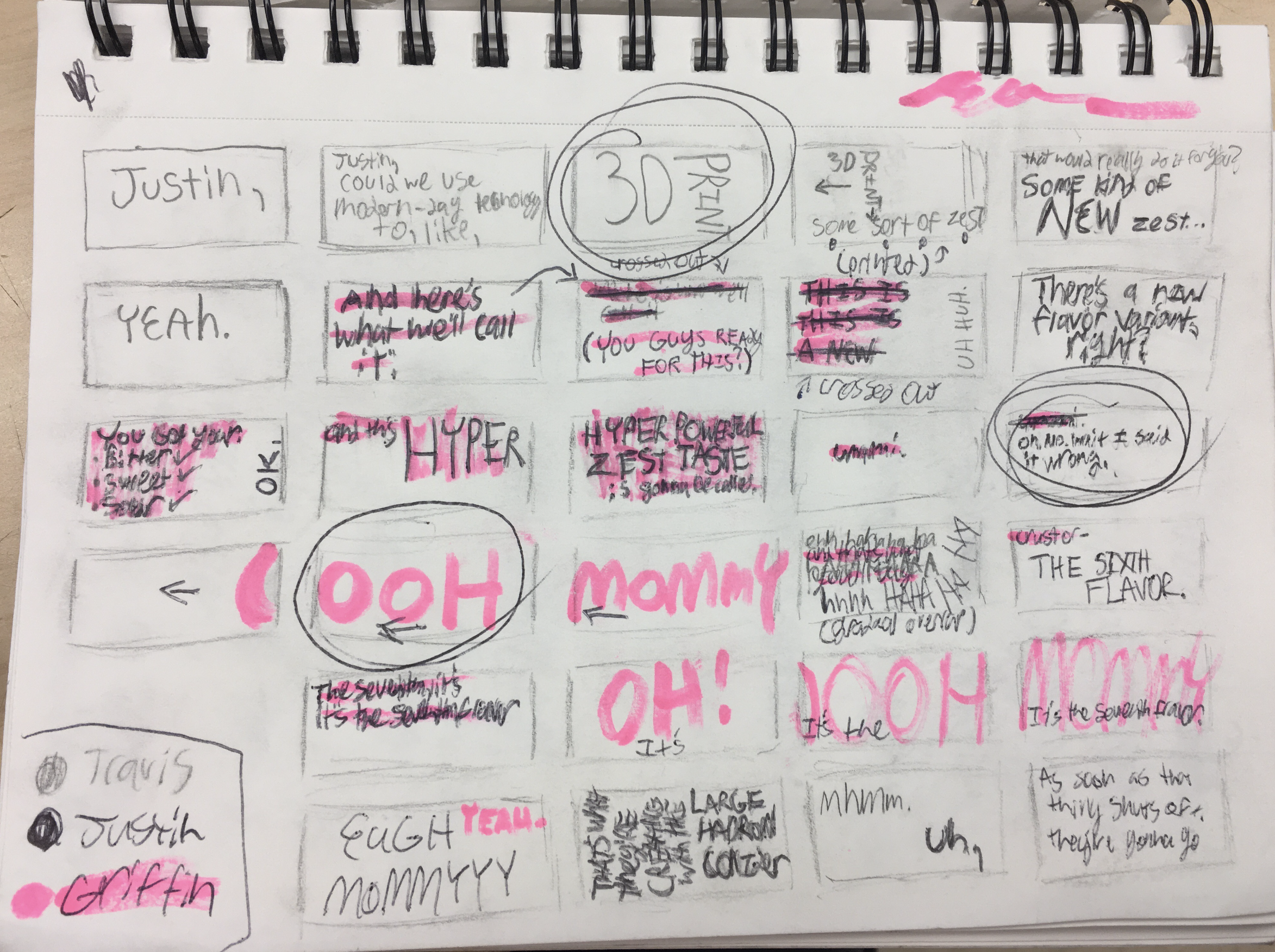
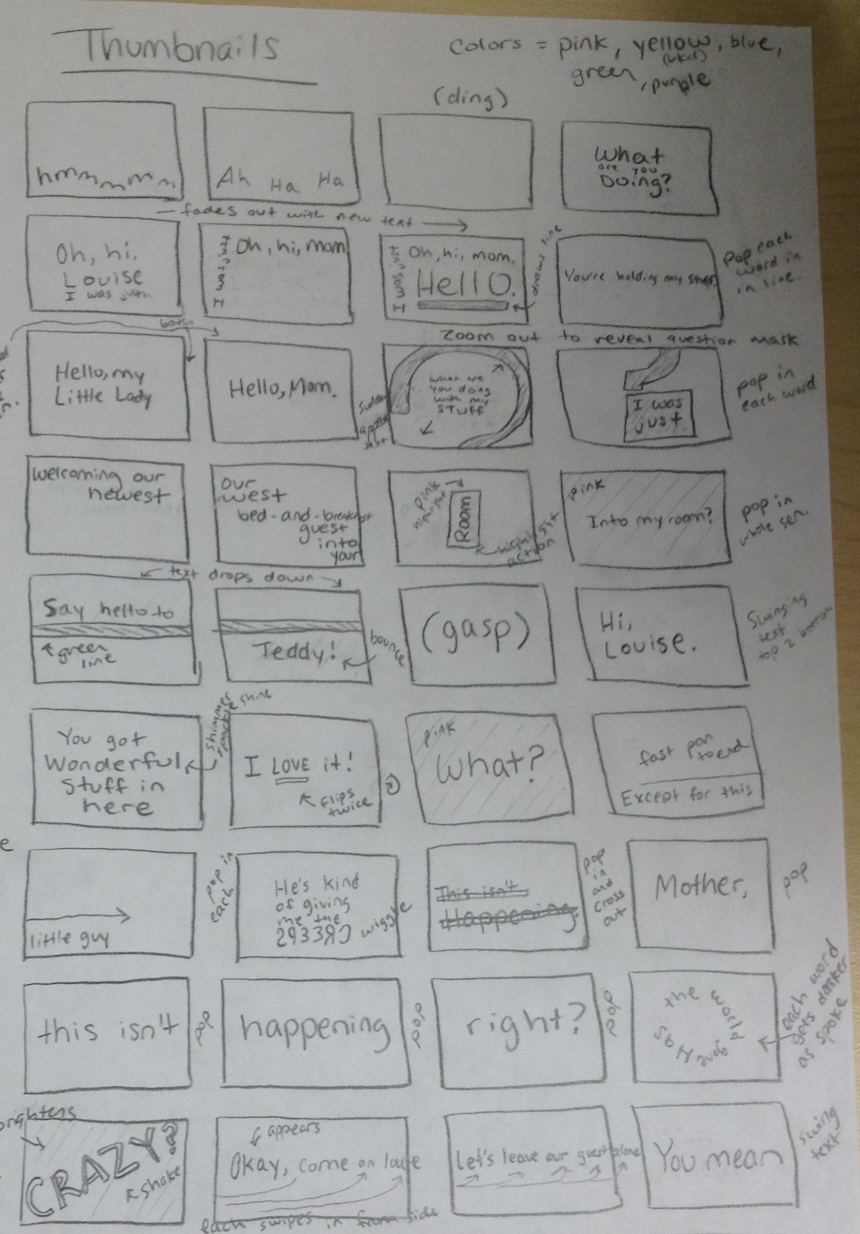
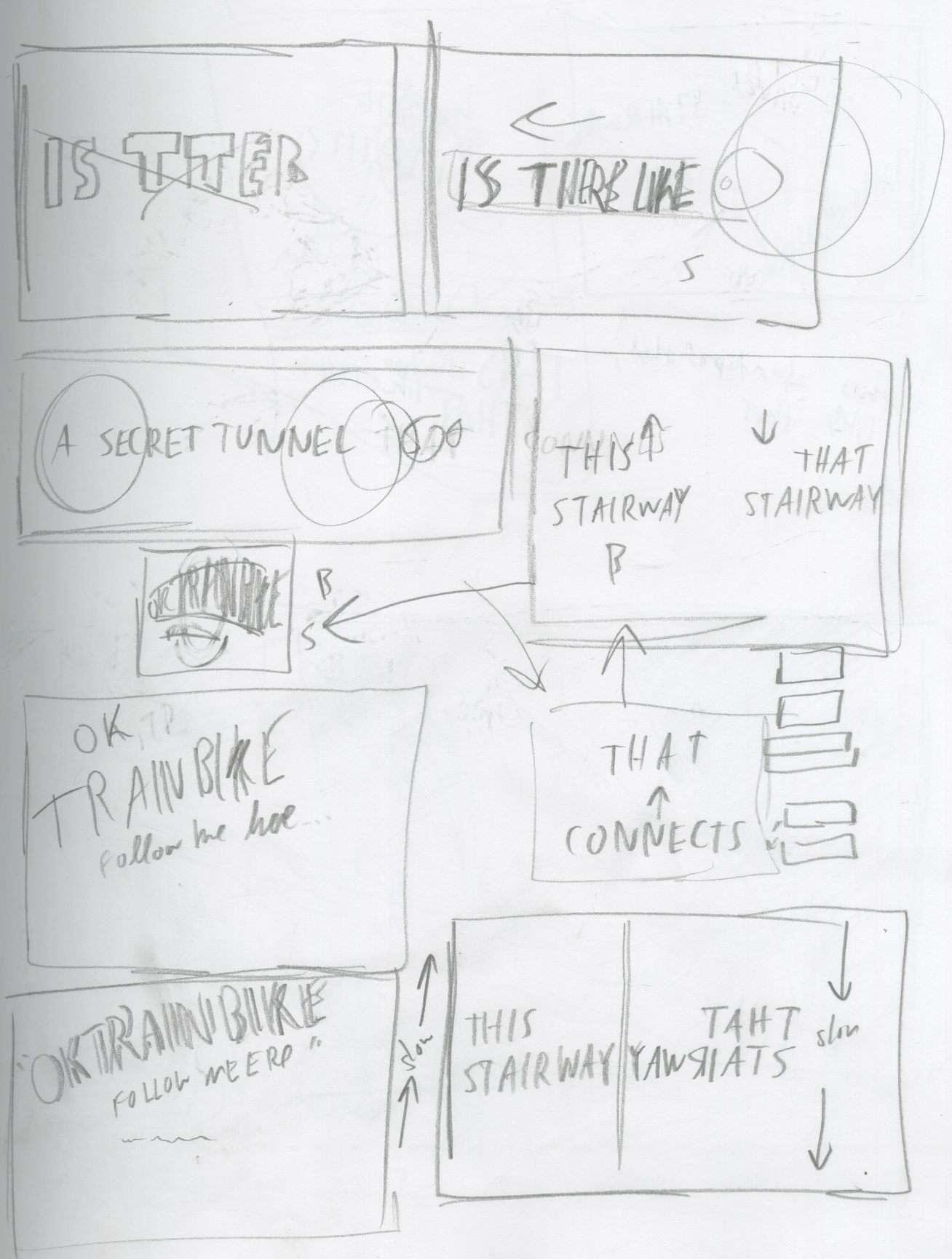
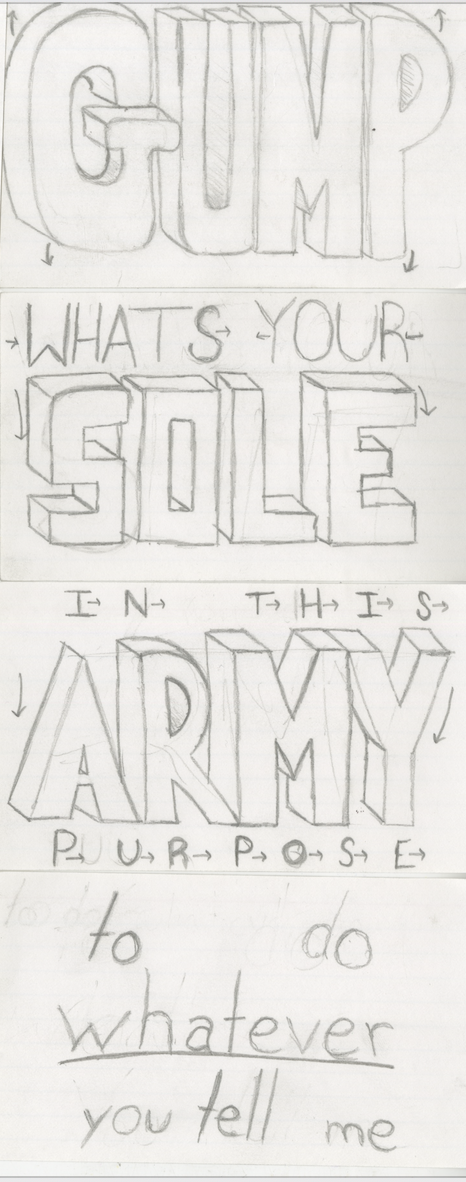
  • 6. Rough Storyboard: (suggested methods: index cards OR .ai artboards OR storyboarding paper above): Brings together the script with the visuals. Indicate framing, as well as how elements will enter, exit, move throughout the frame. Minimum of 12 frames (title slide + 8 principles + consider transitions)
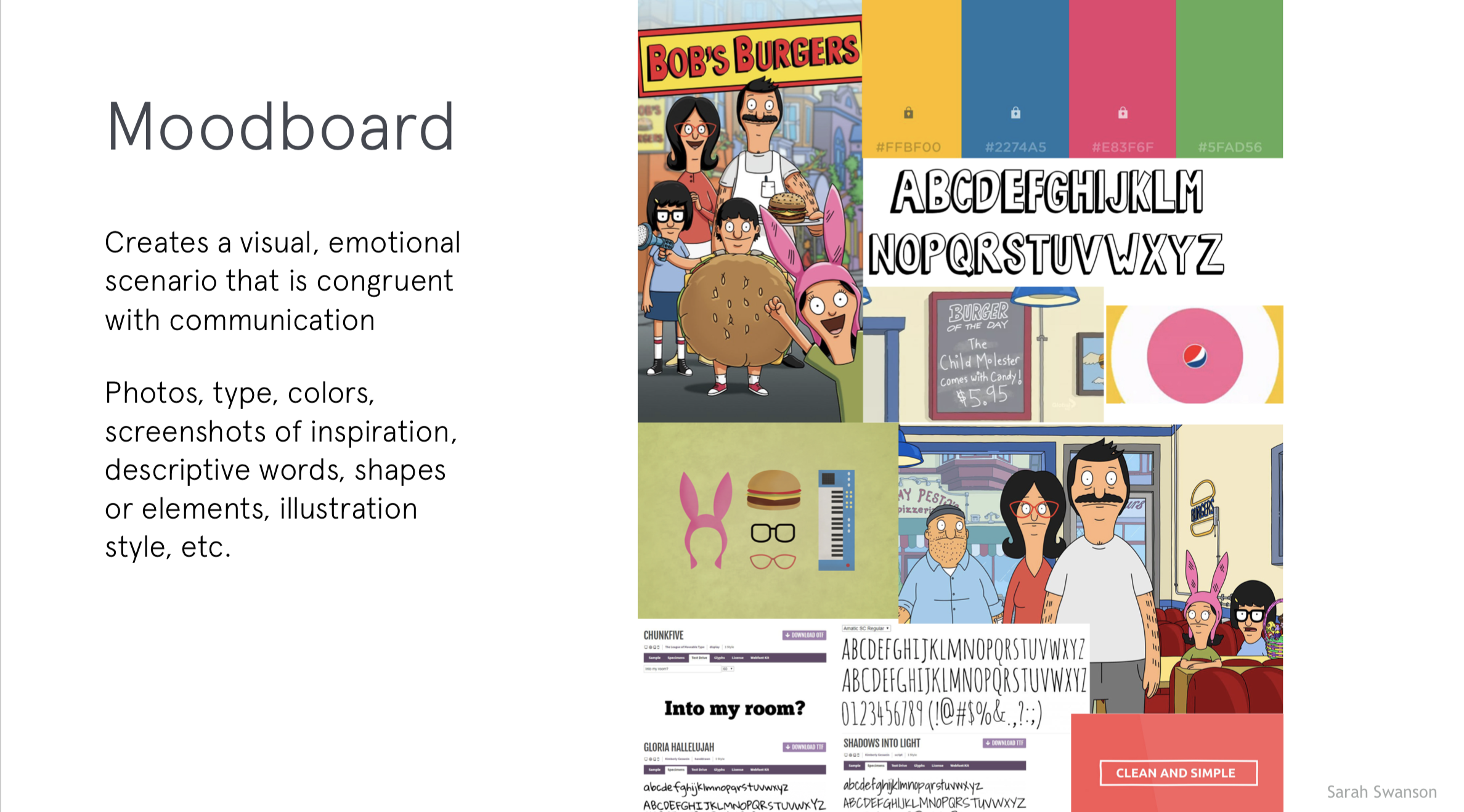
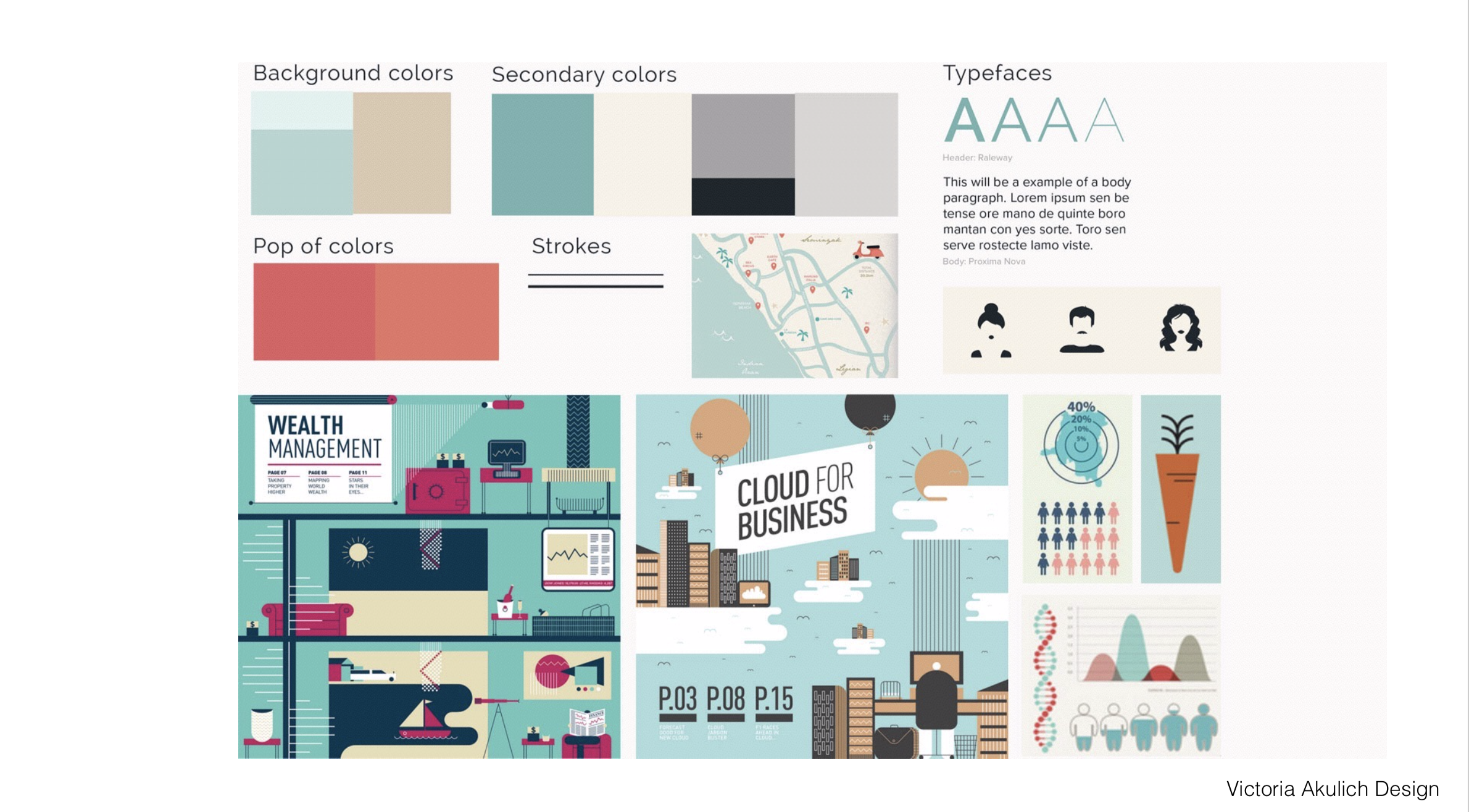
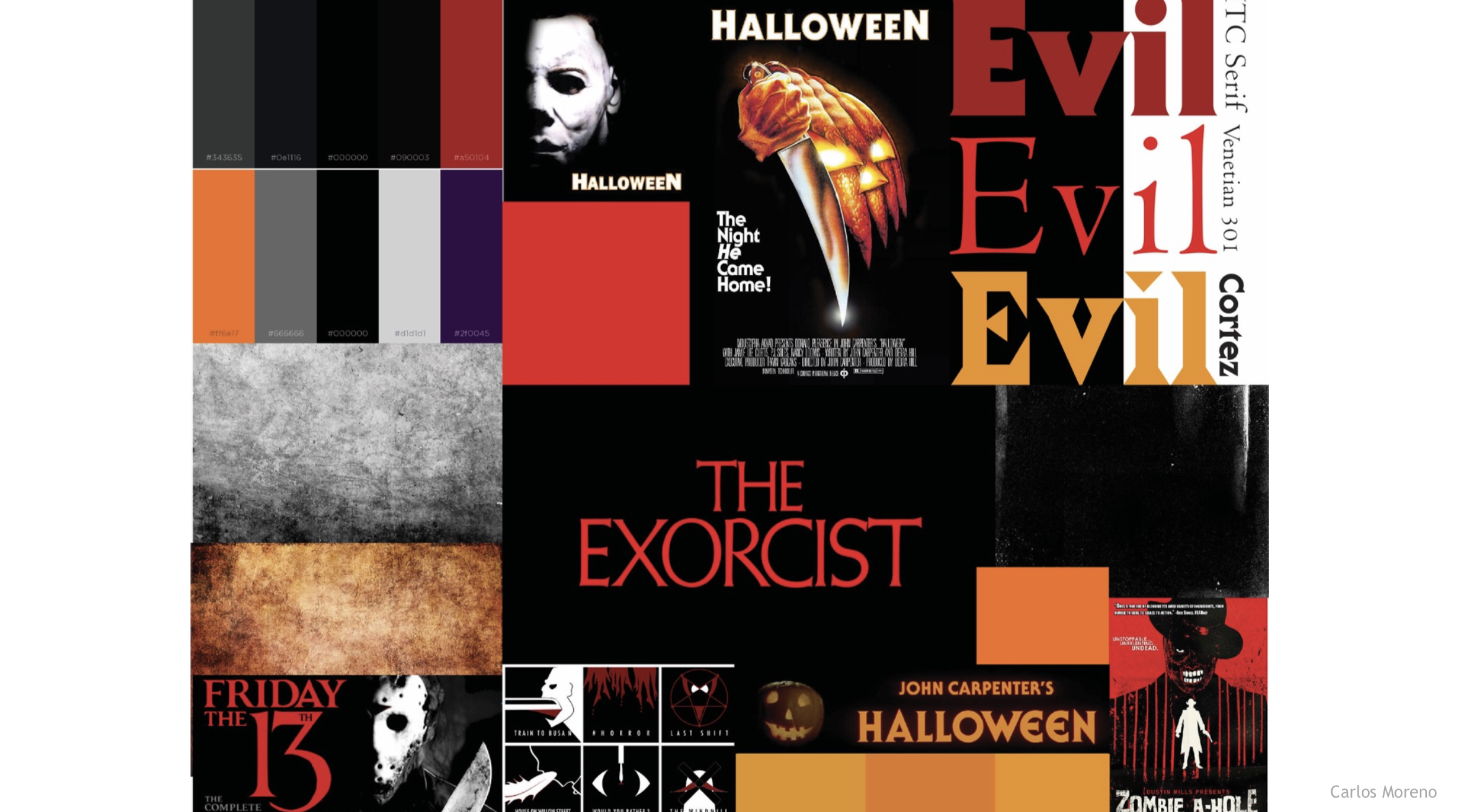
  • Optional: Create 1 moodboard on top 1 concept (include type exploration, image/illustration style, color, keywords).
  • 7. P2 Crit #1 –Post your 3 styleframes and rough storyboard to Discussion Board on D2L “P2: Styleframes” (post by next Tues @ noon / 3 comments by Thurs @ noon. In D2L, go to Communications > Discussions). You only need to participate in the D2L critique if you do attend next Wednesday’s noon Zoom Critique.

    Looking ahead (next Tues-Thurs): P2 Crit #1 -Comment on 3 others by Thursday@noon (if you do not attend Wednesday’s live ZOOM). You only need to participate in one or the other.

Focus for Critique: 

TOPIC: What is the theme you are using to communicate the principles? What is the overarching idea (thinking, logic, thread) for your design? Brainstorm on the principles within your theme. (for example: If your theme is a game of pool, alignment could show the balls aligning together. If your theme is a designer's process of creating, alignment could show the final works pinned on the wall together in alignment.)

STYLEFRAMES: Which styleframe is most successful in communicating the visual style for your theme? Type, color, imagery, etc. Is there unity throughout? Color coding? Suggestions for improvement. 

MOTION: How can the motion could communicate the theme? (for example: A nature theme might connect the motion to the movement of growing. A magic show theme could connect the motion to the forms appear or disappearing.)


SECTION III – AE

8. AE Demos

In After Effects, this week we will review Pen Tool, Bezier Shapes, Adjustment Layers, Masks on images, Effects + Presets

9. AE Resources

10.

Exercise 3: The Power of Transformation (15pts)

This is the third of 4 exercises in this course. Please review the requirements and rubric before beginning.

This exercise challenges you to explore visual change over time—turning one thing into another in a way that feels intentional and connected.

Objective: Create a 5–10 second composition that clearly shows a transformation or evolution.
Transformation can be:

  • Literal: Object A becomes Object B (e.g., a caterpillar turning into a butterfly).
  • Conceptual: A feeling or idea changes (e.g., anger dissolving into calm).
  • Environmental: A scene changes over time (e.g., night becomes day, seasons shift).

Your goal is to show that change in a way the viewer can follow—avoid random image swaps. Every element should help tell the story of “before → after.”

Narrative: Define a clear visual story that shows the evolution of your objects and images. Avoid random placements—each element should have a purpose in the transformation process.

Tips: Think of this as a “mini-story”: beginning (current state), middle (change happening), and end (new state). No need for complex characters: focus on simple imagery that shows clear “before/after.” Less can be more: keep it simple, but make sure each step feels connected. Use transformation effects with purpose: don’t just add effects randomly—ask, “Does this help show the change?”

How to Show the Transformation:
You can create transitions in many ways, for example:

  • Opacity / Dissolve: one image slowly fades out while the next fades in
  • Morph-like Motion: scale, rotate, or warp elements so they appear to “become” something new
  • Color & Effects: use a color shift, blur, or distortion to signal change
  • Mask Reveals: animate masks or track mattes to reveal the next image underneath
  • Position / Motion Paths: slide one image out while the next slides in, making them overlap for continuity

Use transformation effects with purpose—ask, “Does this help show the change?”


Exercise 3 Instructions

Exercise 3 Rubric

week 5 | online | 9.22–9.28

📌 Weekly Structure (applies every week)


Week 5 Links & Notes
(specific to this week)

Live Sessions This Week:

👉 Join Live: Mon 9.22 @ noon – Week 4 Review + P1 20-30s Critique
→ [Join Here]

📺 Watch: Mon 9.15 Review + Live Crit Recording → [Watch Here] approx. 23m

Looking Ahead (Week 6)

Next live (recorded) session: Mon Sept 29th @ noon (only live session in Week 6)


This week’s deadlines:
Wednesday, Sept. 24 @ noon

  • P1 Crit #3-Participate in Monday’s Zoom Critique or Post/Comment to Discussion Board on D2L “P1: 20–30s Crit” by Monday @noon. Comment on 3 others by Wednesday@noon (if you do not attend Monday’s ZOOM). You only need to participate in one or the other.
    Note: This is a lighter week so you can focus entirely on catching up with any missed work and creating a successful project 1.

Monday, Sept. 29 @ noon

  • Due: Final Submission of zipped Project 1 (review guidelines below) to D2L “Project 1” assignments folder + upload final video render to Vimeo
  • Due: Exercise 2 (Submit to vimeo + d2L)

Next week, we have Exercise 3, numerous AE demos, and will begin our P2 development.


Weekly Content

Week 5 (though not required, it is recommended you move through in sequence. As everything is due by end of the week, it is best to work ahead. All items need to be completed.):


  1. Attend or watch a recording of Monday Zoom. We will review this week’s content and critique the live work for anyone present.

    SECTION I – The Principles of Animation
  2. Watch Lecture Video – Lecture: Principles of Motion Graphics
  3. Review Principles of Motion Graphics Resources

    SECTION II – P1 Submission + P2 Introduction
  4. Due Mon.: Finalize and turn in P1 Kinetic Typography
  5. Review P1 Submission Guidelines on Week 4 before submitting.
  6. Due Mon.: Final Presentation Rationale (post to Vimeo, or Medium)
  7. Due Mon.: Design Boards (file for download) turn in with P1 on D2L
  8. Introduce P2: Principles of Design in Motion
  9. Due the following Mon. Oct 5th: P2 Ideation: For those that want to work ahead, brainstorm 20 themes, 3 mindmaps, thumbs for 3 themes, narrow to top theme, and continue with sketches (post to Medium)
  10. Due Mon.: Finalize and Submit Exercise 2 via Vimeo + D2L “exercise 2” folder (details in week 4)

    SECTION III – AE
  11. Optional: Sign-up for Adobe MAX Conference

SECTION I – PRINCIPLES OF ANIMATION

2. Principles of Animation

This week focuses on the 12 principles of animation and starting to think about our next project. We are not officially starting the project until next week. It is okay if you wait until next Monday to start this lecture as we will not have a lecture next week (just don’t forget to go back). Sharing to give you the option to get an early start.

4-principles-of-motion-graphics

P2_PrinciplesofMotion

3. Principles Resources:

SECTION II – P1 + P2 Introduction

4.

Project 1: Kinetic Typography

due: Monday 9.29 @noon

Finalize and Submit P1 Kinetic Typography (due THIS WEEK – the end of week 5) and turn in our final work.

5. P1 Final Submission (also review week 4)
  • Project 1 Final: Final motion design uploaded to Vimeo. Upload your final files in a ZIPPED folder named “lastname_p1_kineticType” to the assignments folder on D2L “Project 1”.
    • In zipped folder, FINAL .aep file
    • In zipped folder, FINAL movie rendering @1080p or 720p (do not need process renderings)
    • In zipped folder, Design Boards (file for download) – PDF please, uncheck “illustrator editing capabilities”
  • All process work (PDFs, JPEGs, PNGs) needs to be on Medium post (not in zipped folder)
    • initial audio research and ideation
    • brainstorming/sketches
    • mood boards / type exploration
    • motion script
    • storyboard
    • 3 styleframes
    • 2s motion test

6. Final Presentations (rationale): (2.5% of Final Grade) For our first project, you will either be (1) writing a rationale of your concept for your final work or (2) record a video of you describing your concept and posting it in D2L Discussion Board > P1 Final Presentations. If you run into issues within Vimeo, do not worry about uploading the final to Vimeo. For your rationale/presentation, describe concept (narrative, mood, contrast, and formal) and formal choices. Remember to include both the name of your typeface(s) and WHY they were selected to support your concept. All of your choices should support how you wanted your work to feel.

7. Create Design Boards (file for download) (2.5% of Final Grade) Please refer to Zoom recording below. Note: drag and and drop link to new tab if you have a PC.

Design Board how-to

8.

Project 2: Principles of Design in Motion

due: Monday 10.27

Begin P2: Principles of Design in Motion next week and we will work on ideation and refine to one theme next week.

Looking ahead, next week we will move into styleframes and a rough storyboard (due the following Monday), as well as audio research.

9. P2 Process Work

Post/Post to a NEW story called “Principles of Design in Motion: Ideation” on Medium. How to post on Medium.

Due the following Mon. Oct 5th – (posting for anyone wanting to get a head start on ideation)

Mind maps by Taylor English, Sarah Beth Hulver, and Lauren Peterson from http://motionographer.com/2015/12/16/author-of-design-for-motion-talks-industry-education-and-the-state-of-design/


SECTION III – AE

11. AE – Adobe MAX Conference Sign-Up

We will not have any new demos in AE this week as you finalize P1 and begin P2. Next week, we will continue with image masks, the pen tool, bezier shapes, adjustment layers, and effects.

This week, I would like you to sign up for the Adobe Max Conference (free online) and begin looking at the sessions (below) in After Effects (or Photoshop, InDesign, and Illustrator) you would like to attend Oct 28-30th.

Adobe MAX is one of the biggest events for graphic designers, VFX artists, web designers, and more from around the world to come together and explore what’s next for creatives.

Adobe Max Guide

View the Session Catalog

https://max.adobe.com/max-online/

week 4 | online | 9.15–9.21

📌 Weekly Structure (applies every week)


Week 4 Links & Notes
(specific to this week)

Live Sessions This Week:

👉 Join Live: Mon 9.15 @ noon – Week 4 Review + P1 10s Critique
→ [Join Here]

📺 Watch: Mon 9.15 Review + Live Crit Recording → [Watch Here] approx 45m

Looking Ahead (Week 5)

Next live (recorded) session: Mon Sept 22 @ noon (only live session in Week 5)


This week’s deadlines:
Wednesday, Sept. 17 @ noon

  • P1 Crit #2-Participate in Monday’s Zoom Critique or Post/Comment to Discussion Board on D2L “P1: 10s Crit” by Monday @noon. Comment on 3 others by Wednesday@noon (if you do not attend Monday’s ZOOM). You only need to participate in one or the other.

Monday, Sept. 22 @ noon

  • 8. 20s–30s of P1 development – Develop in AE. Render. Post to Vimeo + Import to the bottom of your Ideation Story on Medium + Post to D2L Discussion Board
  • 9. Exercise 2 – post to Vimeo as “Exercise 2” – due Mon. 9.29

Next week, Project 1 is due at the end of the week. We will begin discussing the Principles of Design which will lead us into our second project.


Weekly Content

Week 4 (Though not required, it is recommended you move through in sequence. To stay on schedule, it is recommended you have 1, 4, 6 completed by Wednesday@noon. All 10 need to be complete by Sunday @midnight):


  1. Attend or watch a recording of Monday Zoom. We will review this week’s content.

    SECTION I – Motion Design
  2. Watch Lecture Video – Lecture: History of Motion Graphics
  3. Review History of Motion Graphics Resources

    SECTION II – P1 + Exercise 2
  4. Continue development of P1 Kinetic Typography
  5. Review P1 Submission Guidelines
  6. P1 Crit #2-Participate in Monday’s Zoom Critique or Post/Comment to Discussion Board on D2L “P1: 10s Crit” by Monday @noon. Comment on 3 others by Wednesday@noon (if you do not attend Monday’s ZOOM). You only need to participate in one or the other.
  7. Due next Mon. 9.22: 20s–30s of p1 development in AE (post to Vimeo – and medium, if possible)
  8. Due next Mon. 9.29: Complete Exercise 2

    SECTION III – AE
  9. Watch Demo AE Videos
  10. Review After Effects Resources + Audio Resources (as needed)

SECTION I – MOTION DESIGN

2. Motion History

This week focuses on the history of motion graphics. Next week, we will move into the principles of motion design.

5-history-of-motion-graphics

SECTION II – P1

4.

Project 1: Kinetic Typography

due: Monday 9.29 @noon

Continue P1 Kinetic Typography (due at the end of week 5). This week, we will focus on the development of our motion designs with our final 30s critique.

P1 Final Considerations

Audio Guidelines for Motion Graphics

p1_rubric-2

5. P1 Final Submission

Design Board how-to
P1 Process Work

Post/Post to a story called “Kinetic Typography: Ideation” on Medium. How to post on Medium.

  • 6. 10s Critique: P1 Crit #2–Participate in Monday Zoom Critique or Post/Comment to Discussion Board on D2L “P1: 10s of Development” (post by Monday@noon / 3 comments by Wed@noon. In D2L, go to Communications > Discussions). You only need to participate in the D2L critique if you do attend the Monday Zoom. Post your link to your uploaded Vimeo file and describe your audio and how you want it to feel. Make note if you are looking for feedback on anything specific.

SECTION III – AE

9. AE Demos

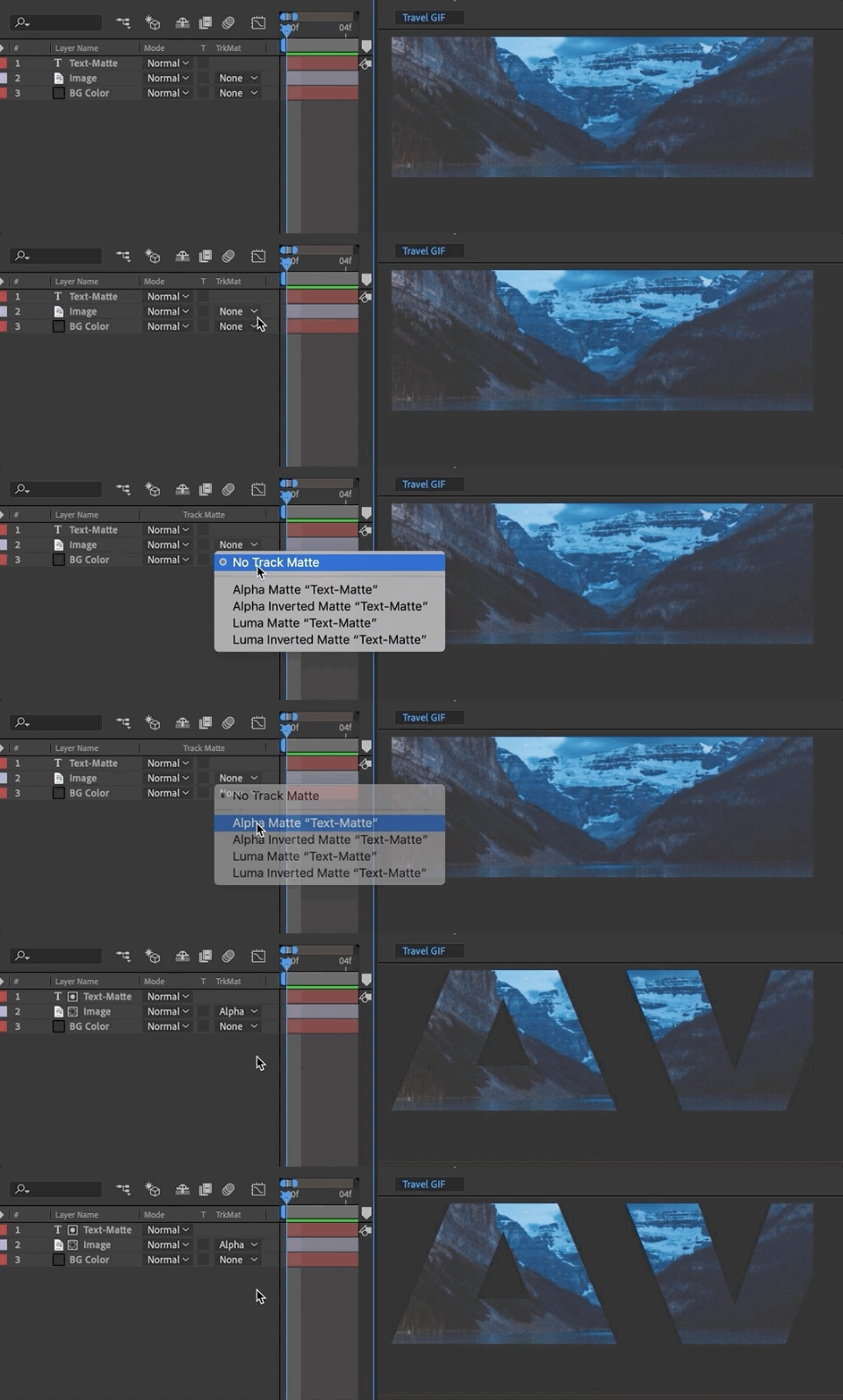
In After Effects, this week we will learn about track mattes. Please watch the video below and review the resources. The handout below can be used for quick reference while working through the application.

bird.png (right click to save)

AE Handout: Intro to After Effects

Compositing is placing one image on top of another (such as text on a photo). Mattes are used to isolate one portion of an image—such as a layer mask or track matting where one layer references the transparency of another layer.

10. AE Resources
schoolofmotion.com

9.

Exercise 2

This is the second of 4 exercises in this course. Please review the requirements and rubric before beginning.

Exercise 2 Steps

Exercise 2 Rubric

week 3 | online | 9.8–9.14

📌 Weekly Structure (applies every week)


Week 3 Links & Notes
(specific to this week)

Live Sessions This Week:

👉 Join Live: Mon 9.8 @ noon – Week 3 Review + Styleframe Critique
→ [Join Here]

📺 Watch: Mon 9.8 Review + Live Crit Recording → [Watch Here] approx 30m

Looking Ahead (Week 4)

Next live (recorded) session: Mon Sept 15 @ noon (only live session in Week 4)
*non-holiday weeks we will meet on Mondays


This week’s deadlines:
Wednesday, Sept. 10 @ noon

  • 6. P1 Styleframes + Storyboard + Motion Test Critique – For credit, either participate in 9.8 live critique, OR provide comprehensive peer feedback on 3 peer’s styleframes, storyboard, and 2s motion test. IF you did not participate in Monday’s Zoom critique, you are required to provide styleframe feedback to 3 others in the class and review their Medium posts before giving feedback).

Monday, Sept. 15 @ noon

  • 8. Exercise 1 – post to Vimeo as “Exercise 1”
  • 4. 10s of P1 development – Develop in AE. Render. Post to Vimeo + Import to the bottom of your Ideation Story on Medium (if you struggle to post to Medium, please just post to Vimeo).
    • Note: 20–30s on P1 development will be due the following Monday 9.22 @noon.

Weekly Content

Week 3 (though not required, it is recommended you move through in sequence. All items need to be complete by Monday @noon):

  1. Watch recording of Weekly Review.

    SECTION I – Motion Design
  2. Read Motion Design Considerations

    SECTION II – P1
  3. Continue development of P1 Kinetic Typography
  4. P1 Crit #1 –Participate in Monday Zoom Critique or Post/Comment to Discussion Board on D2L “P1: Styleframes” by Monday 9.9 @noon. Comment on 3 others by Wednesday@noon (if you do not attend Monday’s ZOOM). You only need to participate in one or the other.
  5. Due next Mon. 9.15: 10s of p1 development in AE (post to Vimeo – and medium, if possible)

    SECTION III – AE
  6. Watch Demo AE Videos
  7. Review After Effects Resources + Audio Resources (as needed)
  8. Due Mon 9.15@noon Complete Exercise 1 (posted in earlier week)

SECTION I – MOTION DESIGN

2. Motion Design Considerations

This week focuses on manipulating numerous elements and adding easing qualities to your motion designs. Consider these ideas as you work on your P1 development:

  • Easing should be inspired by the qualities of the element. For example, an element with a heavier weight would fall faster and hit the perceived surface harder.
  • Lead the viewer’s eye with motion. Our eyes look towards whatever is animated. If too many elements are moving in contradictory motions, it can be visually confusing.
  • Pay attention to pacing. Is the type too fast or slow?
  • Refine type/audio alignment. Is the type appearing too soon or too late? Consider type that remains too long and competes with any incoming text.
  • Create typographic relationships. This is motion design. Rather than only making type appear and disappear with the audio, create relationships from one scene to the next.
  • Lastly, don’t over-animate and consider motion unity. Repetition with variation in how things move can avoid the design creating “motion soup.” Variation is good for creating interest but too much can feel chaotic. This is a balancing act and will take practice to refine.

SECTION II – P1

3.

Project 1: Kinetic Typography

due: Monday 9.29 @noon
Continue P1 Kinetic Typography.

This week, we will focus on the development of our motion designs with a 10s critique.

Looking ahead, next week we will have a final 30s critique next week.

P1 Process Work

Post/Post to a story called “Kinetic Typography: Ideation” on Medium. How to post on Medium.

  • 4. Styleframe Critique: P1 Crit #1 –Participate in Monday 9.8 Zoom Critique or Post/Comment to Discussion Board on D2L “P1: Styleframes” (post by Mon @ noon / 3 comments by Wed @ noon. In D2L, go to Communications > Discussions). You only need to participate in the D2L critique if you do attend the Monday Zoom. Post your link to your uploaded Vimeo file and describe your audio and how you want it to feel. Make note if you are looking for feedback on anything specific.
  • 5. Due next Mon 9.15: 10s of Project 1 rendered and uploaded to Vimeo WITH your audio. If necessary, continue revising storyboard or styleframes per the feedback received in crits this past week.)

SECTION III – AE

6. AE Demos

In After Effects, this week delves deeper into type (text masks), compositions (precomposing, nesting), keyframes (easing and interpolation), parenting, importing Audio Import – right click to save (demo file 1), (demo file 2), and the use of the graph editor. Please watch the videos below, review the resources, and complete Exercise 1. The handout below can be used for quick reference while working through the application.

AE Handout: Intro to After Effects

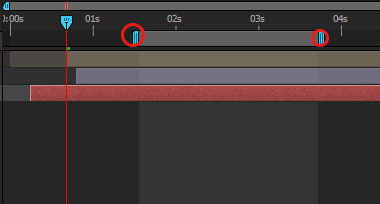
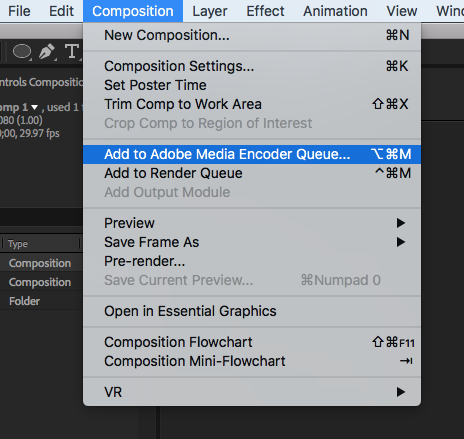
Important Note on Rendering: To render out a portion of your work rather than an entire composition, resize the work area on the right side of your timeline panel. The work area selected is the ONLY portion that will render out through the Adobe Media Encoder.

7. AE Resources

Types of Keyframes

AE Keyframe Shortcuts + Tips

AE Keyboard Shortcuts

AE Keyframe Interpolation

https://medium.com/@gordonnl/ease-in-or-ease-out-ed9a0969042e
linked to original file: https://dribbble.com/shots/2315008-The-key

Curves = Acceleration and Deceleration

  • A curved line means speed is changing. If the curve is going up, the object is speeding up (accelerating). If it’s going down, the object is slowing down (decelerating).
  • When you see handles on the keyframes, use them to manually adjust how fast or slow the object moves. The longer you stretch the handle, the more gradual the change.
  • Flat Lines = constant speed.
  • Steep Curves = fast changes.
  • Shallow Curves = slow changes.
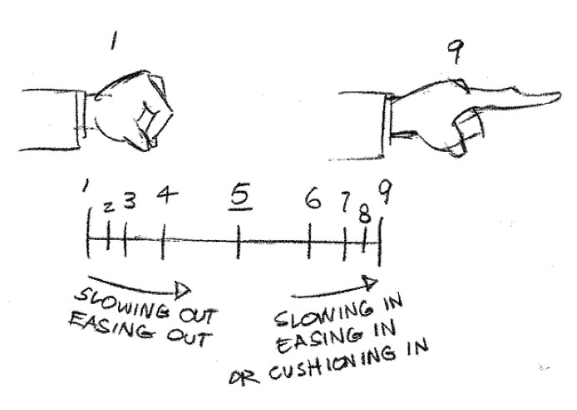
  • Use Easy Ease to quickly smooth out your animation. After Effects will automatically create a curve to help an object slow down or speed up gradually. This is great for a natural-looking animation.
  • Ease In: Starts slow, then speeds up (like accelerating from a stop).
  • Ease Out: Starts fast, then slows down (like braking a moving car to a stop).
  • Keep Learning: Create better eases in AE & Roving Across Time with Roving Keyframes

9.

Exercise 1

Due this Monday 9.15 @noon.

Review the full exercise description on week 2.

week 2 | online | 9.2–9.7

📌 Weekly Structure (applies every week)


Week 2 Links & Notes
(specific to this week)

  • 📹 Watch Now: Week 2 Review (pre-recorded) → [Watch Here] 26m – required
Live Sessions This Week:

👉 Join Live: Wed 9.3 @ noon (Mid-week 2)→ [Join Here]

📺 Watch Later: Wed 9.3 Recording → [Watch Here] optional to watch—reviewed 2 students projects. Could be helpful to watch for additional guidance.

Looking Ahead (Week 3)

Next live (recorded) session: Mon Sept 8 @ noon (only live session in Week 3)
*non-holiday weeks we will meet on Mondays


This week’s deadlines:
Monday, Sept. 8 @ noon

  • 5. Audio transcript – Type out and post to bottom of recent Ideation Story on Medium
  • 6. Three Styleframes – Design in Illustrator or Photoshop. Export as JPEG and post to bottom of recent Ideation Story on Medium. (Also, post to D2L P1 Styleframe Critique before 1PM if you are not participating in Monday’s Live Zoom critique)
  • 8. Storyboard – Create in sketchbook, using index cards, or in software. Take photo/export and post to bottom of your Ideation Story on Medium
  • 9. 2s Motion Test – Develop in AE. Render. Post to Vimeo + paste Vimeo link to the bottom of your Ideation Story on Medium (if you struggle posting to Medium, please just post to Vimeo)
  • 12. Either email Cass your Vimeo link (creese@pennwest.edu) -OR- post your 2s audio clip uploaded to Vimeo to the “P1: 3 Styleframes” Critique in D2L.
  • 15. Begin Exercise 1 – due week 3 – monday, 9.15

7. Critique: P1 Styleframes + Storyboard + Motion Test – For credit, either participate in live monday 9.8 critique, OR provide comprehensive peer feedback on 3 peer’s styleframes, storyboard, and 2s motion test by next wednesday 9.10. IF you did not participate in Monday’s Zoom critique, you are required to provide styleframe feedback to 3 others in the class and review their Medium posts before giving feedback).

Next week, we will move on to Exercise 2. For P1, we will use styleframe feedback to revise styleframes and storyboards and move on to developing our first 10s of P1 for a Zoom or Discussion Board Critique.


Weekly Content

Week 2 (though not required, it is recommended you move through in sequence. All items need to be complete by Monday @noon):


  1. Attend or watch recording of Monday Zoom. We will review this week’s content.

    SECTION I – Motion Design Process
  2. Watch Lecture Video #1 – Lecture: Motion Design Process
  3. Review Motion Process Resources

    SECTION II – P1
  4. Continue development of P1 Kinetic Typography
  5. Due Mon 9.8: Write or type out your audio transcript
  6. Due Mon 9.8: 3 Styleframes (post to Medium)
  7. P1 Crit #1 –Participate in next 9.8 Monday Zoom Critique or Post/Comment to Discussion Board on D2L “P1: Styleframes” by next 9.10 Wednesday @noon. Comment on 3 others by next Wednesday @ noon (if you do not attend Monday’s ZOOM). You only need to participate in one or the other.
  8. Due Mon 9.8: Storyboard
  9. Due Mon 9.8: 2s Motion Test
  10. Review Kinetic Type Resources

    SECTION III – AE
  11. Create a free Vimeo account. (We will use Vimeo for uploading our videos after rendering)
  12. Watch Demo AE Videos
  13. Review After Effects Resources
  14. Begin Exercise 1: Due week 4 – the following Mon. 9.15


SECTION I – Motion Design Process

2. Motion Design Process

In this section, you will find a lecture video, lecture file, and resources related to motion design process work.

Video #1 – Lecture: Intro to Motion Design

3-motion-design-process-v2-1

SECTION II – P1

4.

Project 1: Kinetic Typography

due: Monday 9.29 @noon

Continue P1 Kinetic Typography. This week, we will continue with ideation and narrowing our ideas in the creation of our moodboard, 3 styleframes, and 2s motion test. End of the week, we will have a critique on our 3 styleframes. Next week, we will prepare for a critique on our first 10s of motion development.

For project 1, use type creatively through various typographic treatments such as manipulating the tracking or leading to create rhythm; changing the opacity, size, or weight to create contrast; distorting through pulling, pushing, or blurring; exploring outlines, layering, or using type as a texture. Keep placement and transitions consistent. Allow enough time for the viewer to read text.

P1 Process Work

Post/Post to a story “P1 Kinetic Typography” on Medium. How to post on Medium.

5. Audio Transcript – Due Mon.

6. 3 Styleframes (1920px x 1080px) – Due Mon.

7. Styleframes Critique – next Mon–Wed @noon

8. Storyboard – Due Mon.

9. 2s Text Animation Motion Test


SECTION III – AE

11. Vimeo Account Creation. We will use Vimeo for uploading our videos after rendeirng. Create a free Vimeo account. Next week, we will submit our Vimeo link to the D2L assignemtns folder in week 3.

12. AE Demos

In After Effects, this week continues with interface review, keyframe basics, Shapes Layer vs Solid Layer, Single Compositions: Layers, Trimming, Splitting, Text Layers, Importing PSD vs AI (download demo files below. If issues opening, right click on link and select “save link as“), and rendering. Please watch the videos below, review the resources, and complete Exercise 1. The handout below can be used for quick reference while working through the application.

AE Handout: Intro to After Effects

Note: Please use this preset when rendering in AE.

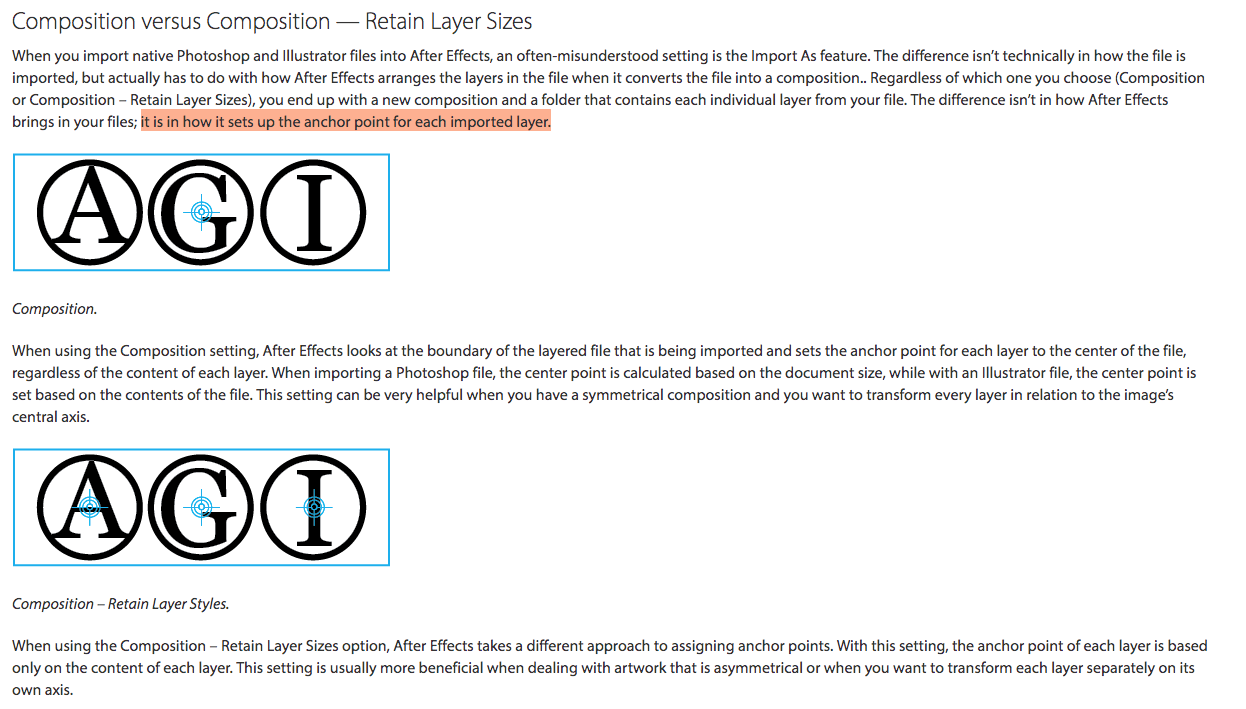
Note: Settings when Importing Files into AE

14.

Exercise 1

This is the first of 4 exercises in this course. Please review the requirements and rubric before beginning.

Exercise 1 Steps

Exercise 1 Rubric

Exercise 1 Render + Submission:

week 1 | online | 8.25–8.31

Welcome to Motion Design!

I’m thrilled to begin this journey with you as we delve into the dynamic realm of visual storytelling through motion! With class opening on Monday, your first review is pre-recorded to allow flexibility. Cass will be live Wednesday, August 27th @noon for mid-week 1 check-in and to answer any questions you may have.

📌 Weekly Structure (applies every week)


Week 1+2 Links & Notes
(specific to this week)

  • 📹 Watch Now: Syllabus & Week 1 & P1 Intro (pre-recorded) → [Watch Here] 1h1m
Live Sessions This Week:

👉 Join Live: Wed 8.27 @ noon (Mid-week 1 check-in)→ [Join Here]

📺 Watch Later: Wed 8.27 Check-In Recording → [Watch Here] 18m

Looking Ahead (Week 2)

  • Week 2 opens Tues Sept. 2 @ 11 AM (holiday adjustment)
  • Week 1 deadlines extended to Tues Sept 2 @ noon
  • No Monday (9.1) live session → prerecorded review posted Tues
  • Next live (recorded) session: Wed Sept 3 @ noon (only live session in Week 2)


This week’s deadlines:
Tuesday, Sept. 2 @ noon

  • Kinetic Typography Research + Reflection:
  • Medium Post – Kinetic Typography: Ideation
    • Create a new Medium Story called “P1: Kinetic Typography”. Create one post that includes all of the following:
    • P1 Audio Selections: Research 3 clips (30–60s) and pick your final. Share links or upload recordings (Quicktime may be helpful).
    • P1 Process: Upload thumbnail sketches, ideation notes, type exploration, and moodboard.
    • Email Cass (creese@pennwest.edu) your published Medium link so it can be added to the course site.

Next week, we will move on to P1 – 3 styleframes + P1 Crit #1, AE Demos, Exercise 1, and Lecture: Motion Design Process


Weekly Content

Week 1 (The tasks below are all of your items to complete this week. This corresponds with the checklist on D2L. Though not required, it is recommended you move through in sequence. All items need to be completed by next Monday @noon)
✔️ Track your progress on our weekly checklist on D2L > Content.

  1. Course Introduction (Recording 1)
  2. Review Syllabus – Online Section (Recording 1)
  3. Complete Survey + Syllabus Agreement

    SECTION I – Course Intro (Syllabus + First Lecture)
  4. Watch Lecture Video #1 – Lecture: Intro to Motion Design (33m)
  5. Review Intro to Motion Design Resources
  6. Read: Motion Literacy, by Jan Kubasiewicz

    SECTION II – P1 Introduction (Research + Audio + Sketches)
  7. Begin P1 Kinetic Typography (Intro in Recording 1)
  8. Review list of P1 Examples
  9. Due next Tues: Complete Kinetic Typography Research + Reflection – post here: Motion Design Kinetic Type Research F25.pptx
  10. Create your free Medium account (click “Get Started”) and copy/paste within course survey OR email to creese@pennwest.edu + Email Cass Team Names
  11. Due next Tues.: Audio Selections
  12. Due next Tues.: P1 Thumbnail Sketches
  13. Due next Tues.: P1 Ideation
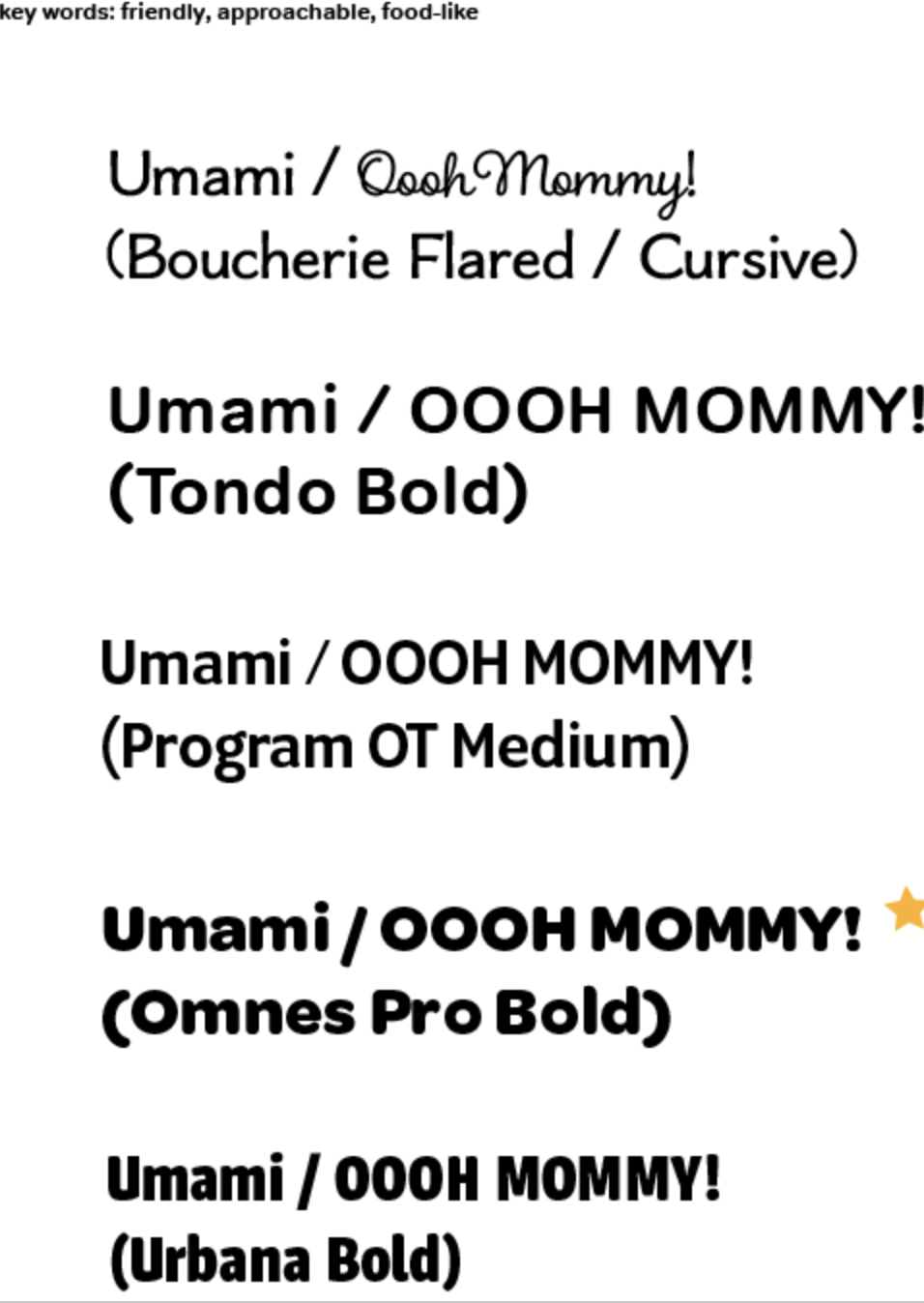
  14. Due next Tues.: P1 Typeface Exploration
  15. Due next Tues.: P1 Moodboard

    SECTION III – Intro to After Effects (Interface + Keyframes)
  16. Watch Demo Videos: Intro to After Effects
  17. Review After Effects Resources
  18. Practice in AE using keyframes and animating shapes


SECTION I – Course Intro

4.

Intro to Motion Design

In this section, you will find lecture videos, files, resources from the lecture and beyond, a relevant reading, and a resource video that expands on “what is motion design.”

Video #1 – Lecture: Intro to Motion Design

1-introduction-to-motion

When I first started out, I would just jump right into design. I would try to design my way out of a problem and sometimes that works. But, more often than not, you end up a dead end. It definitely helps to know what the concept is first and design from there.

Lauren Hartsone

Designer/Director (as quoted in Shaw, 2016)

5. Intro to Motion Design Resources

6. Read: Motion Literacy, by Jan Kubasiewicz


SECTION II – P1 Introduction

7.

Project 1: Kinetic Typography

due: Monday 9.29@noon

Begin P1 Kinetic Typography

For project 1, use type creatively through various typographic treatments such as manipulating the tracking or leading to create rhythm; changing the opacity, size, or weight to create contrast; distorting through pulling, pushing, or blurring; exploring outlines, layering, or using type as a texture. Keep placement and transitions consistent. Allow enough time for the viewer to read text. Video review of project 1 is in Monday’s zoom recording above.

Saul Bass Psycho Video

9. Kinetic Typography Research + Reflection

11. Audio Selections

P1 Ideation

Post/Post to a story called “Kinetic Typography: Ideation” on Medium. How to post on Medium.

12. + 13. P1 Thumbnail Sketches + Ideation

14. P1 Typeface Exploration

15. P1 Moodboard

Visual References:


SECTION III – AE IntroDUCTION

16. Intro to After Effects

In After Effects, this week includes an interface overview, panel setup, compositions, and an introduction to keyframes. Please watch the videos below, review the resources, and practice creating keyframes. The handout below can be used for quick reference while working through the application. Next week, we will have our first exercise in AE.

AE Handout: Intro to After Effects

17. After Effects Resources

note: AI usage policy